Cleaning
195
11
Part Names and Replacing
Intervals of the Consumable
Parts
The Pick Roller Unit and ADF Pad are
disposable parts. Be sure to replace
them according to the referential val-
ues as in the following.
The intervals of replacement are
merely referential. Remind that they
are variant according to the originals
to be scanned, frequency of cleaning
and frequency of use. The duplex
scanning is also counted as one origi-
nal to be scanned.
You can check and manage the num-
ber of scanning by the ADF and tim-
ing of replacing the disposable parts.
Refer to p.197 “Displaying and Reset-
ting the Counter of Consumable
Parts”.
Important
❒ Do not use the disposables other
than our designated parts.
Replacing the Consumable
Parts
A
AA
A
Turn off the power of the scanner
and unplug the power cable from
the outlet.
B
BB
B
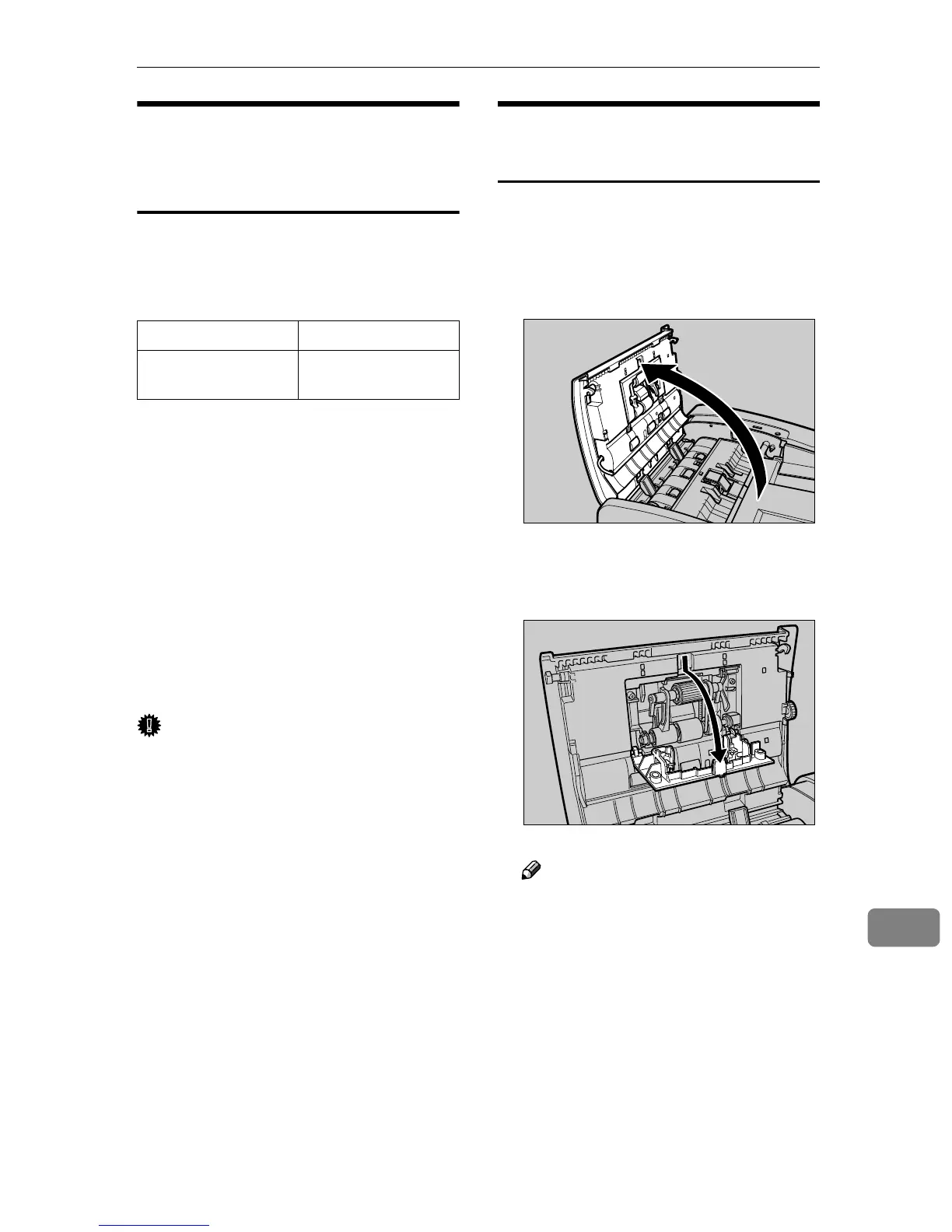
Open the cover of ADF.
C
CC
C
Open the cover the Pick Roller
Unit.
Note
❒ Open toward the front by de-
pressing the pawl situated at
the upper part of the cover.
Part Name Replacing Interval
Scanner Mainte-
nance Kit Type 200
90,000 originals
AFJ014S
AFJ017S



 To Next Page