Setting Destinations and a Subject
135
5
Note
❒ When no subject is necessary,
press [ Exit] here. The E-
mail/Send File standby screen
is displayed.
❒ The second line of the screen
shows the first destination that
you have specified for [To:] in
“Selecting Destinations”. You
can confirm all the specified
destinations by using the {
{{
{1
11
1}
}}
}
and {
{{
{0
00
0}
}}
} keys, when you have
selected multiple destinations.
❒ You cannot confirm the “Cc”
destinations on the E-
mail/Send File standby screen.
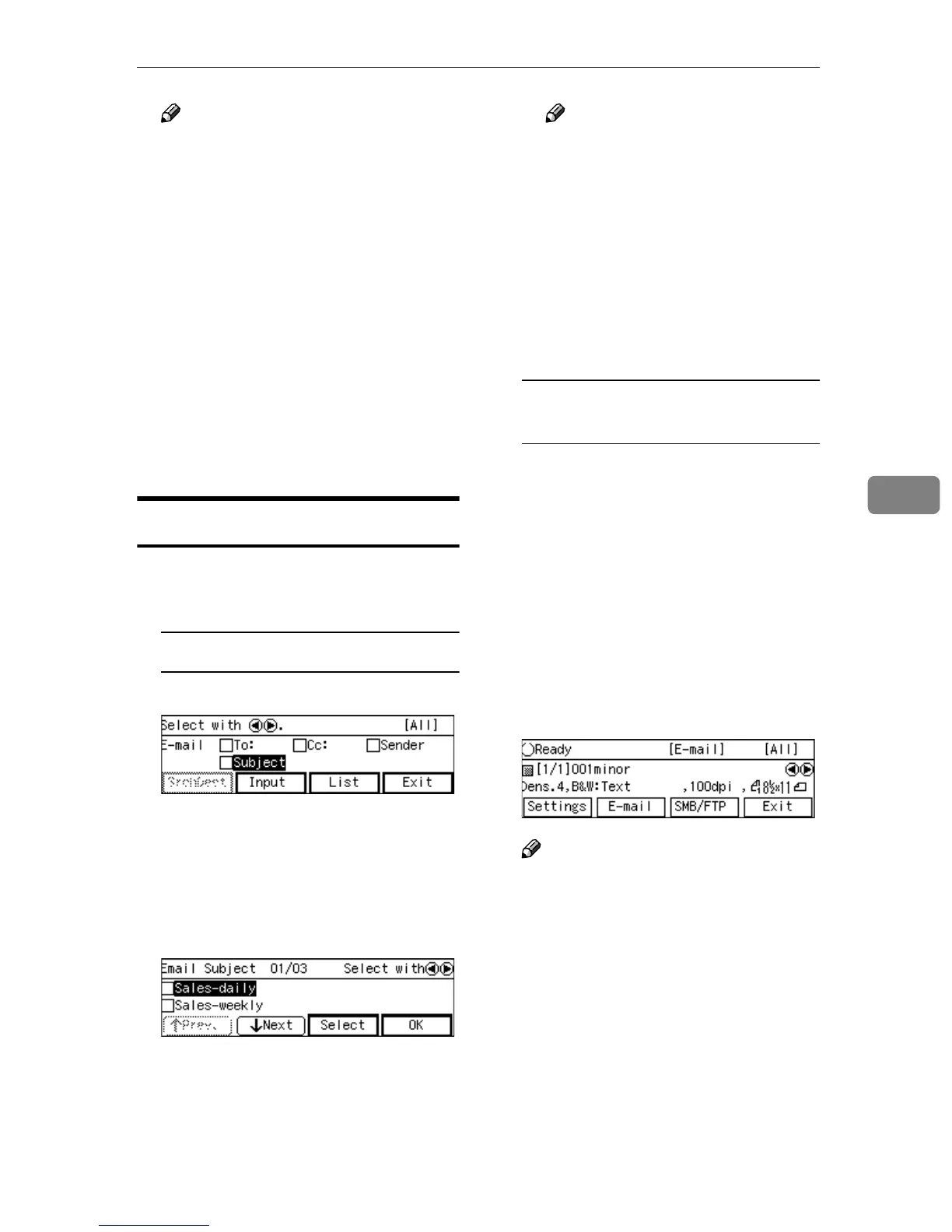
Setting a Subject
A
AA
A
Use the {
{{
{1
11
1}
}}
} and {
{{
{0
00
0}
}}
} keys to
highlight [Subject].
To select from entered subject
A Press [List].
The list of the subjects that are
registered to this machine ap-
pears.
B Use [↓
↓↓
↓Next] or [↑
↑↑
↑Prev.] to scroll
through the pages, and display
the subject you want to select.
C Use the {
{{
{1
11
1}
}}
} and {
{{
{0
00
0}
}}
} keys to
highlight the subject you want
to select, and then press [Se-
lect].
This selects the check box next
to the subject.
Note
❒ Selecting another subject au-
tomatically deselects the sub-
ject currently selected (so the
check mark next to the sub-
ject is cleared).
❒ While highlighting a subject
with its check box selected,
press [Clear] to clear the
check box (this deselects the
subject).
To enter the subject directly from
the keyboard
A Press [Input] while [Subject] is
highlighted.
B Enter the subject for the desti-
nation from the keyboard.
B
BB
B
Press [OK].
This returns to the screen that was
displayed in step
A
.
C
CC
C
Press [OK].
This returns to the E-mail/Ready
screen.
Note
❒ The second line of the screen
shows the first destination that
you have specified for [To:] in
“Selecting Destinations”. You
can confirm all the specified
destinations by using the {
{{
{1
11
1}
}}
}
and {
{{
{0
00
0}
}}
} keys, when you have
selected multiple destinations.
❒ You cannot confirm the subject
or the “Cc” destination on the E-
mail/Ready screen.



 To Next Page