Cleaning
197
11
J
JJ
J
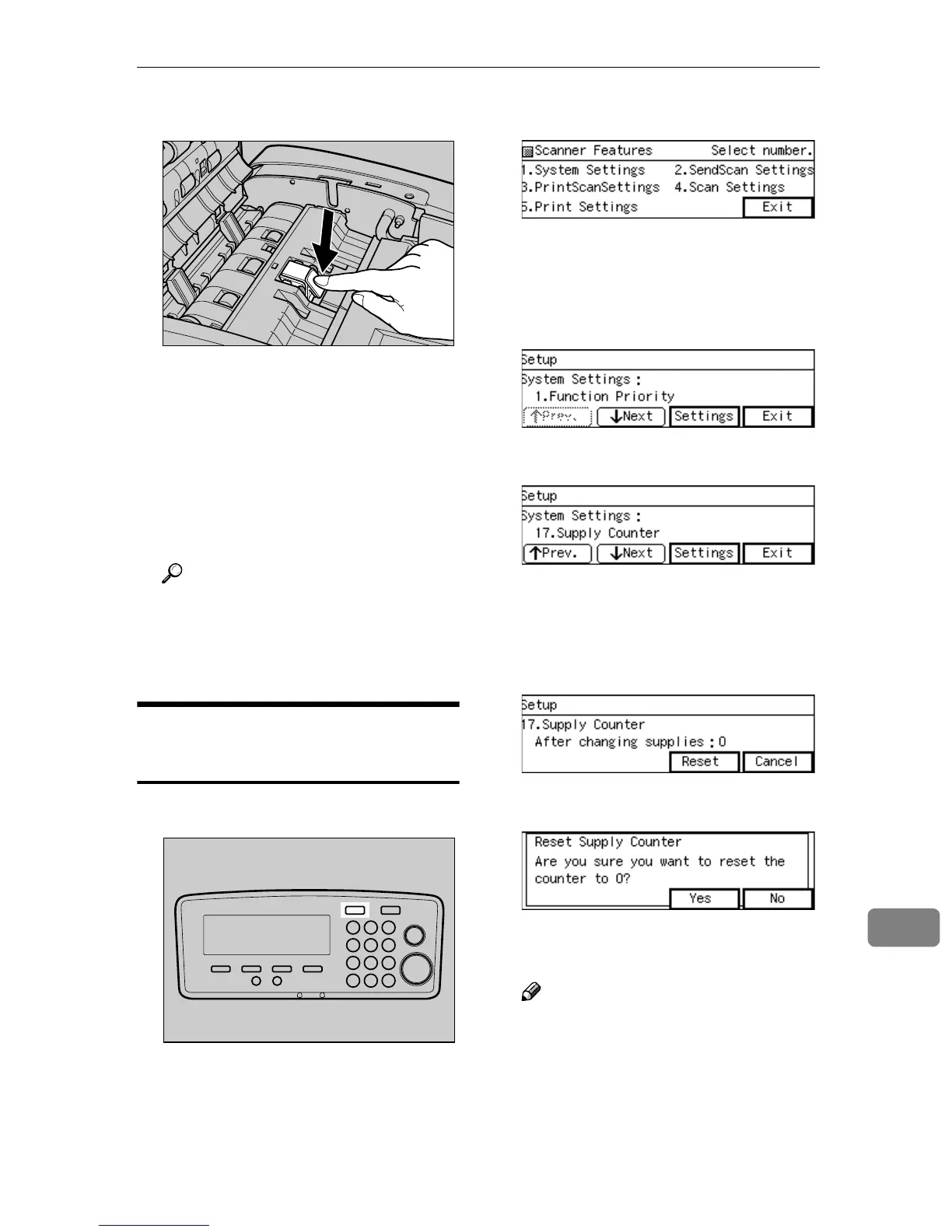
Insert a new ADF Pad.
K
KK
K
Close the ADF cover.
L
LL
L
Insert the power plug into the
power outlet, and turn on the
power of this machine.
M
MM
M
Reset the Pickup counter and the
ADF Pad counter.
Reference
Refer to p.197 “Displaying and
Resetting the Counter of Con-
sumable Parts” to reset the
counters.
Displaying and Resetting the
Counter of Consumable Parts
A
AA
A
Press the {
{{
{User Tools}
}}
} key.
The initial screen is displayed.
B
BB
B
Press the {
{{
{1}
}}
} key.
“1. Function Priority” of the Send
Scan Settings is displayed.
C
CC
C
Select the “17. Supply Counter”,
using [↓
↓↓
↓Next] or [↑
↑↑
↑Prev.].
D
DD
D
Press [Settings].
The counter displays the number
after changing the Pick Roller Unit
and ADF Pad.
E
EE
E
Press [Reset].
F
FF
F
Press [Yes].
The number of the counter shows
“0” (zero).
Note
❒ Press [No], if you have not
changed the Pick Roller Unit
and ADF Pad.
AFJ024S
AFJ004S



 To Next Page