What You Can Do With This Machine
10
1
Process Flow
A
AA
A
Specify destinations, and make necessary settings for scanning using the
control panel of “1.This machine.”
B
BB
B
Originals are scanned by “1.This machine.”
C
CC
C
The scan data is sent to and saved on “2.Delivery server”.
D
DD
D
“2.Delivery server” performs jobs as configured, such as giving delivery
notice to specified destinations, or storing the scan data on a specified hard
disk, etc.
E
EE
E
You can use the scan data from “3.Client computer” by using DeskTop-
Binder Lite.
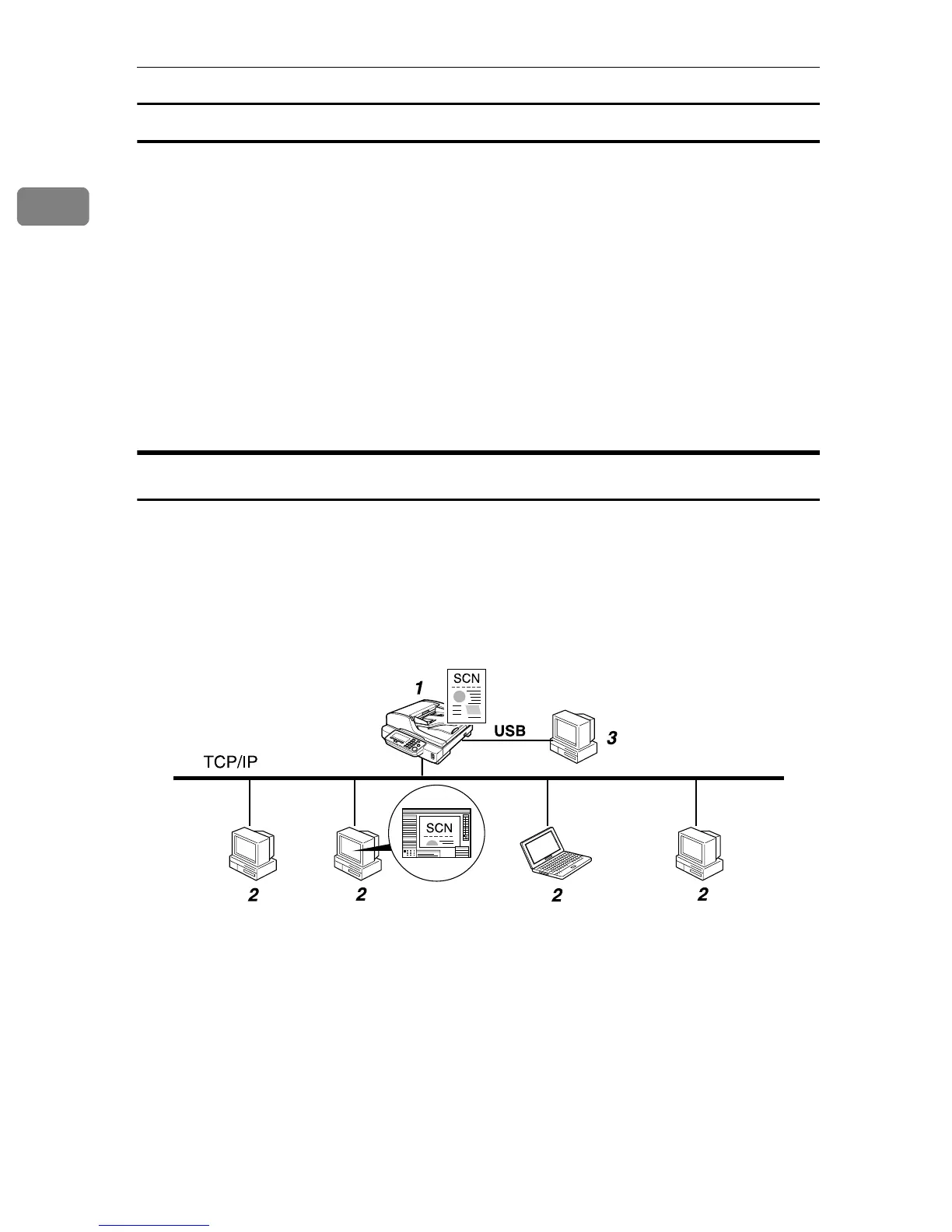
TWAIN Scanner
You can use this machine as a TWAIN scanner, by operating this machine from
a client computer on the network. Originals can be scanned with the same oper-
ation used for USB-connected scanners.
Further, this machine can be used as a TWAIN-compliant scanner, by directly
connected with an off-line Computer over USB.
1. This machine
Connect this machine to a network
(TCP/IP) using a 100BASE-TX or
10BASE-T cable.
2. Client computer
The scanner can be operated using a
TWAIN-compliant application (such as
DeskTopBinder Lite).
3. Off-line computer
It is a PC that is USB-connected to this
machine. You need to install the USB-
compliant TWAIN driver prior to use it.
You can use this scanner from a TWAIN-
compliant application (such as DeskTop-
Binder).
AFJ037S



 To Next Page