Sending Scan File by Scan to Folder
148
6
Using [
Enter Custom Send File
] to Send a Scanned
File to an Unregistered Shared Folder
By using the [Enter Custom Send File] function on the Web Status Monitor, you can
send a scanned file to any of Windows shared folders that you have an access
right.
Procedure Breakdown
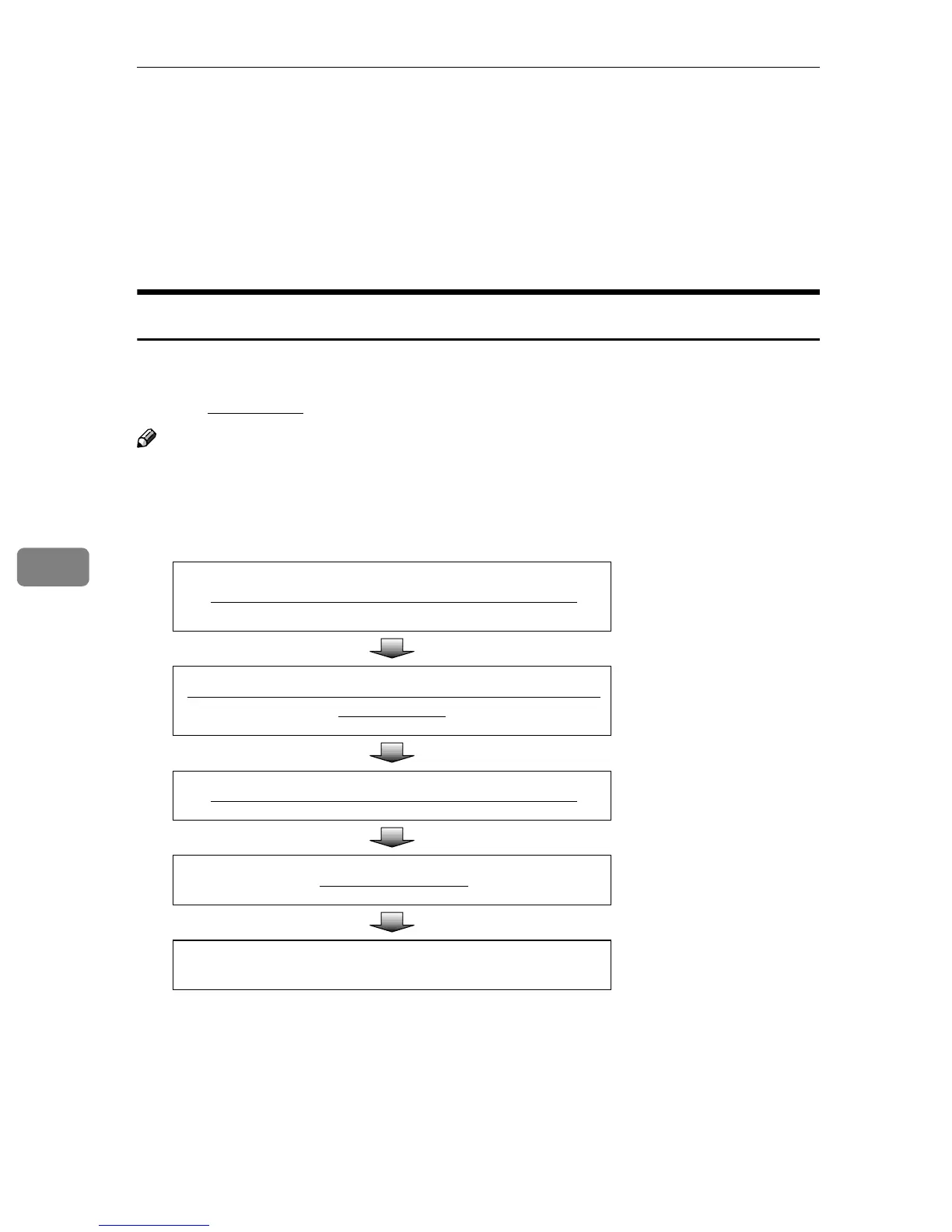
The following overview diagram shows the flow of the steps for sending a
scanned file to a Windows shared folder using the Web Status Monitor. Note
that the underlined
steps are essential.
Note
❒ Some of the steps such as “Making Scan Settings” are identical to those ex-
plained under “Sending Scan Files by E-mail”. See the relevant pages shown
to the right of the following overview diagram.
Display the Web Status Monitor on a Web browser.
⇒ p.90 “To access this
machine from a Web
browser”
Display the
[
Enter Custom Send File
]
page and make nec-
essary settings.
⇒ p.149 “Using [Enter
Custom Send File]
Function”
Place originals in the ADF or on the exposure glass.
⇒ p.128 “Before Send-
ing Scan Data”
Press the
{
{{
{
Start
}
}}
}
key.
⇒ p.140 “Performing
Scan Operation”
Confirm the transmission results by using the Web Status
Monitor.
⇒ p.142 “Checking
Transmission Results”



 To Next Page