Sending a Scanned File to a Registered Shared Folder
147
6
B
BB
B
Use the {
{{
{1
11
1}
}}
} and {
{{
{0
00
0}
}}
} keys to
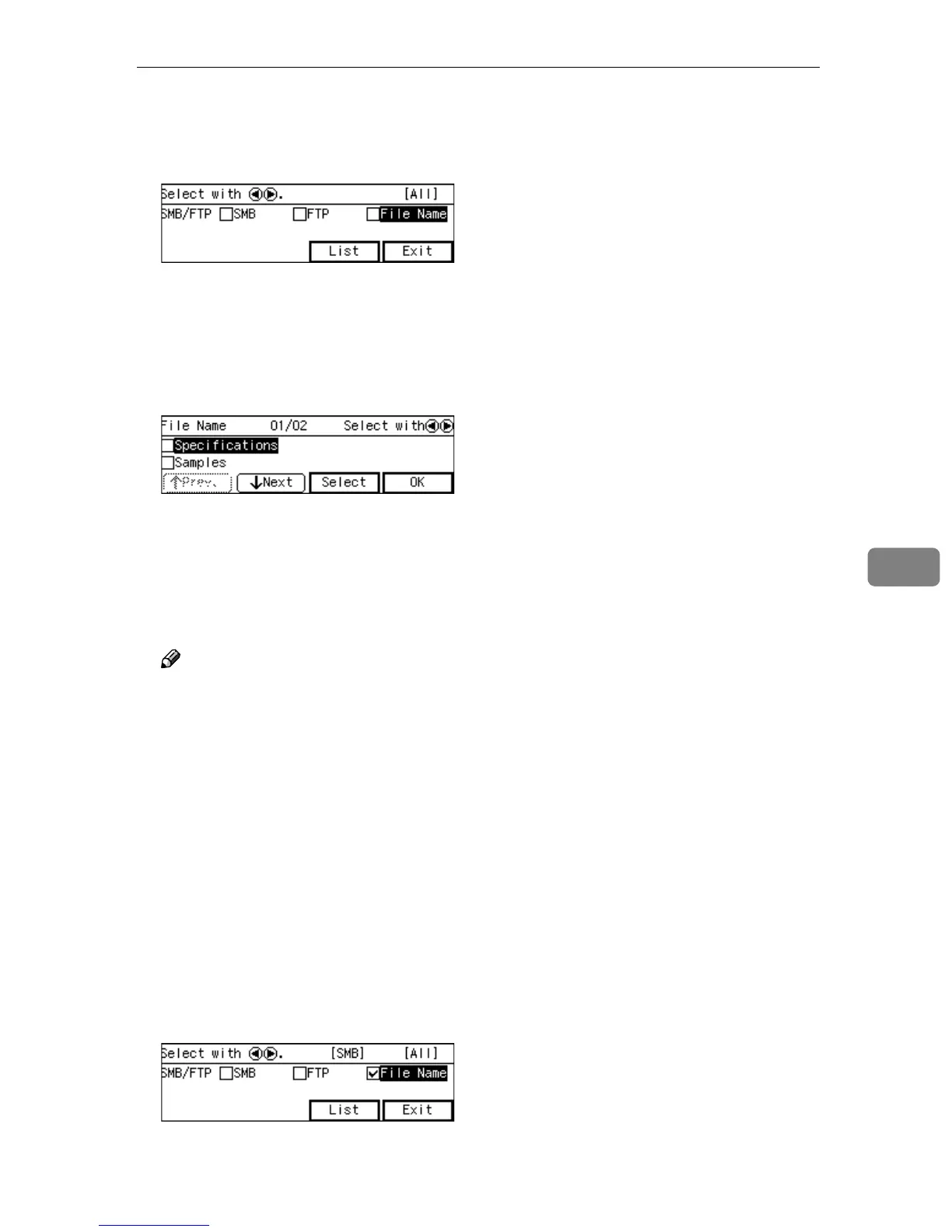
highlight [File Name], and then
press [List].
The list of the file names that are
registered to this machine appears.
C
CC
C
Use [↓
↓↓
↓Next] and [↑
↑↑
↑Prev.] to scroll
through the pages, and display
the file name you want to select.
D
DD
D
Use the {
{{
{1
11
1}
}}
} and {
{{
{0
00
0}
}}
} keys to
highlight the file name you want
to select, and then press [Select].
This selects the check box next to
the file name.
Note
❒ Selecting another file name au-
tomatically deselects the file
name currently selected (so the
check mark next to the file name
is cleared).
❒ While highlighting a file name
with its check box selected,
press [Clear] to clear the check
box (this deselects the file
name).
E
EE
E
Press [OK].
This returns to the screen that was
displayed in step
B
.
F
FF
F
Press [Exit].
This returns to the E-mail/Send
File standby screen.



 To Next Page