Sending Scan Files Using Delivery Server
172
9
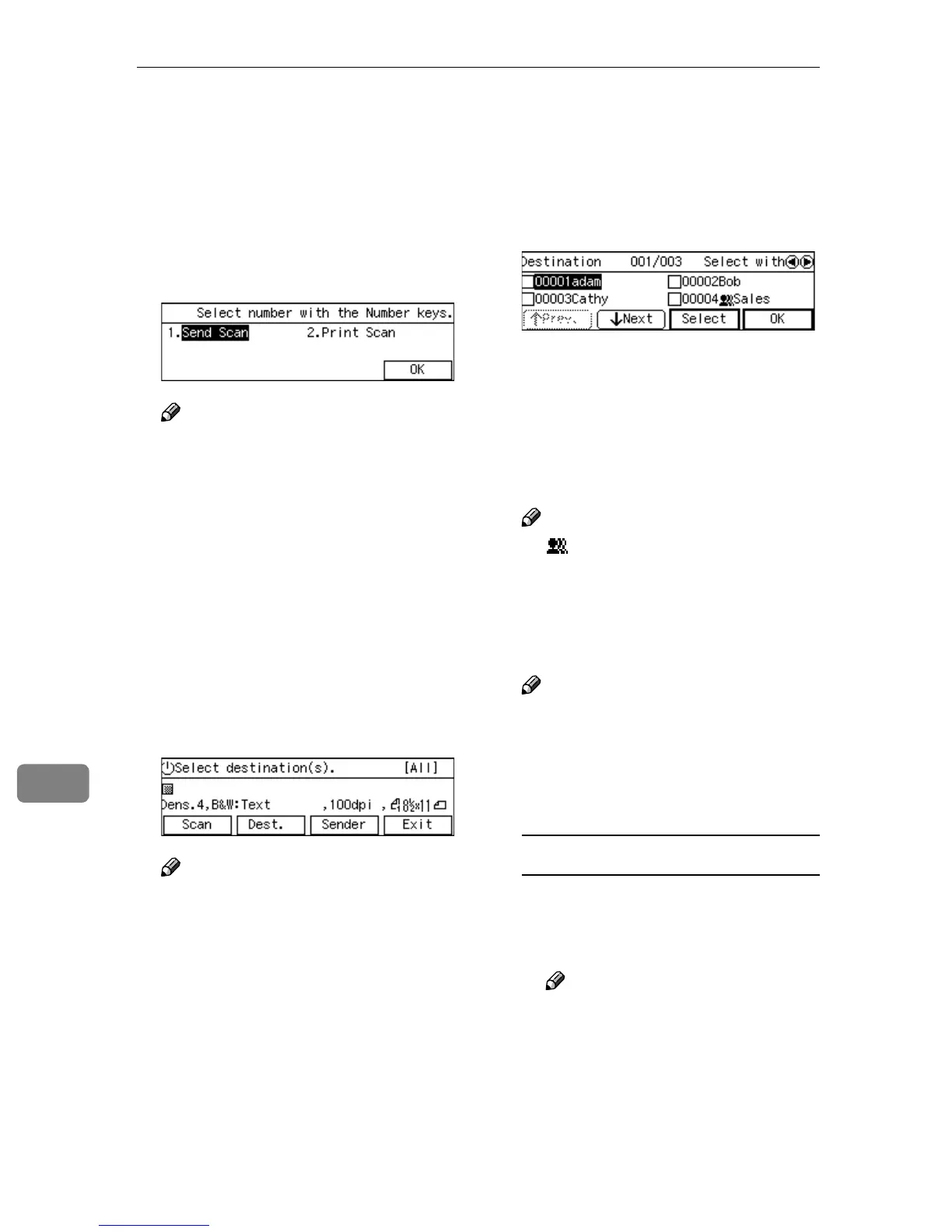
Selecting Delivery Destinations
You can specify up to 100 destina-
tions at a time, by selecting from the
registered destinations in the address
book of the delivery server.
A
AA
A
Press the {
{{
{1}
}}
} key.
Note
❒ You can skip this step when the
Delivery Server standby screen
is displayed.
❒ If you have configured with [Us-
er Authenticate] at ON, you will
be asked to enter your ID and
password here. For details
about [Login] information, see
p.21 “ Login and Logout
screens”.
The Delivery Server standby
screen is displayed.
B
BB
B
Press [Dest.].
Note
❒ If “On” is selected for [Auto Up-
date Destination List] in [2.Send
Scan Settings] under the Scanner
Features menu on this machine,
the destination list is automati-
cally updated with the delivery
server’s mail address book,
when you press [Dest.]. See p.66
“Auto Update Destination List”
for details.
The list of destinations registered
to the delivery server appears.
C
CC
C
Use [Next] and [Prev.] to scroll
through the pages, and display
the destination you want to select.
D
DD
D
Use the {
{{
{1
11
1}
}}
} and {
{{
{0
00
0}
}}
} keys to
highlight the destination you
want to select, and then press [Se-
lect].
This selects the check box next to
the destination.
Note
❒ appears next to a group des-
tination.
E
EE
E
Repeat steps
C
CC
C
and
D
DD
D
for selecting
each of the additional destina-
tions.
Note
❒ While highlighting a destina-
tion with its check box selected,
press [Clear] to clear the check
box (this deselects the destina-
tion).
To recall destinations using a title
A Press the {
{{
{./*}
}}
} (Title) key.
List of titles appears on the
screen.
Note
❒ The titles that are configured
using ScanRouter V2/Pro-
fessional appear.



 To Next Page