181
11. Appendix
Troubleshooting
When An Original Is Jammed
In ADF
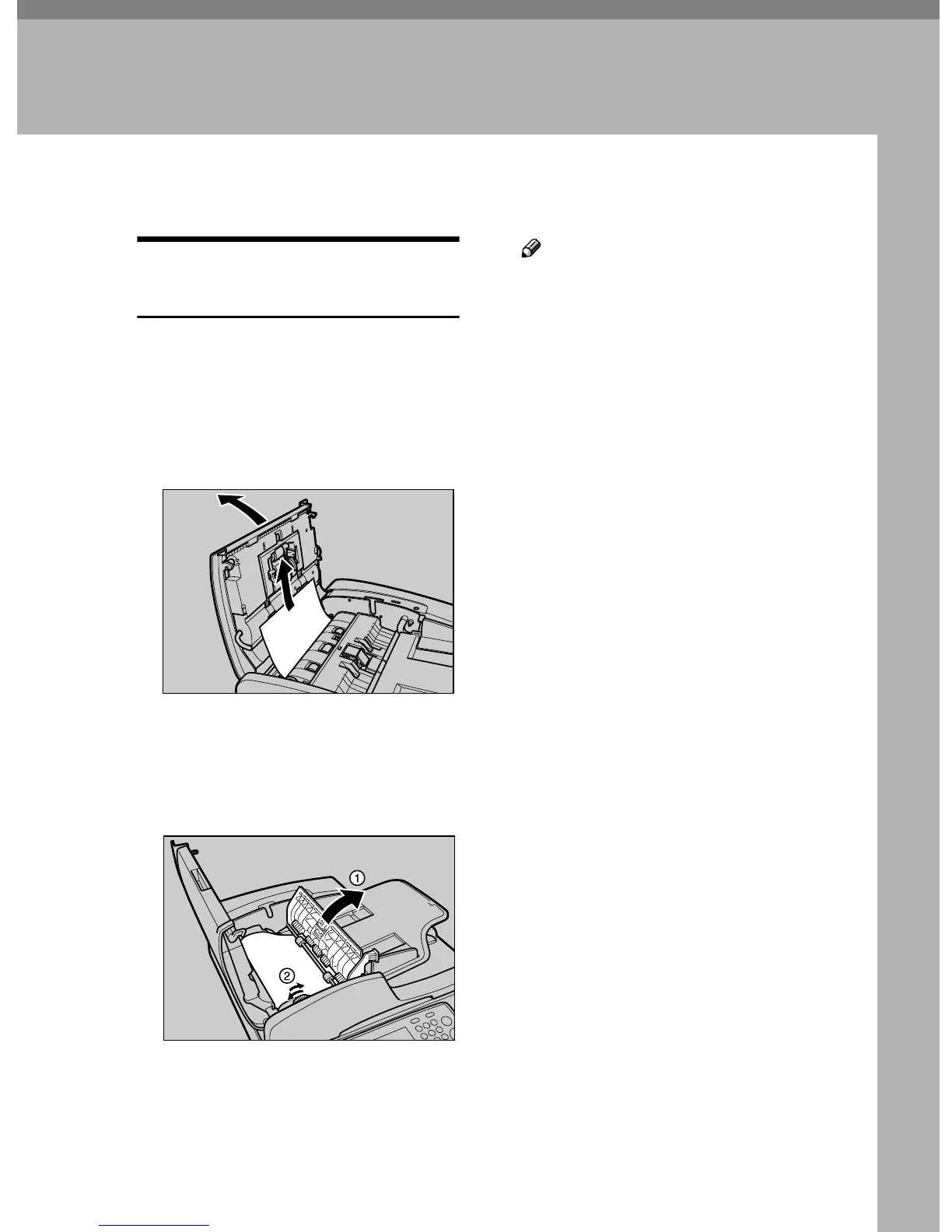
When an original is jammed In the
ADF, remove the original by the fol-
lowing procedures.
A
AA
A
Open the ADF cover and if you
find a part of the jammed origi-
nal, remove it.
B
BB
B
If you find the original jammed
all in the ADF, first open the cov-
er A
AA
A, and rotate the knob B
BB
B to re-
move the jammed original.
Note
❒ The jammed original will move
toward the direction against the
direction of the knob rotation.
Rotate the knob in either direc-
tion until the original finishes its
movement completely.
AFJ010S
AFJ011S



 To Next Page