System Settings
55
3
❖
❖❖
❖ Date/Time(Yr/Month/Day/Hr/Min/Sec)
This item lets you adjust the machine's date and time. The current date and
time affects all the related operations of this machine, such as a time stamp
inserted in each of e-mail messages sent from this machine. Also, you can as-
sign a poling interval of the time server.
❖
❖❖
❖ Prepare Carriage Lock
When you transport the machine over a distance, you must lock the Lock
Switch which is located on the back of the machine. Before locking the switch,
execute the carriage lock preparation. See p.199 “Transporting the Scanner”
for details.
❖
❖❖
❖ Supply Counter
You can check and manage the number of scanning by the ADF to know the
timing of replacing of the Pick Roller Unit and ADF Pad. Also you will be
alerted on the timing of replacing the parts by resetting this counter after re-
placement of the new ones. See p.197 “Displaying and Resetting the Counter
of Consumable Parts”
❖
❖❖
❖ Select Language
This item lets you select a language for displaying messages on the screen.
Note
❒ This setting will be effective after reboot.
❖
❖❖
❖ Firmware Version
This item displays the number of the firmware version.
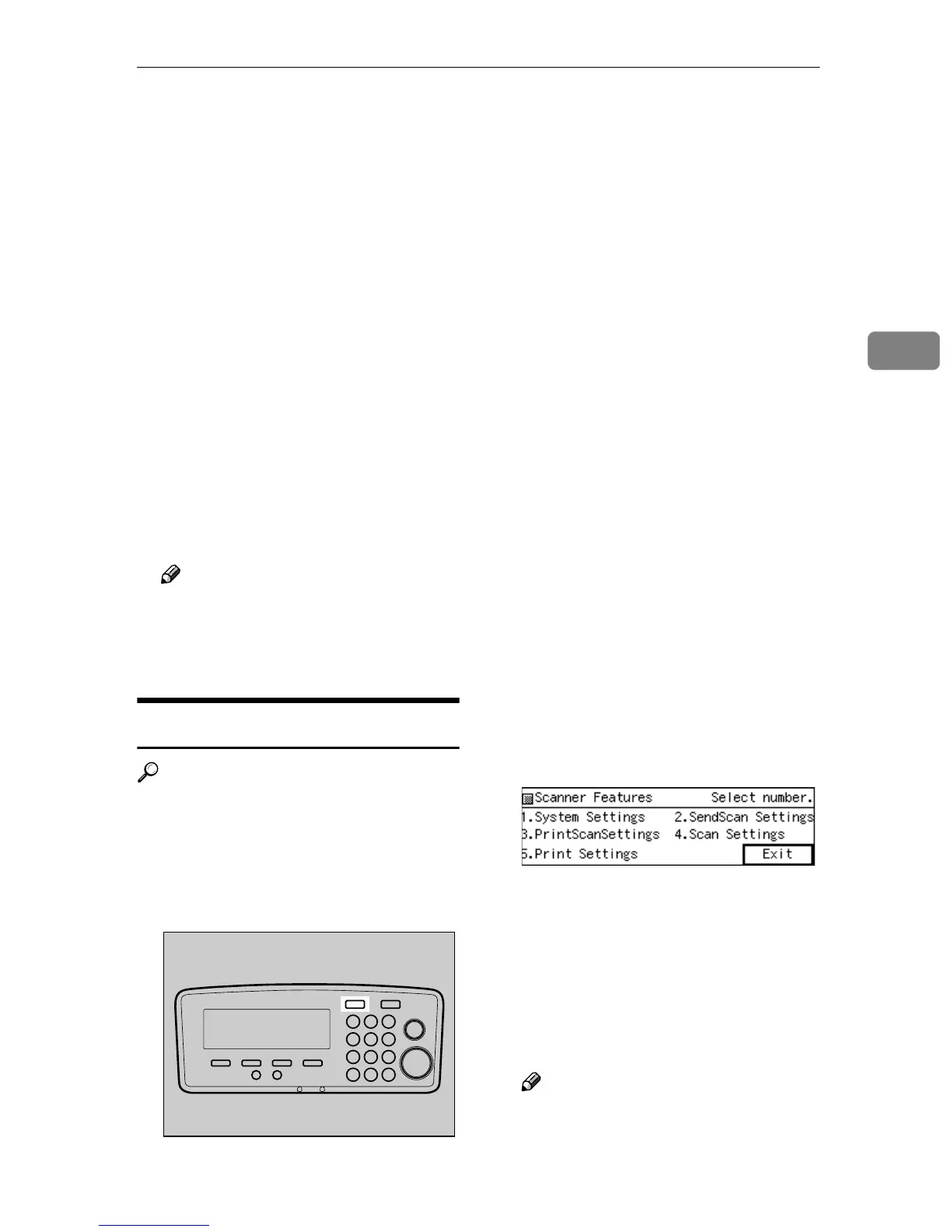
Configuring
[
System Settings
]
Reference
See p.14 “Using Keys Displayed on
the Screen” for information about
how to select items displayed on
the screen.
A
AA
A
Press the {
{{
{User Tools}
}}
} key.
The Scanner Features menu is dis-
played.
B
BB
B
Press the {
{{
{1}
}}
} key.
The System Settings menu is dis-
played, and “1. Function Priority”
appears as the setup item currently
selected.
C
CC
C
Press [Settings].
The setting screen for “1. Function
Priority” appears.
Note
❒ Pressing [Exit] returns to the
parent menu screen.
AFJ004S



 To Next Page