Appendix
194
11
C
CC
C
Wipe off the Roller with a tightly
squeezed wet cloth.
1. Roller
Cleaning the Interior of ADF
A
AA
A
Turn off the power of the scanner
and unplug the power cable from
the outlet.
B
BB
B
Open the cover of ADF.
C
CC
C
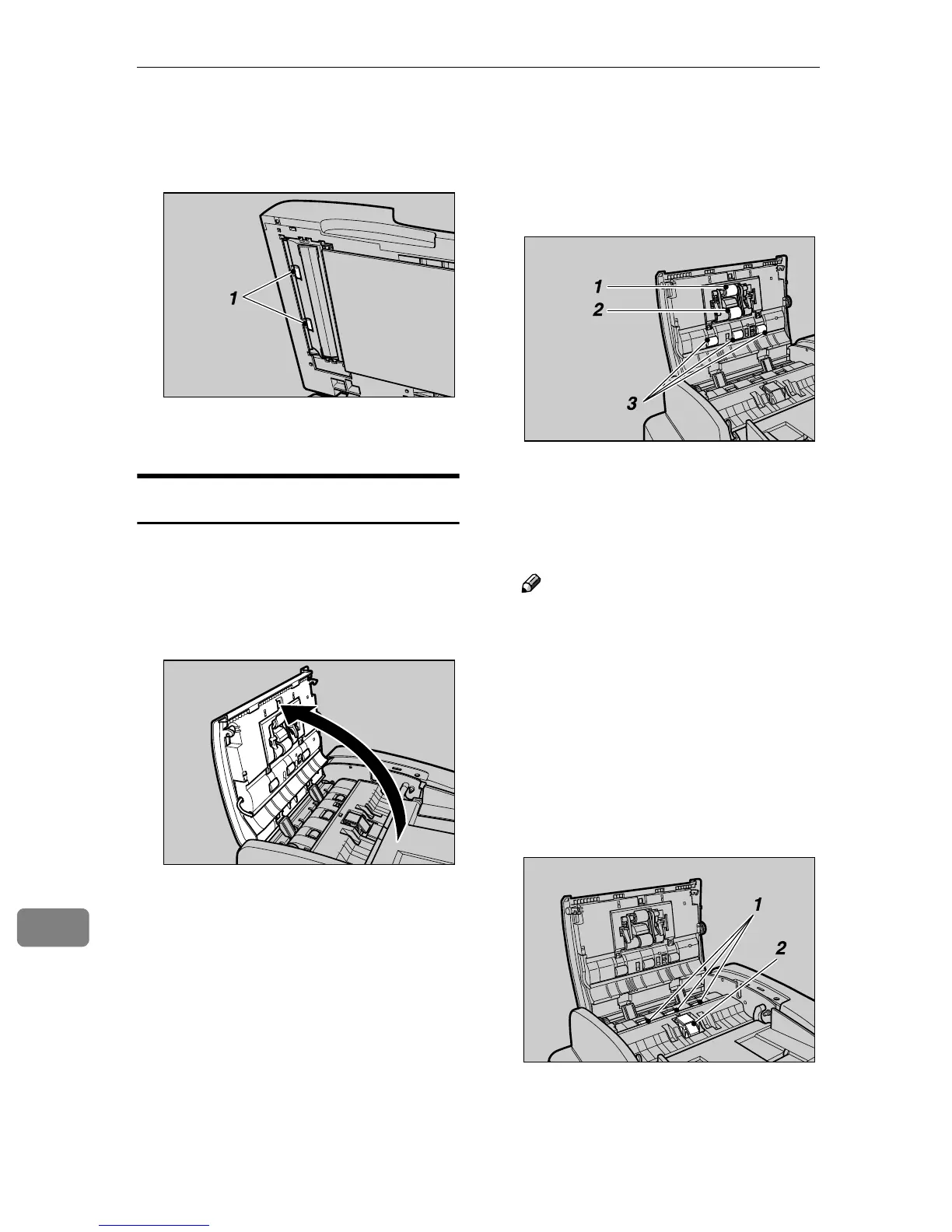
Wipe off the Pick Roller of the
Pick Roller Unit, Feed Roller and
Roller with a tightly squeezed
wet cloth.
1. Pick Roller
2. Feed Roller
3. Roller
Note
❒ Be sure to clean the Feed Roller,
particularly after you have
scanned the originals of low fix-
ing materials such as a pencil.
With no such cleaning, the next
original to scan may be stained.
D
DD
D
Wipe off the Pick Roller of the
ADF Pad and Feed Roller with a
tightly squeezed wet cloth.
1. Feed Roller
2. ADF Pad
Replacing that Disposable Parts
AFJ013S
AFJ014S
AFJ015S
AFJ016S



 To Next Page