Selecting Delivery Destinations
173
9
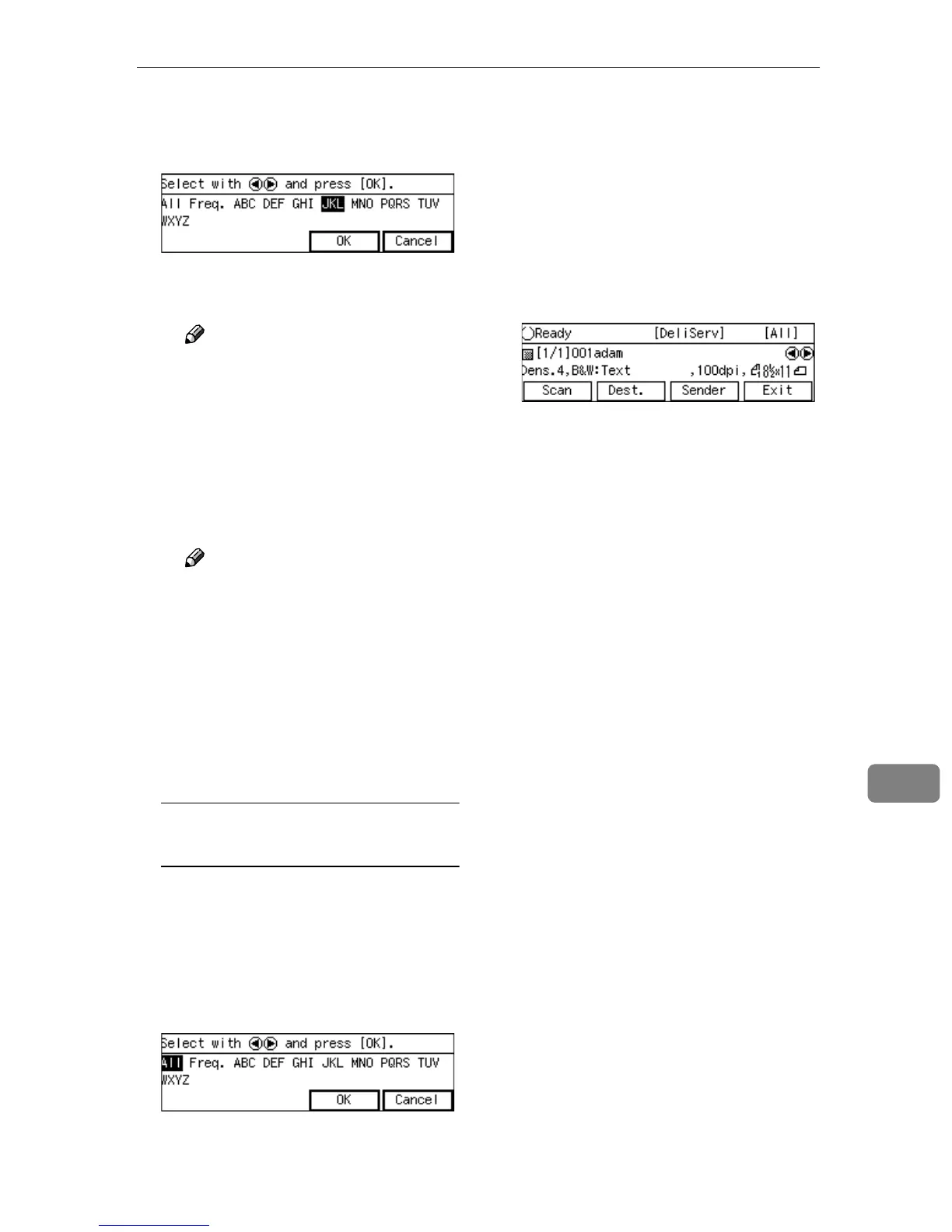
B Use the {
{{
{1
11
1}
}}
} or {
{{
{0
00
0}
}}
} key to
highlight the title you want to
select, and then press [OK].
The destinations assigned to the
selected title are displayed.
Note
❒ You can select the title under
which each of the registered
destinations is assigned by
using ScanRouter V2/Pro-
fessional.
C Highlight the destination you
want to select, and then press
[Select].
Note
❒ While highlighting a destina-
tion with its check box select-
ed, press [Clear] to clear the
check box (this deselects the
destination).
❒ If you want to select from an-
other title, press the {
{{
{./*}
}}
} (Ti-
tle) key. This displays list of
titles again.
To recall all available
destinations
A Press the {
{{
{./*}
}}
} (Title) key.
List of titles appears on the
screen.
B Use the {
{{
{1
11
1}
}}
} or {
{{
{0
00
0}
}}
} key to
highlight [All], and then press
[OK].
F
FF
F
When you are finished, press
[OK].
The Delivery Server standby
screen appears. The first destina-
tion you have selected appears at
the second line of the screen. When
you have selected multiple desti-
nations, you can confirm them by
using the {
{{
{1
11
1}
}}
} and {
{{
{0
00
0}
}}
} keys.



 To Next Page