Appendix
200
11
F
FF
F
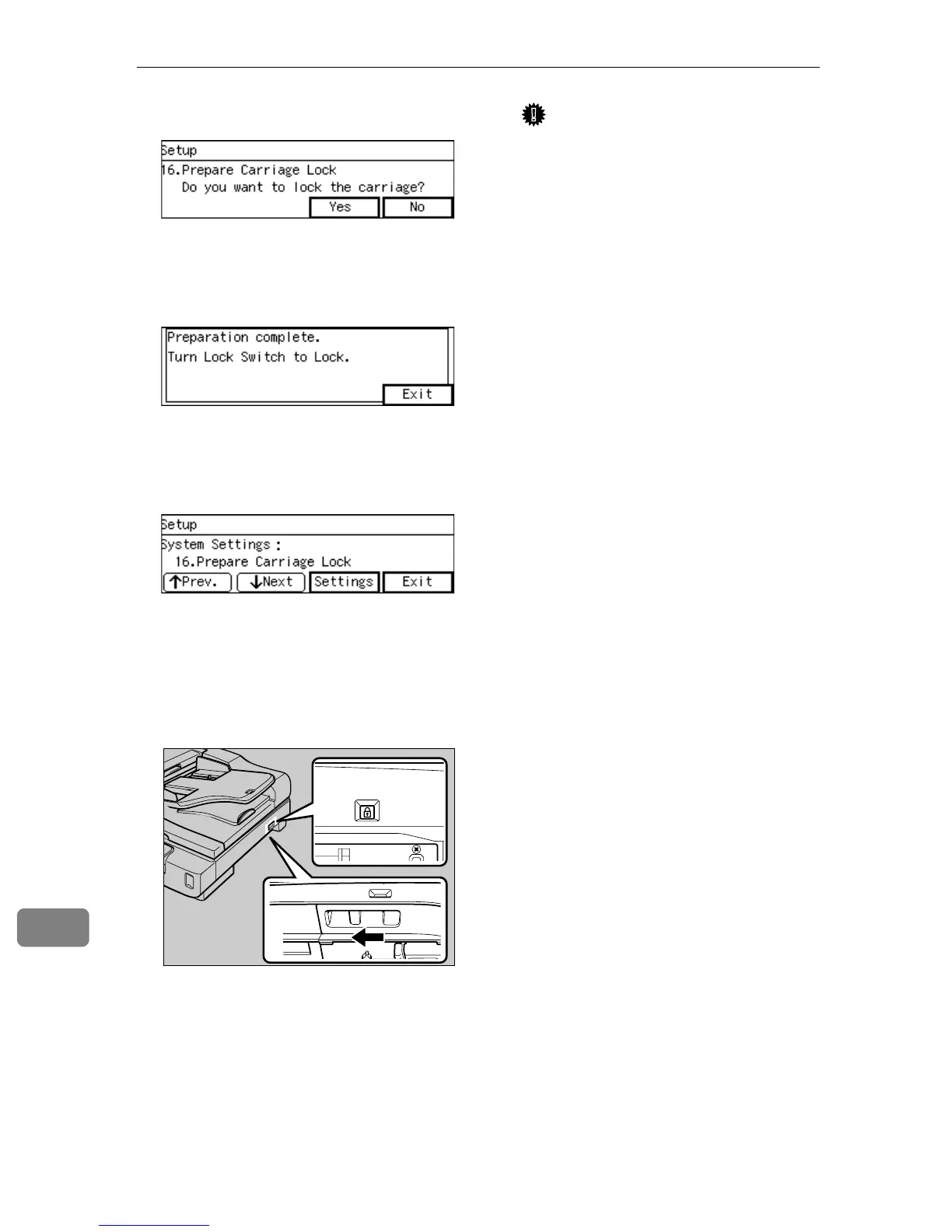
Press [Yes].
“Preparation complete. Turn Lock
Switch to Lock.” appears.
G
GG
G
Press [Exit].
Returns to the “16. Prepare Car-
riage Lock” menu screen.
H
HH
H
Press [Exit].
Returns to the standby screen.
I
II
I
Set the Lock Switch at the lock
position of the scanner to the
{
{{
{Lock}
}}
} position and turn off the
power.
J
JJ
J
Disconnect all cables connected
to the scanner.
K
KK
K
Place the scanner in the original
box and transport.
Important
❒ This scanner is a precision de-
vice. Be careful so that it is not
damaged during transport.
❒ Use the cushioning materials
provided with the scanner at
the time of purchase.
AFJ058S



 To Next Page