Guide to this Scanner
19
1
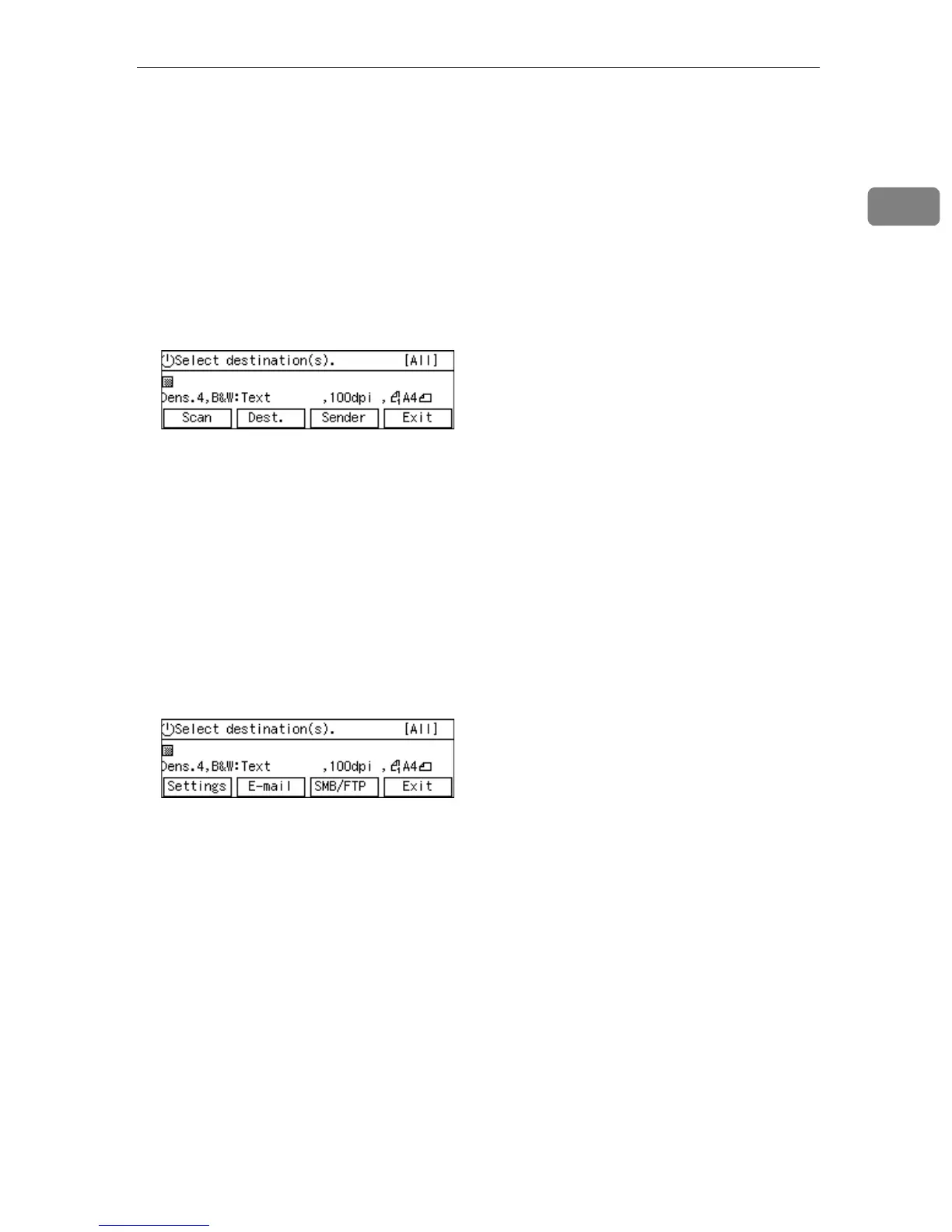
• Delivery Server standby screen
While this screen is displayed, pressing [Dest.] enables you to deliver scan
data using the address book in ScanRouter V2/Professional. You can also
configure various settings using the control panel of this machine, or using a
Web browser on a client computer.
You can send any file by using a Web browser on a client computer; however,
you cannot send an e-mail or send a file by SMB/FTP by using the control
panel of this machine.
When you start the TWAIN driver from a TWAIN-compliant application on
a client computer, TWAIN standby screen is displayed. Press [Exit] to return
to the Delivery Server standby screen.
• E-mail/Send File standby screen
While this screen is displayed, pressing [E-mail] enables you to send an E-mail.
Pressing [SMB/FTP] enables you to send a file by SMB or FTP. You can also
send any file by using a Web browser on a client computer, and configure var-
ious settings using the control panel of this machine or a Web browser on a
client computer.
You cannot deliver scan data by using Delivery Server.
If you want to print scan data, press [Exit] and display the Select Method
screen.
When you start the TWAIN driver from a TWAIN-compliant application on
a client computer, TWAIN standby screen is displayed. Press [Exit] to return
to the E-mail/Send File standby screen.
• TWAIN standby screen
While this screen is displayed, you can use this machine as a TWAIN scanner,
by starting the TWAIN driver from a TWAIN-compliant application on a cli-
ent computer. You can also configure various settings using the control panel
of this machine, or using a Web browser on a client computer.
When this screen is initially displayed after you turn the machine's power on,
pressing [Exit] will display the following standby screens according to the set-
tings in [1.Send File/TWAIN Priority] and [6.Select Method].
• Delivery Server standby screen
• E-mail/Send File standby screen
• Print Scan standby screen



 To Next Page