Configuring Settings Using a Web Browser
91
3
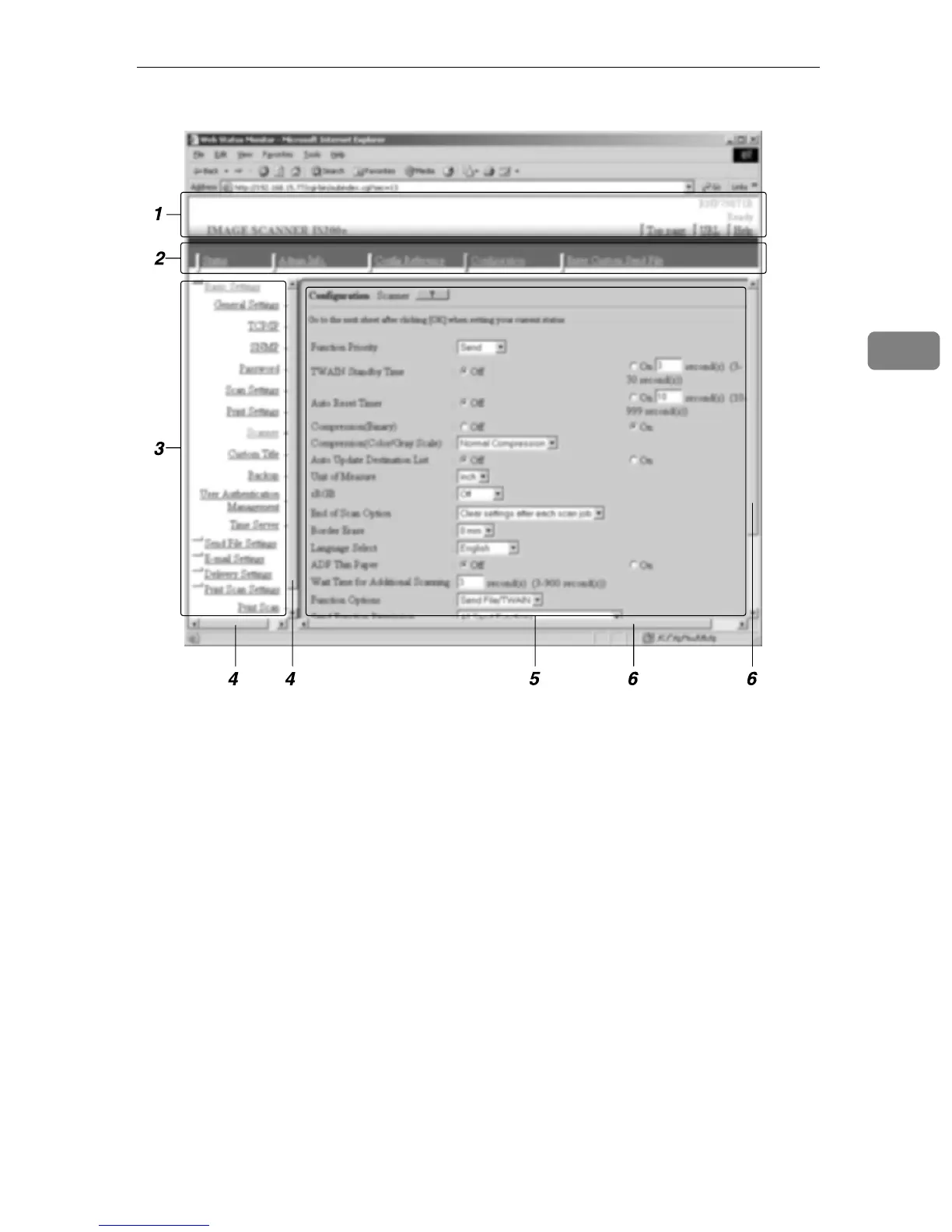
1. Header Area
Contains links to the top page and the on-
line help of the Web Status Monitor.
2. Main Menu Area
Contains main menu items such as [Sta-
tus], [Config Reference] and [Configuration].
Clicking a main menu item refreshes the
sub-menu area, displaying sub-menu
items that are included under the main
menu item.
3. Sub-Menu Area
Displays sub-menu items in accordance
with the main menu item currently se-
lected. Clicking a sub-menu item dis-
plays the contents of the item in the work
area.
4. Scroll bar for the Sub-Menu Area
Use this scroll bar to scroll through the
sub-menu area, when the lower or upper
part of its content is out of sight.
5. Work Area
Displays contents such as setup items,
options, and status information, in accor-
dance with the sub-menu item currently
selected.
6. Scroll bars for the Work Area
Use these scroll bars to scroll through the
work area, when the lower/upper or
rightmost/leftmost part of its content is
out of sight.
AFJ060S



 To Next Page