Order No.
35 MHz: F 8042
40 MHz: F 8043
41 MHz: F 8044
FX-30
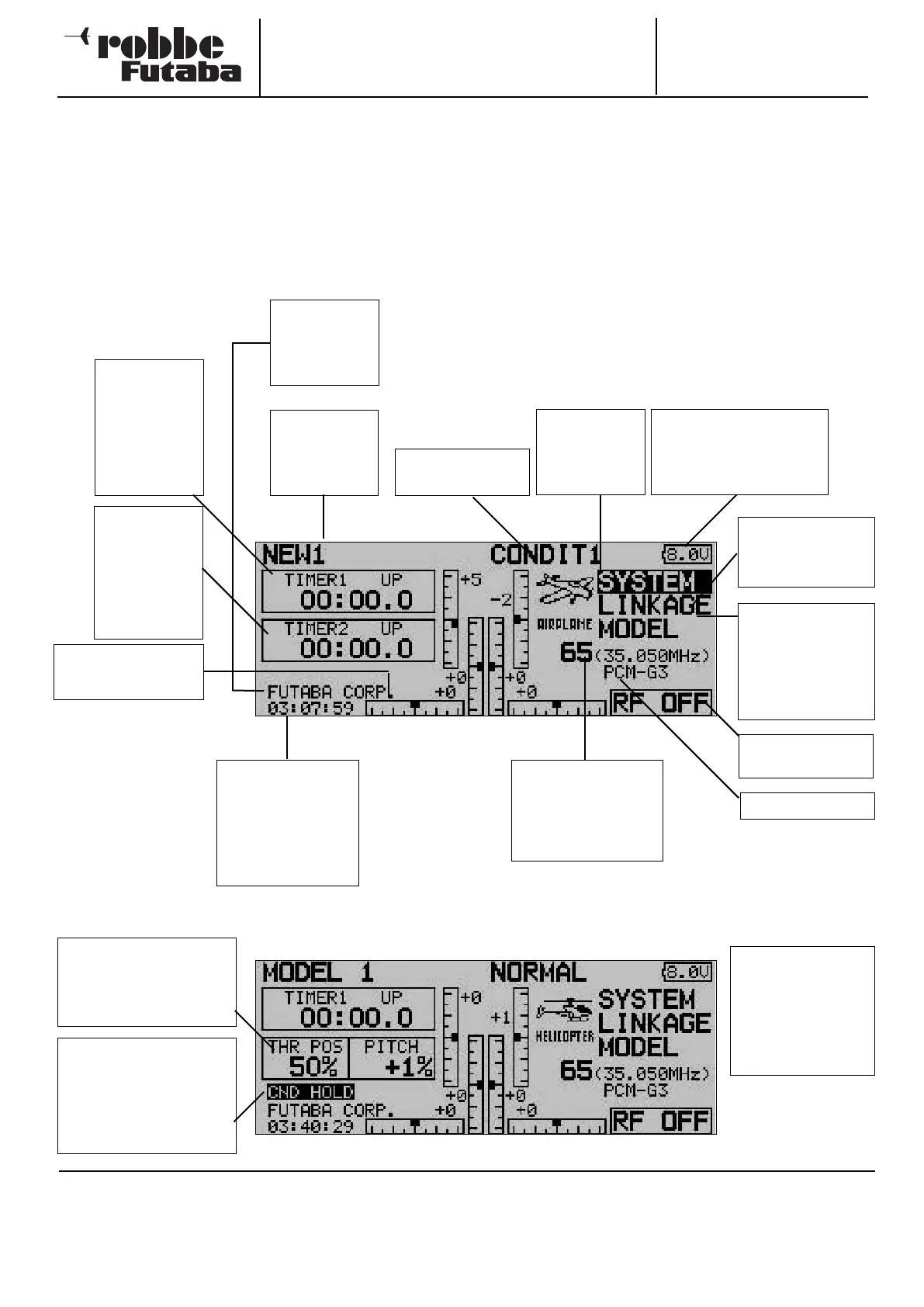
9. DESCRIPTION OF THE START SCREEN
The most important information relating to the transmitter pro-
gramming is displayed on the Start screen. At the same time
most of the display fields also constitute the starting point for
the individual programming procedures. Use the 3-D hot-key
to mark the field you wish to change, and press it to confirm
your choice: this takes you to the desired set-up menu.
21
Model name
Mark and con-
firm to call up
the model
select menu
System menu
Mark and con-
firm to call up
the System
menu
Base menu
Mark and confirm
to activate this
menu
Model menu
Mark and confirm
to active the menu
for entering expan-
ded model data
Modulation
RF radiation
indicator
Flight mode indica-
tor
Note:
This screen shot
shows only the diffe-
rences compared
with the Power and
Glider models home
display.
Channel and frequen-
cy display
Mark and confirm to
call up the set-up
menu
Voltage indicator
The low voltage alarm is
triggered at 6.8 Volts.
When this happens, you
must cease operations.
System timer
Displays the opera-
ting time in hours,
minutes and
seconds. Mark and
confirm to activate
this menu.
User name
Mark and con-
firm to call up
the input menu
Timer 1
Display area for
the first stop-
watch. Mark
and confirm to
call up the set-
up menu
Timer 2
Display area for
the second
stopwatch.
Mark and con-
firm to call up
the set-up
menu
Trim position display
for the stick func-
tions
Display of throttle and
collective pitch stick
positions
Mark and confirm to call
up the set-up menu
Condition Hold
Mark this field and press
the ‘3-D hot-key’ to acti-
vate or disable this func-
tion (see Section 12.17)
9.2 START SCREEN FOR MODEL HELICOPTERS
CAUTION: IMPORTANT!
Please make it a routine matter to check the residual battery
capacity as often as possible, and recharge the transmitter
pack in good time. If the low-voltage alarm (6.8 V) should be
triggered during a flight, land the model without delay, switch
off the transmitter and recharge the battery. Please check befo-
re you launch your model that you have selected the appropri-
ate model memory!
9.1 START SCREEN FOR FIXED-WING MODEL AIRCRAFT



 To Next Page