Order No.
35 MHz: F 8042
40 MHz: F 8043
41 MHz: F 8044
FX-30
SELECTING THE SWASHPLATE TYPE
If you have selected a model helicopter as model type, the
next step is to define the method of actuating the swashplate.
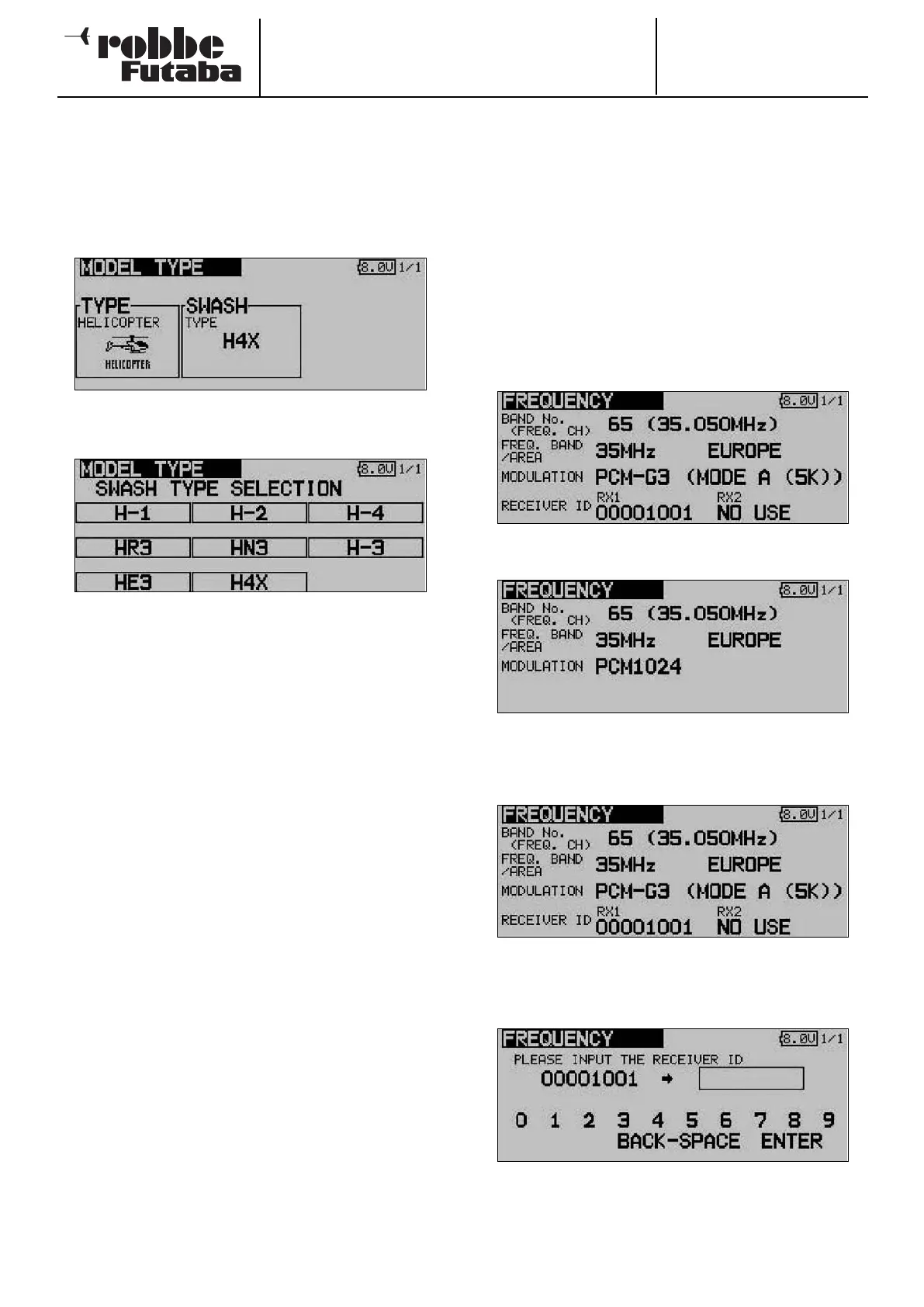
Use the familiar method for activating the Swashplate Select
field; the display now changes to the following:
The swashplate types now available to you are listed below:
• H1: Actuation using one servo
• H2: Actuation using two servos (Heim system)
• H3 140°: CCPM linkage with three servos, with extended
linkage points for the two roll-axis servos
• HR3 120°:Actuation using three servos (one each pitch-
axis, roll-axis and collective pitch servo), arran
ged at an angle of 120°
• HE3 90°: Actuation using three servos, arranged at an
angle of 90°
• HN3 120°:Actuation using three servos (two pitch-axis,
one roll-axis), arranged at an angle of 120°
• H4: Actuation using two pitch-axis and two roll-axis
servos
• H4X: Actuation using two pitch-axis and two roll-axis
servos +45° virtual rotation
The method of activating a particular swashplate type is the
same as that for calling up the various wing types (see pre-
vious page).
Sections 5.1 to 5.4 (see pages 14 to 17 in these instructions)
contain clearly arranged tabular lists of the servo sequences
for all the available wing and swashplate types, relating to
the transmitter controls.
12.4 SELECTING THE FREQUENCY AND MODULATION
This menu has already been described in detail in Sections 7
and 8 (see pages 19 and 20); it is therefore only listed here
briefly in order to maintain the proper sequence. The screen
shots are reproduced with a brief commentary.
The system features a DD Synthesizer system for generating
the spot frequencies. The channel is selected by software at
the transmitter, and the channel data is transmitted to the
receiver using the wireless spot frequency transfer system
(WFSS); the receiver then switches to the same channel (G3
receivers only).
Use the 3-D hot-key to mark the ‘Frequency’ option in the
B
ase menu, and confirm your choice with EDIT.
From this display you can determine the spot frequency, …
the frequency band (in accordance with the Area Code), the
modulation and …
the receiver code.
This menu is also used to transmit the frequency channel
information to a PCM-G3 receiver (see also page 19).
30



 To Next Page