Order No.
35 MHz: F 8042
40 MHz: F 8043
41 MHz: F 8044
FX-30
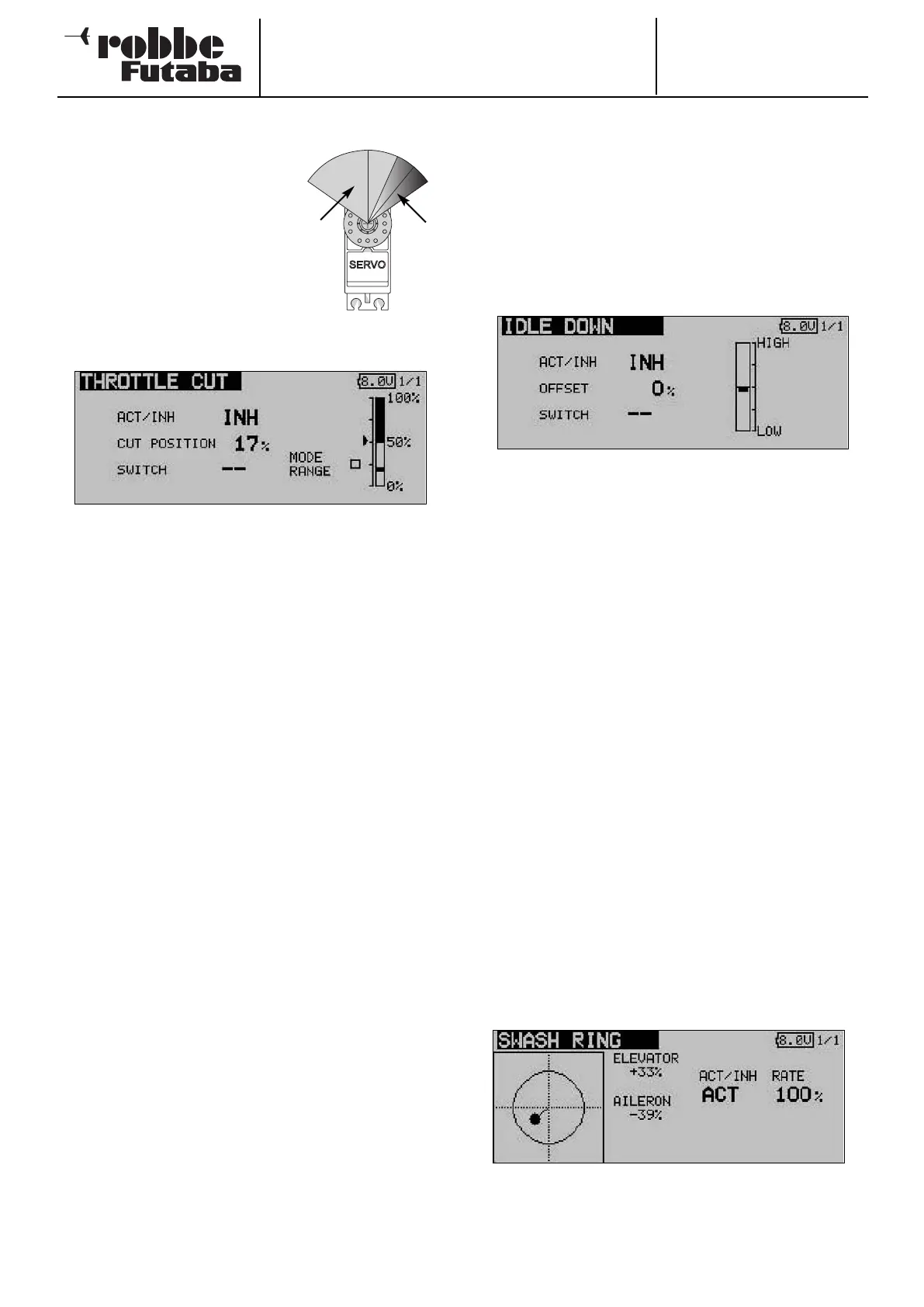
12.10 MOTOR CUT FUNCTION
This function enables you to cut
the motor using a switch, without
changing the idle trim. For fixed-
wing models and helicopters alike
this is an elegant method of reliably
stopping the motor. Mark the
‘
Throttle Cut option in the base
menu. The screen now looks like
this:
Use the 3-D hot-key to mark the
‘Motor cut’ option in the Base menu, then confirm your choice
with EDIT. The screen display now looks like this:
• Activate the function by marking the field of the ACT / INA
line. Use the ‘3-D hot-key’ to change the mode from ‘INA’
to ‘ACT’ or ‘ON’, according to the current position of the
trigger switch, then confirm your action with the ‘EDIT’ but-
ton.
• You should now select the switch which you wish to use to
cut the motor: mark the ‘Switch’ field and press the ‘EDIT’
button to call up the Switch Select menu. Choose your
preferred switch, and activate the state corresponding to
‘switched on’.
• Use the 3-D hot-key to mark the ‘Motor off’ (CUT) field, and
set the desired cut-off point as a percentage of the servo
travel. The adjustment range is 0 to 50%; the default set-
ting is 17%. Holding the ‘EDIT’ button pressed in for at
least one second restores the default setting.
The motor can now be stopped simply by operating the sele-
cted cut-off switch - but only if the throttle stick is at the idle
position.
Please note the following points when setting up this func-
tion:
• It is impossible to start the motor unless the motor-cut
switch is at the ‘OFF’ position.
• Set the percentage value in such a way that the carburet-
tor is completely closed, but the pushrod does not strike
its end-stops.
• If the motor cut-off is still switched on (i.e. motor stopped)
when you switch the transmitter on, the software activates
an alarm. The alarm can be switched off by operating the
external mixer switch.
• The purpose of this alarm function is to remind the user
that the carburettor is still completely closed, and that it is
therefore impossible to start the motor.
12.11THROTTLE PRE-SELECT (IDLE 2)
The ‘Idle 2’ function enables the pilot to use a physical switch
as a rapid method of selecting a pre-set throttle position in the
low-speed range, e.g. for the landing approach. The function
can only be triggered if the throttle stick is already positioned
i
n the bottom half of its travel, so that the motor is already run-
ning in the ‘lower speed range’.
Use the 3-D hot-key to mark the ‘Idle 2’ option in the Base
menu, and confirm your choice with EDIT. The screen now
looks like this:
• Activate the function by marking the field in the ACT / INA
line. Use the ‘3-D hot-key’ to change the mode from ‘INA’ to
‘ACT’ or ‘ON’, according to the current position of the trig-
ger switch, and confirm your actions with the ‘EDIT’ button.
• You should now select the switch which you wish to use to
set the motor to the idle position: mark the ‘SWITCH’ field
and call up the Switch Select menu using the ‘EDIT’ button.
Choose your preferred switch and activate the state corres-
ponding to ‘switched on’.
• Use the 3-D hot-key to mark the ‘OFFSET’ position, and set
the desired idle point as a percentage of total servo travel.
The adjustment range is 0 to 100%; the default setting is
0%. Holding the ‘EDIT’ button pressed in for at least one
second restores the default setting.
If you now operate the switch you have selected, the throttle
servo adjusts the carburettor opening so that the motor takes
up the desired high idle speed.
12.12SWASHPLATE RING
The new swashplate ring mixer limits the travels of the swash-
plate functions roll-axis (aileron), pitch-axis (elevator) and col-
lective pitch to a pre-set value, in order to prevent the servos
being stalled at extremes of travel. It acts as an automatic limi-
ter on the maximum servo travel when two functions (roll-axis
and pitch-axis) are operated simultaneously.
This is particularly useful for model helicopters intended for 3-
D flying, as this style of flying requires extreme servo travels.
35
Servo
travel
Throttle
cut tra-
vel



 To Next Page