Order No.
35 MHz: F 8042
40 MHz: F 8043
41 MHz: F 8044
FX-30
The next step is to set the carburettor position for auto-rota-
tion, in the form of a percentage figure in the bottom line. In
‘Motor off’ mode the motor must be stopped completely; a
corresponding servo travel must be set in order to ensure this.
In ‘Idle’ mode the carburettor setting should be selected to
move the motor to idle at a reliable but not excessively high
speed. In either case you must first mark the field, and enter
the required setting using the ‘3-D hot-key’; conclude the pro-
c
edure with EDIT.
In the ‘Switch’ line you can set your preferred switch: mark the
field and confirm with EDIT. This action calls up the Switch
Select menu, where you can define your preferred switch and
set the correct direction of operation.
Finally you should mark the ‘Speed’ field in order to define the
speed at which the throttle servo is to move to its auto-rota-
t
ion position. Use the ‘3-D hot-key’ to enter the setting as a
numerical value. Please note: the higher the figure, the slower
the servo takes up the selected position.
Please ensure that the Auto-rotation function is switched off
before you attempt to start the motor.
15.5 SWASHPLATE MIXER
This function is used to set up the swashplate accurately over
its full travel. All the basic functions (roll-axis (aileron), pitch-
axis (elevator) and collective pitch) can be superimposed on
each other. Four mixers are required for this, and for each one
a
mixer curve can be activated and a trigger switch defined.
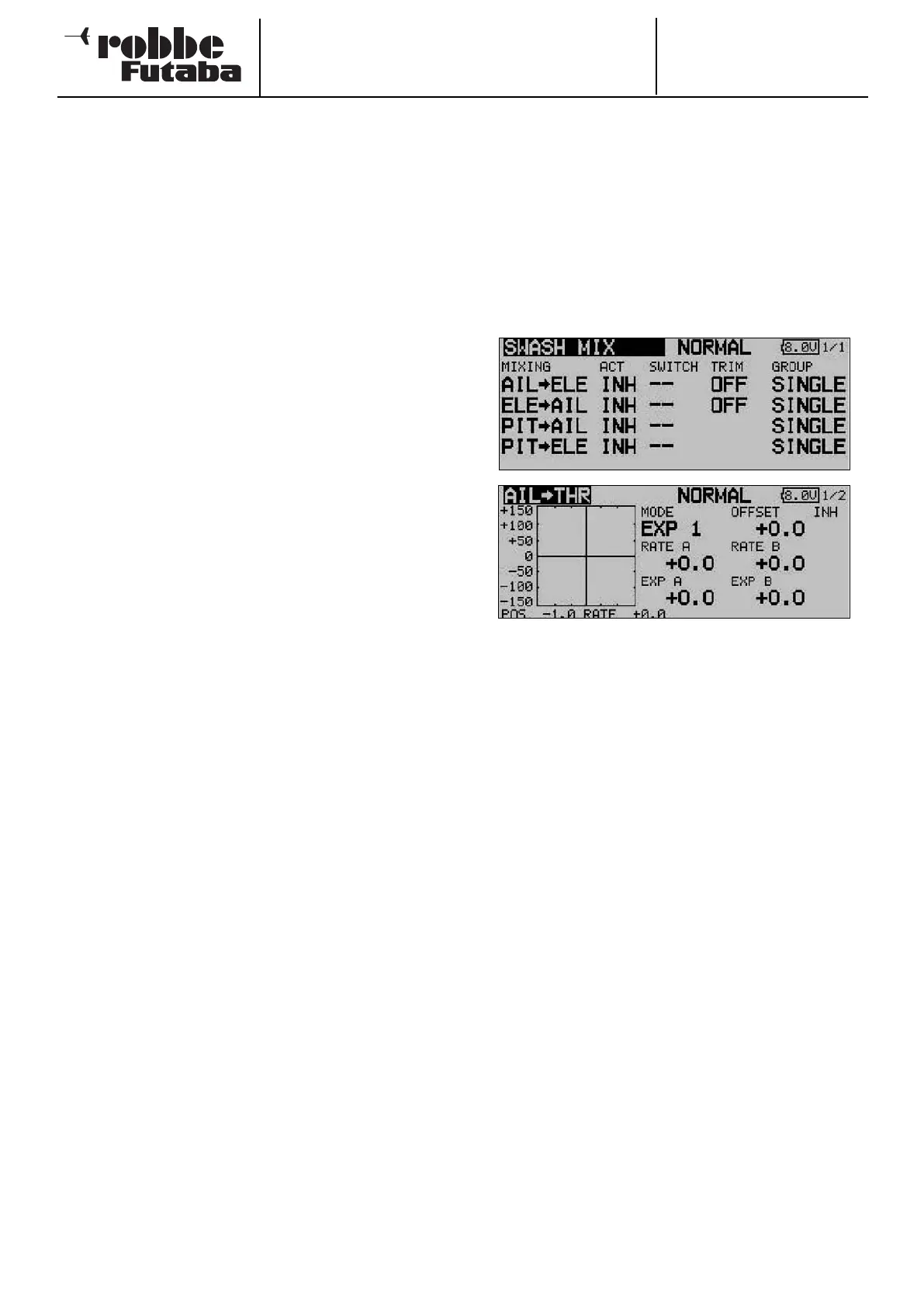
Use the 3-D hot-key to mark the ‘SWASH MIX’ option in the
Helicopter Model menu, and confirm your choice with EDIT.
The screen has a single level (page), but for each mixer it inclu-
des a graphic display for programming the mixer curve. The
screen looks like this:
The first requirement is to activate each mixer you wish to use
in the ‘ACT’ column: mark the field, then enter your settings
using the ‘3-D hot-key’, and conclude the activation with EDIT.
The same field then displays ‘On’ or ‘Off’ according to the
position of the switch.
The effects and method of setting the ‘Global’ or ‘Separate’
mode have already been described; select your preference in
the ‘Mode’ column. Move to the ‘Switch’ column and select a
switch and its direction of operation in the usual way.
The mixer function itself is actually set up with the help of the
associated curve in the sub-menu: mark the appropriate line in
the ‘MIXER’ column and confirm with EDIT; the curve display
now appears, and can be programmed using the familiar pro-
cedure: the first step is to select the curve type: mark the
‘MODE’ field in the topmost display and use the ‘3-D hot-key’
to make your selection. The method of programming the mixer
curve is exactly as described in Section 15.5 on page 64; ple-
ase refer back to that section if you are not sure.
Virtual swashplate rotation (range 0 - 90°)
Virtual swashplate rotation of 45° is required, and for this we
need to activate the first two mixers ‘Roll -> pitch-axis’ and
‘Pitch-axis -> roll’ with trim ‘On’, in each case with a mixer rate
of 100%.
If you find there are minor discrepancies in the swashplate lin-
kage, preventing the helicopter from flying in a straight line, it
is possible to correct this by setting up slightly different set-
tings in the individual mixer functions.
A fixed virtual swashplate rotation of 45° is available if you
select the model type H4X.
66



 To Next Page