Order No.
35 MHz: F 8042
40 MHz: F 8043
41 MHz: F 8044
FX-30
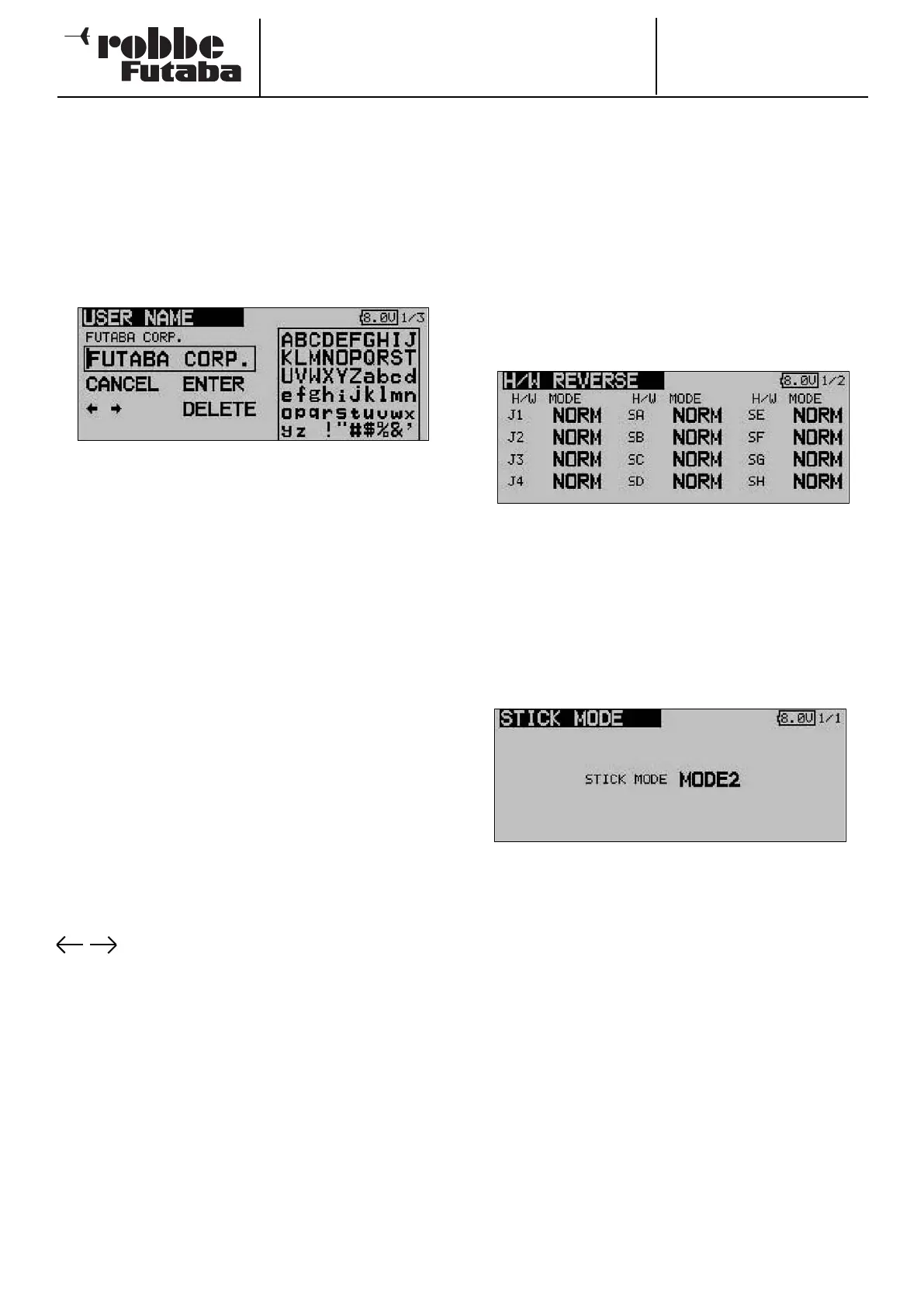
11.4 USER NAME
This function is used to program your own name.
U
SER NAME
Mark the User Name field and confirm with EDIT; a Character
Select menu now appears on the screen, which you can use
to enter your name.
The name can be entered using capital letters and numerals.
The user name can be up to twelve characters long (including
spaces). First use the 3-D hot-key to mark the letter in the
name line which you wish to alter, then select the appropriate
letter in the character field using the ‘3-D hot-key’, and con-
firm your choice with the ‘EDIT’ button: this action adopts the
new letter. To erase the name move to the ‘DELETE’ field with
the 3-D hotkey and press the ‘EDIT’ button.
If you wish to modify an existing name, select the appropriate
arrow button: now you can move the cursor in the appropria-
te direction by pressing the ‘EDIT’ button. To erase the letter,
click the cursor in front of the appropriate letter, then switch to
the ‘DELETE field with the 3-D hot-key, and confirm with
‘EDIT’.
To accept the name use the 3-D hot-key to move to the ‘EDIT’
field and confirm your choice.
Description of function:
BACK:
Use the ‘BACK’ button to erase names you have already
entered.
EDIT:
The ‘EDIT’ button is used to confirm and accept data you have
entered.
The arrow buttons are used to control the cursor.
DELETE:
The ‘DELETE’ button is used to erase individual letters.
CANCEL:
To interrupt the procedure or function and return to the menu,
use the 3-D hot-key to move to the ‘USER NAME’ field and
press the Enter button.
25
11.5 TRANSMITTER CONTROL SETTINGS
Hardware transmitter control reverse
This menu provides a means of reversing any of the transmit-
ter controls, including the primary sticks and switches (hard-
ware reverse). If you carry out a hardware reverse, the effect of
the corresponding transmitter control is reversed. This setting
does not affect the screen display (percentage value / prefix).
W
e recommend leaving these settings at NORM unless you
have very special requirements. The facility is really intended
only for very unusual cases where pilots have become accus-
tomed to operating particular functions “the wrong way
round”, because it suits their individual flying style.
Use the 3-D hot-key to mark the ‘H/W REVERSE’ option in the
System menu, and confirm your selection with EDIT.
Use the ‘3-D hot-key’ to make your choice within the menu,
and use it again to mark the ‘MODE’ field for the transmitter
control which you wish to reverse.
Turn the ‘3-D hot-key’ to reverse the mode. Key to the display:
• NORM:
The transmitter control operates in the default direction
• REV:
The transmitter control operates in the reverse direction
• STICK MODE
We have already seen that the throttle stick can be converted
mechanically to use a ratchet or brake, but the transmitter also
enables the user to re-assign the function of the primary
sticks. In addition to the default ‘Mode 2’ setting, the trans-
mitter software offers three additional stick modes. This makes
it a straightforward matter to set up the system to match your
personal preferences. Since the assignment of the control
functions to the corresponding receiver servo outputs remains
the same for all stick modes, all you have to do is decide
which stick mode you wish to use to control your models.
Pressing the Enter button and turning the hot-key allows you
to set any of the stick modes (1 … 4).
Mode 1: Throttle right, aileron right, rudder left, elevator left
Mode 2: Throttle left, aileron right, rudder left, elevator right
Mode 3: Throttle right, aileron left, rudder right, elevator left
Mode 4: Throttle let, aileron left, rudder right, elevator right
Switches (switch type assignment)
The external mixer switches of the FX-30 system are equipped
with plug-in connectors, and each is clamped in the case
using a central nut. This arrangement makes it possible to re-
position the switches to suit the user’s wishes.



 To Next Page