Order No.
35 MHz: F 8042
40 MHz: F 8043
41 MHz: F 8044
FX-30
15. MODEL MENU (MODEL HELICOPTER)
This Section analyses the settings which are specific to model
helicopters, i.e. it only covers those options which have not
already been described in Section 13. All the options of the
Model menu can be activated in the top-level menu screens
illustrated below, but some options have already been descri-
bed in the earlier Model menu; see pages 41 to 47. Activate
t
he menu by selecting the ‘Heli’ model type in the Base menu
using the 3-D hot-key, and confirm your choice with ‘EDIT’.
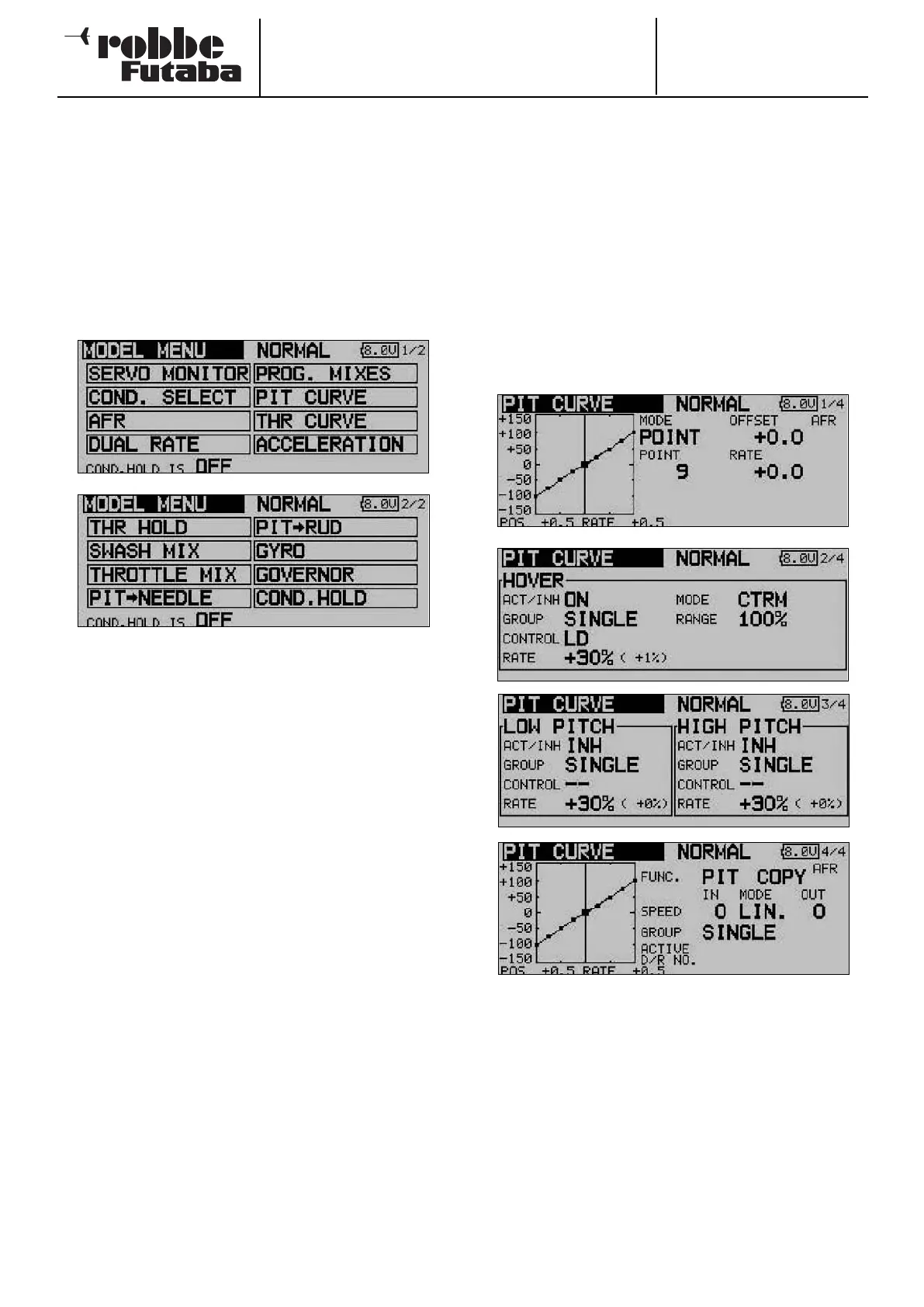
This action calls up the overview of Model menus for helicop-
ters.
The following section describes the options which have not
already been analysed in these instructions:
• PIT CURVE: Collective pitch curve settings
• THR CURVE: Throttle curve settings
• ACCELERATION: Acceleration function
• AUTO-ROTATION: Auto-rotation settings
• SWASH MIX: Swashplate mixer
• THROTTLE MIX: Swashplate -> throttle mixer
• PIT -> NEEDLE: Collective pitch -> needle valve
mixer
• PIT -> RUD: Collective pitch -> tail rotor mixer
• GYRO: Gyro settings
• SPEED GOVERNOR: Speed governor settings
• COND. HOLD: Flight mode hold; see
description on page 39
15.1 COLLECTIVE PITCH CURVE SETTINGS
Operating the collective pitch stick moves the collective pitch
servo or servos, but also automatically operates the throttle
servo. The interaction between collective pitch and throttle is
very important, and for this purpose the collective pitch func-
t
ion can be assigned one of three possible curve types, each
of which can be allocated a maximum of seventeen variable
points. The FX-30 also offers switchable flight modes which
enable the pilot to set up the optimum collective pitch curve
for each flight mode individually.
Use the 3-D hot-key to select the ‘COLLECTIVE PITCH
CURVE’ in the Helicopter model menu, and confirm your cho-
ice with EDIT.
T
his menu has four levels (pages), which look like this:
In this menu you can set up collective pitch curves for the fol-
lowing flight modes:
• Normal: For starting and stopping the motor
• Idle up1 = Throttle pre-select 1: for hovering
• Idle up2 = Throttle pre-select 2: for cruising
• Idle up3 = Throttle pre-select 3: for aerobatics
• HOLD = Auto-rotation: auto-rotation landing
• Condit 6 - 8 = Flight modes 6 to 8: freely selectable
62



 To Next Page