Order No.
35 MHz: F 8042
40 MHz: F 8043
41 MHz: F 8044
FX-30
12.3 SELECTING THE MODEL TYPE
This is the menu where you select the model type, the wing
type and the tail type for fixed-wing model aircraft.
For model helicopters this menu determines the type of
swashplate mixing.
U
sing your information as a basis, the software then suggests
the appropriate mixer functions in accordance with the sele-
cted model type. This reduces the screen display to the mini-
mum required, and helps to avoid unwanted complexity and
confusion.
Note:
The model type must always be selected before you adjust
any model settings, because a change of model type always
e
rases all previously stored values.
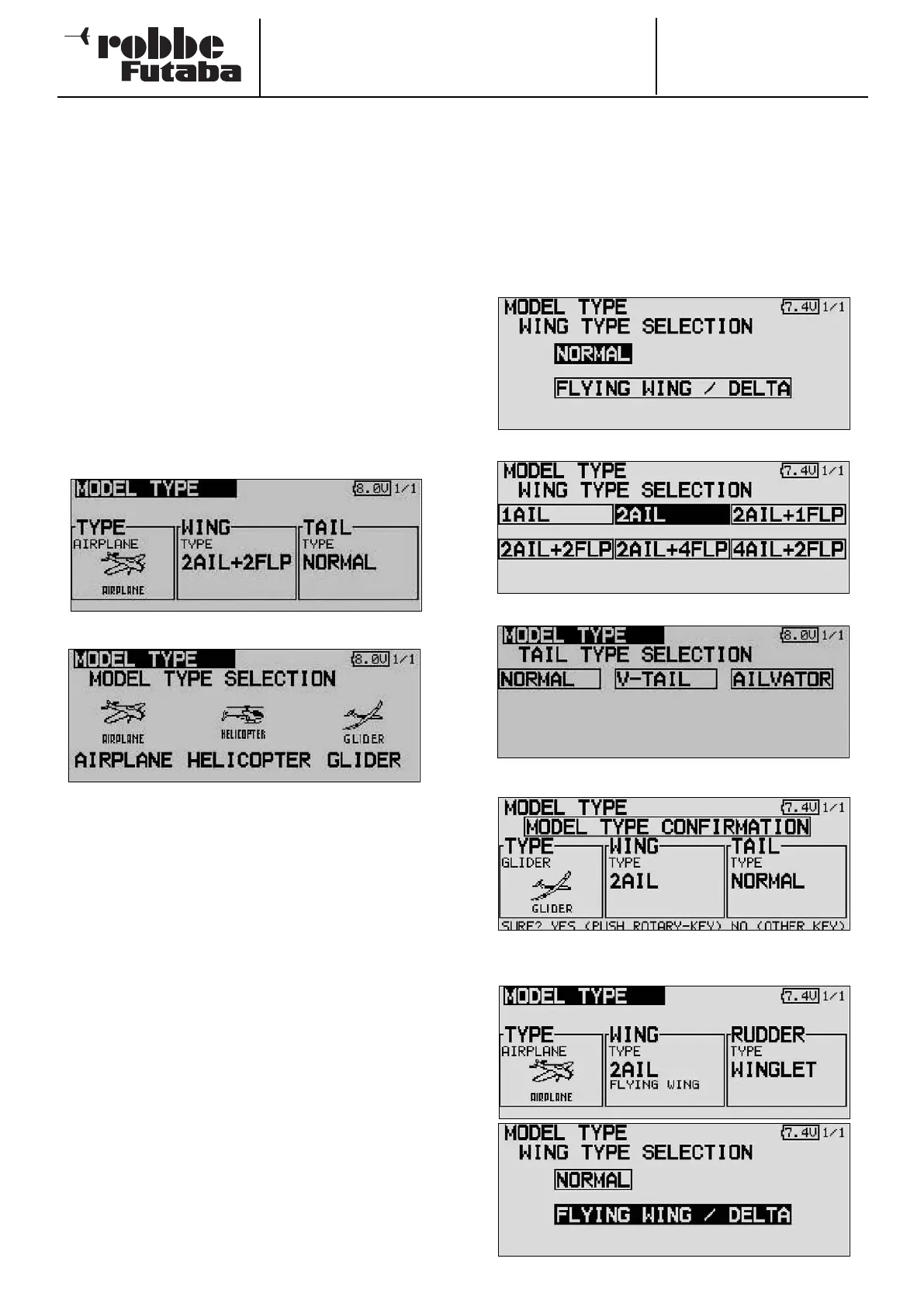
Use the 3-D hot-key to mark the ‘Model Type’ field in the Base
menu, and confirm your choice with EDIT.
The following screen display appears; note that it will vary
according to the model type you have selected.
Use the cursor to mark the TYPE field, then press EDIT.
Mark the desired model type from the three categories on
offer, and confirm with EDIT.
Confirm the subsequent security query.
When you have made your choice, the associated wing, tail or
swashplate types will automatically be available for you to
select.
The following basic selections are available:
• Model type: Airplane (power model) - Helicopter - Glider
• Wing type (seven types for power models and gliders)
• Tail type (three types for power models and gliders)
• Swashplate type (eight types for model helicopters)
SELECTING THE WING AND TAIL TYPE
If you have selected the Fixed-wing model type (power model
or glider), then the next step is to determine the appropriate
wing and tail types.
This menu contains three screen pages arranged in series; this
is necessary in order to display all the wing types in a com-
prehensible manner. The page number is indicated at top right
on the screen.
Selecting the wing type
Selecting the control surface count
Selecting the tail type
Display of selected type, confirmation query
Alternatively for flying wings the type of rudder(s)
29



 To Next Page