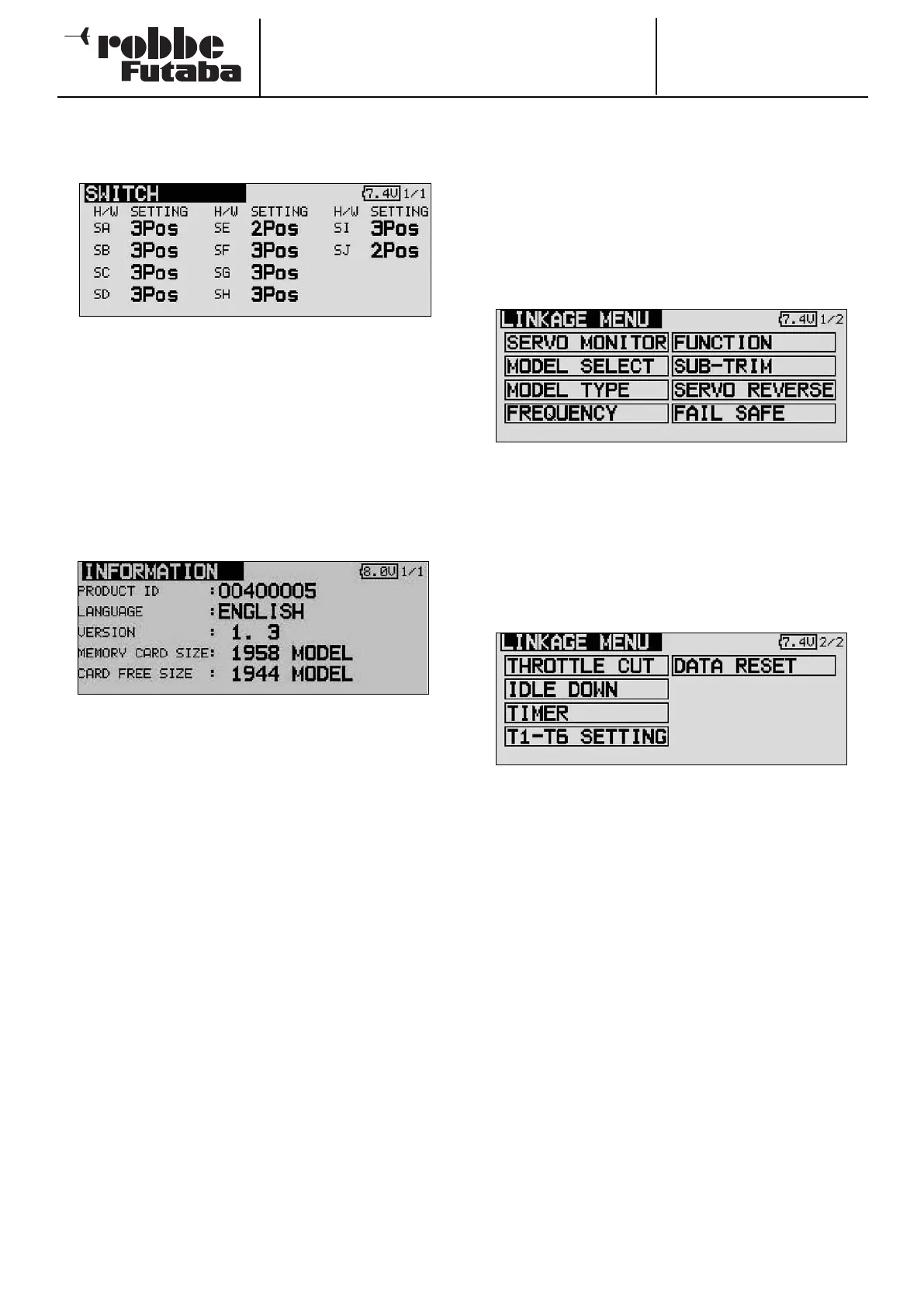
It is also possible to swap over the two-position and three-
position switches.
I f
you wish to interchange the switches (e.g. two-position for
three-position), it is also necessary to change the software
switch configuration, otherwise the switch position display will
be incorrect.
11.6 INFORMATION
This menu provides information relating to the currently instal-
led version of the software. It also displays the memory capa-
city of the SD card and the transmitter’s code number (ID). The
screen also displays the menu language currently selected.
In the first line of the Information screen you will see the trans-
mitter’s ID number displayed after ‘PRODUCT ID’. The second
line shows the language currently set for the menu system.
The version number of the application software is displayed in
the ‘Version’ field.
If the transmitter is currently fitted with an SD card, the screen
also displays the free memory capacity in terms of the number
of model memories (model data) available. The transmitter can
manage SD cards with capacities of up to 1 GB = 1958
models.
If the transmitter is not currently fitted with an SD card, the dis-
play shows no memory card.
12. BASE MENU
T
he functions of the Base Menu are described in detail in the
following section. Their purpose is to record the basic settings
for a model or model memory. These individual items of data
are stored under a model name in a separate memory.
Use the 3-D hot-key to mark the Base Settings field in the
HOME menu, and confirm your selection with ‘EDIT’. This
action calls up the overview of the Base menu, as shown
below:
It is not possible to display on a single screen all the functions
which are available in the Base menu, so this menu features a
second level or page in which the remaining functions can be
selected: the S1 button is used to toggle between screen dis-
plays 1/2 and 2/2. Turning the 3-D hot-key beyond the last
position also switches automatically to the next page of the
display. Move the 3-D hot-key in the appropriate direction to
make your selection. The second page of the Base menu
looks like this:
The following individual options are available:
• Servo monitor: Servo travel display
• Model select: Model memory select
• Model type: Model type select
• Frequency: Frequency and modulation select
• Function: Transmitter control and sequence select
• Servo centre: Servo centre offset
• Servo reverse: Reverse of direction of servo rotation
• Fail-Safe: Fail-safe settings
• End-point ATV: Servo travel settings
• Motor off: Motor cut function
• Idle 2: Second throttle idle position
• Swashplate: Swashplate type select
(Helicopter model type only)
• Stopwatch: Stopwatch settings
• Trim display: Trim increment (step) select
• Data reset: Reset data to default values
• Idle-up: Idle up (Helicopter model type only)
Note:
The display of the individual options in the Power, Glider or
Helicopter base menus are different.
Order No.
35 MHz: F 8042
40 MHz: F 8043
41 MHz: F 8044
FX-30
26



 To Next Page