Order No.
35 MHz: F 8042
40 MHz: F 8043
41 MHz: F 8044
FX-30
8. CHANGING THE FREQUENCY BAND AND MODU-
LATION
AREA CODE
These systems feature an Area Code which ensures that they
can only work on those frequency bands and spot frequencies
which are approved for use in a given region.
Since the RF modules are also area-coded, this makes it pos-
s
ible for us to make available only those frequency bands and
spot frequencies which are approved for use in the region
where the equipment is to be sold and used. The software will
only work with RF modules bearing the same area code as the
system itself.
For the European region the frequency bands available are 35
and 40 / 41 MHz. Provided that the appropriate RF module is
installed, the software will offer the corresponding spot fre-
quencies from which you can choose as described above.
CHANGING THE FREQUENCY BAND
In order to change the frequency band - for example from 35
to 40 MHz - the RF module for the “new” frequency band must
first be plugged into the transmitter.
• Now switch the transmitter on
• Confirm the switch of frequency band by pressing the EDIT
button.
• Use the 3-D hot-key to select the spot frequency display,
and press Enter to call it up.
• Press Enter to call up the Spot Frequency Select function.
• The screen now displays the Spot Frequency Select menu
for the 40 MHz band. Choose the spot frequency you wish
to employ using the procedure described above.
The remainder of the procedure is identical to that for
‘Changing the spot frequency’, as described in Section 7 on
the preceding page.
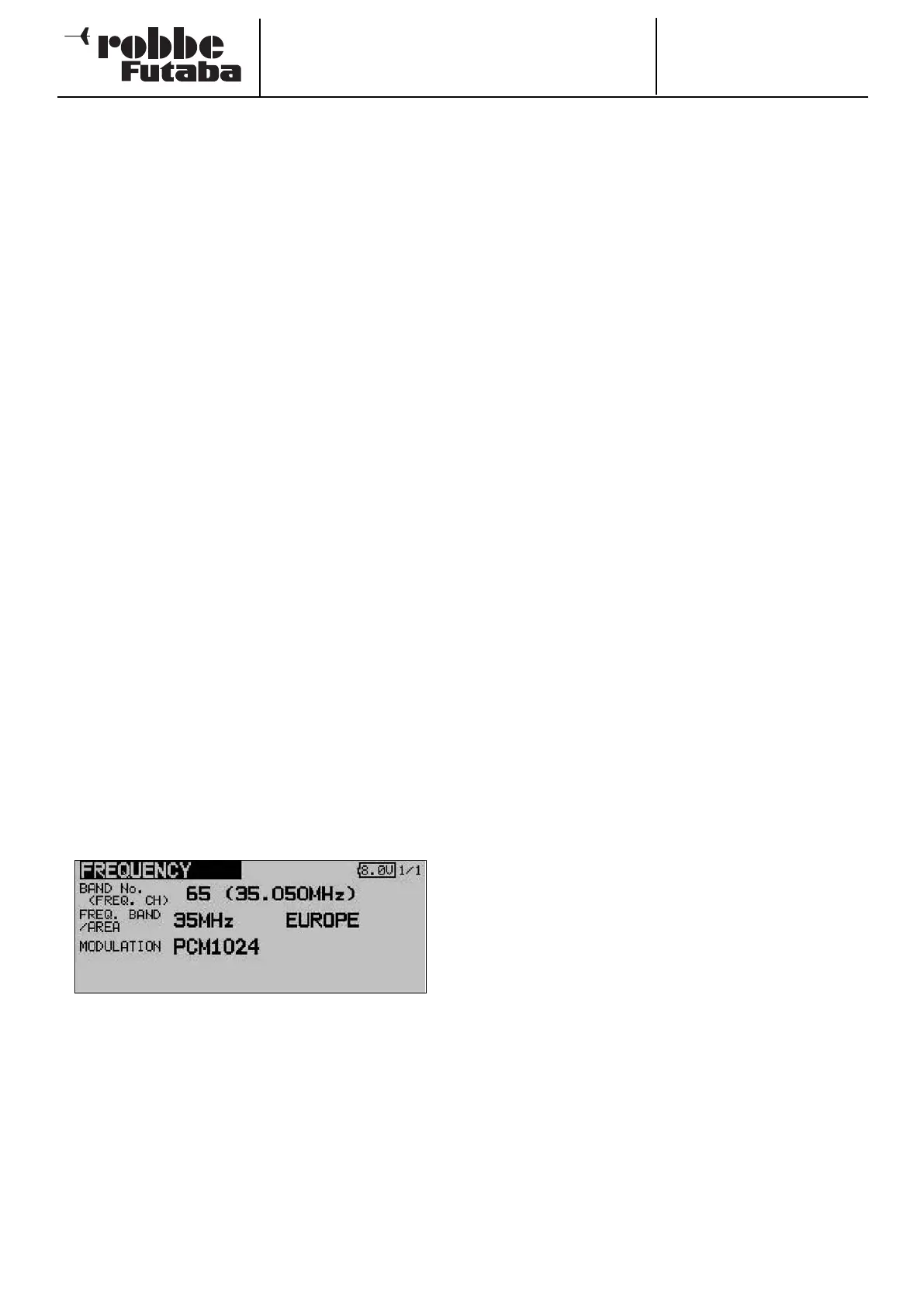
SELECTING THE MODULATION (PCM-G3, PCM-1024,
PPM8 - 12)
This Set-up menu is also used for selecting the transmitter
modulation. The default setting is the new PCM-G3 system.
If you wish to use the R 1410DP PCM-1024 receiver, you must
first change the modulation to the PCM-1024 system.
• Use the ‘3-D hot-key’ to move to the ‘Modulation’ line.
Confirm your choice with ‘EDIT’, then select the desired
modulation and spot frequency. Confirm the security
query, then press the 3-D hot-key (‘EDIT’ button) to confirm
your choice.
• When you switch the transmitter off, the selected modula-
tion is saved for this model memory. Next time you switch
on, the new modulation will automatically be available.
Note!
If you change the modulation from PCM-G3 to another modu-
l
ation, only eight channels will be available to control your
models, rather than twelve. The transmitter software takes this
into account at the model
select stage, and does not display model types which require
higher channel counts.
RECEIVER NUMBER (Receiver ID)
The last two lines of the “Frequency” set-up menu are used to
e
nter the receiver numbers (receiver ID). An individual number
is permanently assigned to every receiver; the number is prin-
ted on a label on the back of the receiver.
This receiver ID is stored in the transmitter for each model
memory. When you invoke the wireless frequency change pro-
cess, the receiver number is also transmitted to ensure that
only this particular receiver changes its spot frequency in res-
ponse to the transmitter.
If you have a model equipped with two receivers, you can
enter the number of the second receiver in the line “2nd recei-
ver No.”
• If necessary, you can change the receiver’s eight-digit
Identity Number. Use the 3-D hot-key to move to the
appropriate line, and confirm your choice with ‘EDIT’.
• In the display which now appears you can select the cor-
rect number using the 3-D hot-key for each position of the
ID code before confirming the number. The process is con-
cluded by pressing Enter.
• Check finally that you have entered the ID code correctly.
• If you are using two receivers in a large-scale model, you
must enter the ID code for both receivers. Use the same
procedure in the second field to accomplish this.
Important note:
It has been established that problems can occur if the FX-30
transmitter is used with a Multiplex 9-channel or 12-channel
IPD receiver. If servo travel is set to more than 135%, or if two
channels are mixed together and the total travel is more than
135%, the receiver may switch to hold-mode! It is absolutely
essential that you check for system compatibility before using
a different make of receiver, and if necessary contact the
manufacturer.
Robbe Modellsport accepts no liability for such combinations.
20



 To Next Page