Installing
Bat!~ries
in
the
Remote
._C_o_n_tr_o_1
._;::::==========--=::....;
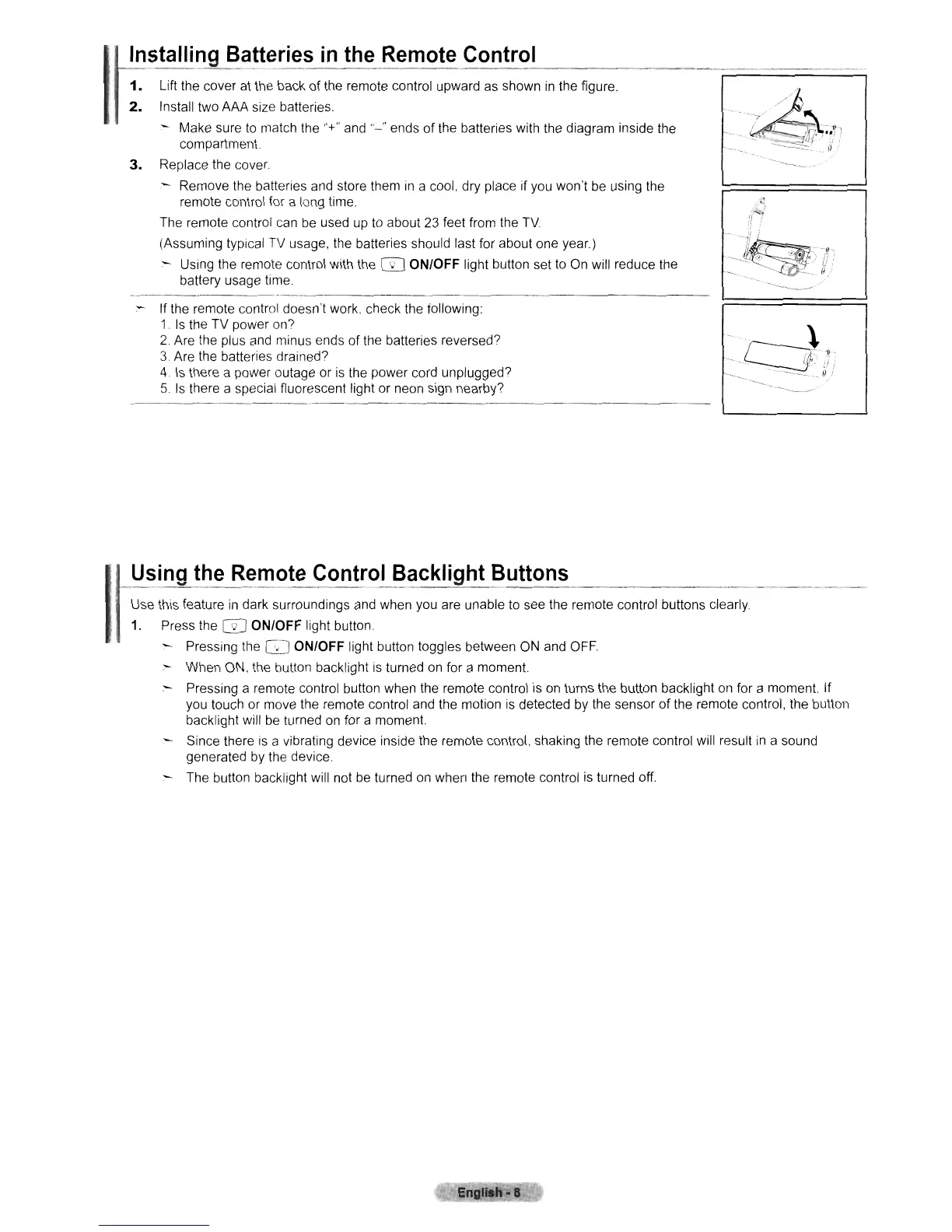
1.
Lift
the cover at the back
of
the remote control upward as shown
in
the figure.
2.
Install two AAA size batteries.
:-
Make sure
to
match the "+" and
"-"
ends
of
the batteries with the diagram inside the
compartment.
3.
Replace the cover
- Remove the batteries and store them
In
a cool, dry place if you won't
be
using the
remote control for a long time.
The remote control can
be
used up
to
about
23
feet from the
TV
(Assuming typical TV usage, the batteries should last for about one year.)
-
USing
the remote control with the ITJ ON/OFF light button set
to
On will reduce the
battery usage time
:-
If the remote control doesn't work, check the following:
1.
Is
the TV power on?
2.
Are the plus and minus ends
of
the batteries reversed?
3.
Are the batteries drained?
4.
Is
there a power outage or
is
the power cord unplugged?
5.
Is
there a special fluorescent light or neon sign nearby?
-----
--
.~
-b,
----L
(1'
(!""": 0i
'_"'"
-.....
'"
p..:
-------_._,
~
~,~::,~e:~:
i~:~~~":i~9~~:~~~~~~~~~:~b~~~~~h~
;emOle
wnlcol
bolton,
cI~a,'y
---.--
.-
-
11.
Press the
ITJ
ON/OFF light button
- Pressing the
GJ
ON/OFF light button toggles between
ON
and OFF
:-
When ON, the button backlight is turned
on
for a moment.
:-
Pressing a remote control button when the remote control
is
on
turns the button backlight on for a moment. If
you touch or move the remote control and the motion
is
detected
by
the sensor
of
the remote control, the button
backlight will
be
turned
on
for a moment.
Since there is a vibrating device inside the remote control, shaking the remote control will result
in
a sound
generated by the device.
The button backlight will not
be
turned on when the remote control is turned off.
Engll.h-
IS











 To Next Page