ViewingaPhotoo~_S_li_d_e_S_h_o_w~~~~~~~~~~~~~~~~
Viewing a Slide Show
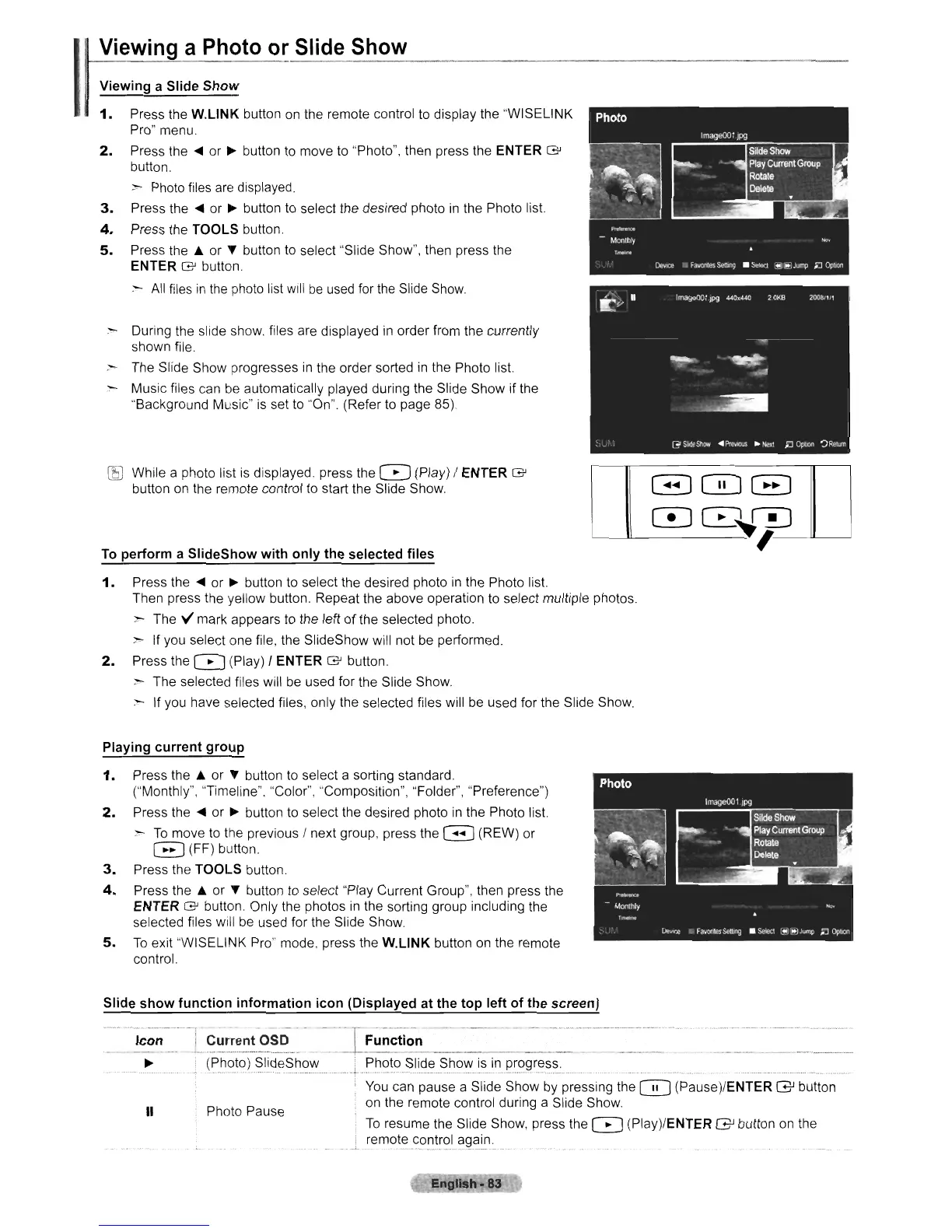
1.
Press the
W.L1NK
button
on
the remote control to display the "WISELINK
Pro" menu.
2.
Press the
~
or
~
button to move to "Photo", then press the ENTER
G'
button.
~
Photo files
are
displayed.
3.
Press the
~
or
~
button to select the desired photo
in
the Photo list.
4.
Press the TOOLS button.
5.
Press the A or T button to select "Slide Show", then press the
ENTER
G'
button.
-
All
files
in
the
photo list will
be
used
for
the
Slide
Show.
:"'-
During the slide show. files are displayed
in
order from the currently
shown file
:-
The Slide Show progresses
in
the order sorted
in
the Photo list.
Music files can
be
automatically played during the Slide Show if the
"Background Music" is set
to
·'On".
(Refer to page 85).
[SJ
While a photo list
is
displayed. press the 0 (Play) / ENTER
G'
button
on
the remote control to start the Slide Show.
To
perform a SlideShow with only the selected files
1.
Press the
~
or
~
button to select the desired photo
in
the Photo list.
Then press the yellow button. Repeat the above operation
to
select multiple photos.
:-
The V mark appears
to
the left of the selected photo.
:-
If you select one file, the SlideShow will not
be
performed.
2.
Press the 0 (Play) / ENTER
G'
button.
:-
The selected files will
be
used for the Slide Show.
:-
If you have selected files, only the selected files will
be
used for the Slide Show.
GJGJ~
CD~~~
'_....a--_
Playing current group
1.
Press the A or T button to select a sorting standard.
("Monthly", "Timeline", "Color", "Composition", "Folder", "Preference")
2.
Press the
~
or
~
button
to
select the desired photo
in
the Photo list.
:-
To
move
to
the previous / next group, press the G (REW) or
EJ
(FF) button.
3.
Press the TOOLS button
4.
Press the A or T button
to
select "Play Current Group", then press the
ENTER
G'
button. Only the photos
in
the sorting group including the
selected files will
be
used for the Slide Show.
5.
To
exit "WISELINK Pro" mode, press the
W.L1NK
button
on
the remote
control.
Slide show function information icon (Displayed at the top left of the screen)
Photo PauseII
-~-
-~~~~~.'
--L~~r.!~.~!~~~.~_
~~_F_~_~_~'_ti_~_n
--_
-----~_-_-_-_-~~=
_
~
(~~?t())
.?lideS
howL.~.~.?t()_
~li~~.?h?\'J
..
i~_i~.
p~()Q
r~.:'.:'.~
...
You
can pause a Slide Show
by
pressing the 0 (Pause)/ENTER GJ button
on the remote control during a Slide Show.
To
resume the Slide Show, press the 0 (Play)/ENTER GJ button
on
the
remot~_c.o.~~()L~_Q~~n.












 To Next Page