Usin~~L!~~,,!V1ovie
List
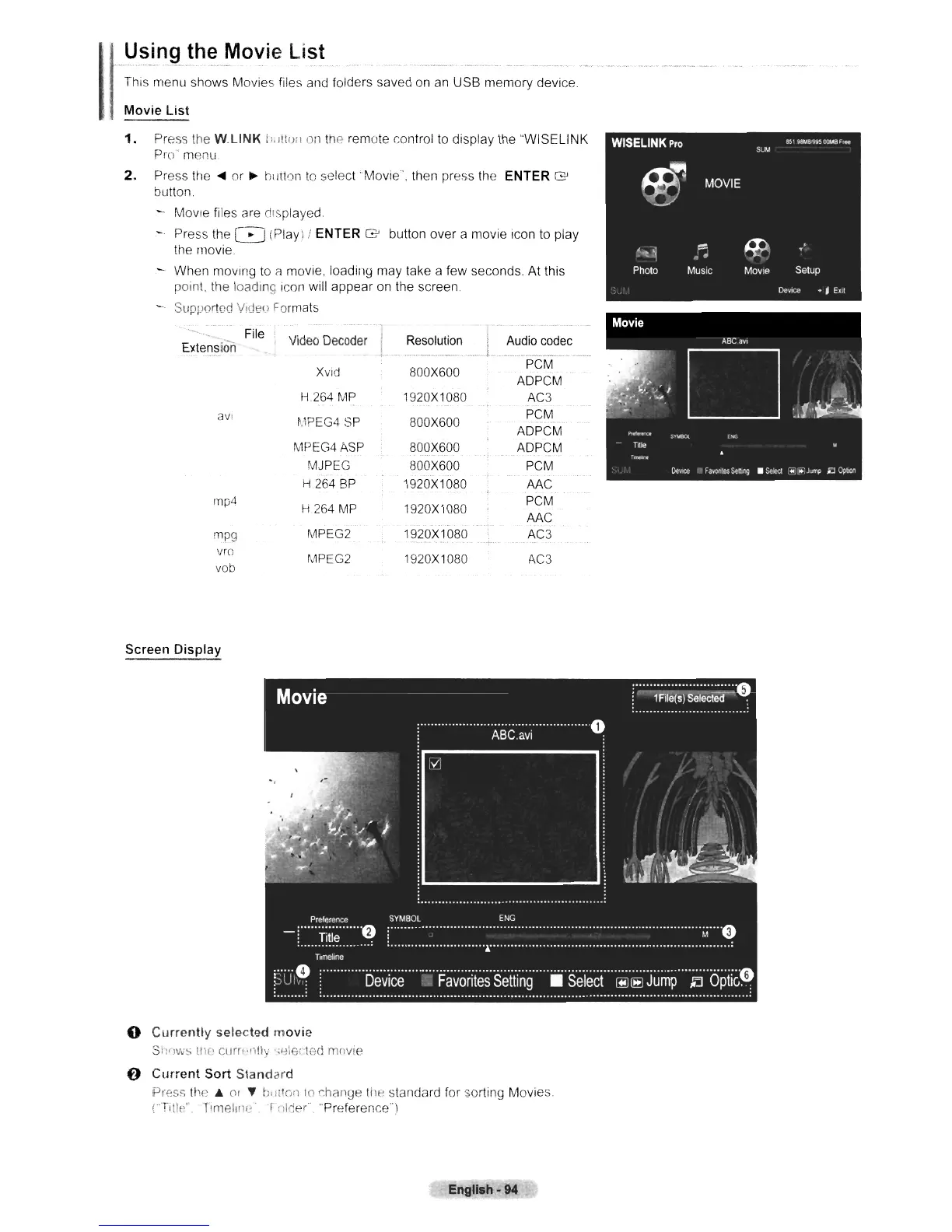
This menu shows Movies files and folders saved on an USB memory device,
Movie
List
1.
Press the
W.L1NK
n,
Itto,)
Oil
the remote control
to
display the "WISELINK
Pro'menu
2.
Press
the'"
or
~
hi
atoll
to
select
'Movie'
. then press the ENTER
G'
button.
- Movie files are ct'splayed.
- Press the 8
(Play)!
ENTER
G'
button over a movie Icon to play
the movie.
When moving to
i1
movie, loading may take a few seconds. At this
point. the loading icon will appear on the screen
- Supported Video Formats
ExtenSion
File i
Video
Decoder
Resolution
Audio
codec
XVld
800X600
PCM
ADPCM
H264
MP
1920X1080
AC3
aVI
~,1PEG4
SP
800X600
PCM
ADPCM
MPEG4ASP
800X600 ADPCM
MJPEG 800X600
PCM
H
264
SP
1920X1080
AAC
rnp4
H 264
MP
1920X1080
PCM
AAC
mpg
MPEG2 1920X1080
AC3
vrc
MPEG2 1920X1080
AC3
vob
Screen
Display
o
Currently
selected
movie
SnfJws tile'
cum
·1)1";
·;~Ie(·ted
mnvie
6
Current
Sort
Standard
Press the A Of
'Y
b'liton
10
r.hange the standard for sorting Movies.
(Tlllf:".
Tlmelilli~'
rfllrjeC'
"Preference')
English·
94












 To Next Page