._.y_si.r.'9.
th~
DL~.~._~ppl_ic_a_ti_o_n
_
The Program Screen Layout
..
_
..
-
_.----------
-
---_._--------------------
-'-
SAMSUNG
PC
Share
Manager
:
Fil~···
..
·Sb;;;··~se~rve~
..
~·
r~··~e~'~p'f~~~~~~~!!!II!!!!!!!!!!~!!!!!!!!!!~
i
r'":::::iT··::::~····~:tt::::::·~
..
~·,·::::::·~·······
f·s~~~;·
..
·wi~~i:i~~·
..
;·~
1;
::
::
::
:
........
~....
lit··.·. Y-
0
•••
'-0
•••
"
'0,
••
'.
'0'
fMY·c~mp;rt~·~···············
..
·······
..
··················
;
fSh·~~~d·F~id~·;
..
·
..
·····
..
·
..
···
..
·
..
·········
..
···
..
·······
;
---
~-----~
-
;1
o ,
J'
& :
..'
._.-
....._
..••..•...•.
_---~-----------------------,
1.
Menus
The
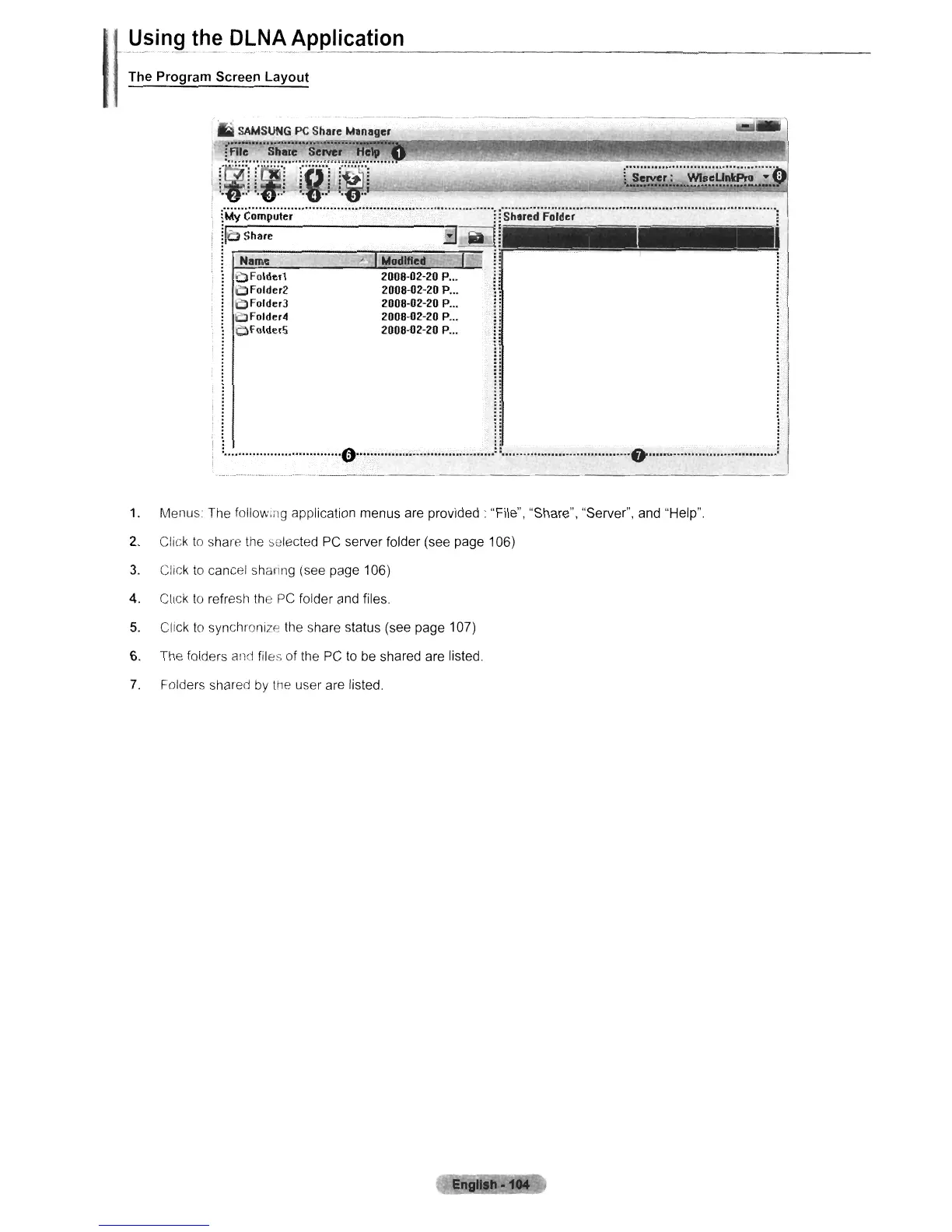
following application menus are provided: "File", "Share", "Server", and "Help".
2.
Click
to
share
the
~elected
PC
server folder (see page 106)
3.
Click
to
cancel sharing (see page 106)
4.
ClICk
to
refrestl the
PC
folder and files.
5.
Click
to
synchronize the share status (see page 107)
6.
The folders
and
files of the
PC
to
be
shared are listed.
7.
Folders shared
by
the
user are listed.












 To Next Page