WISELINK Pro
Using the WISELINK Pro Function
Connecting a USB Device
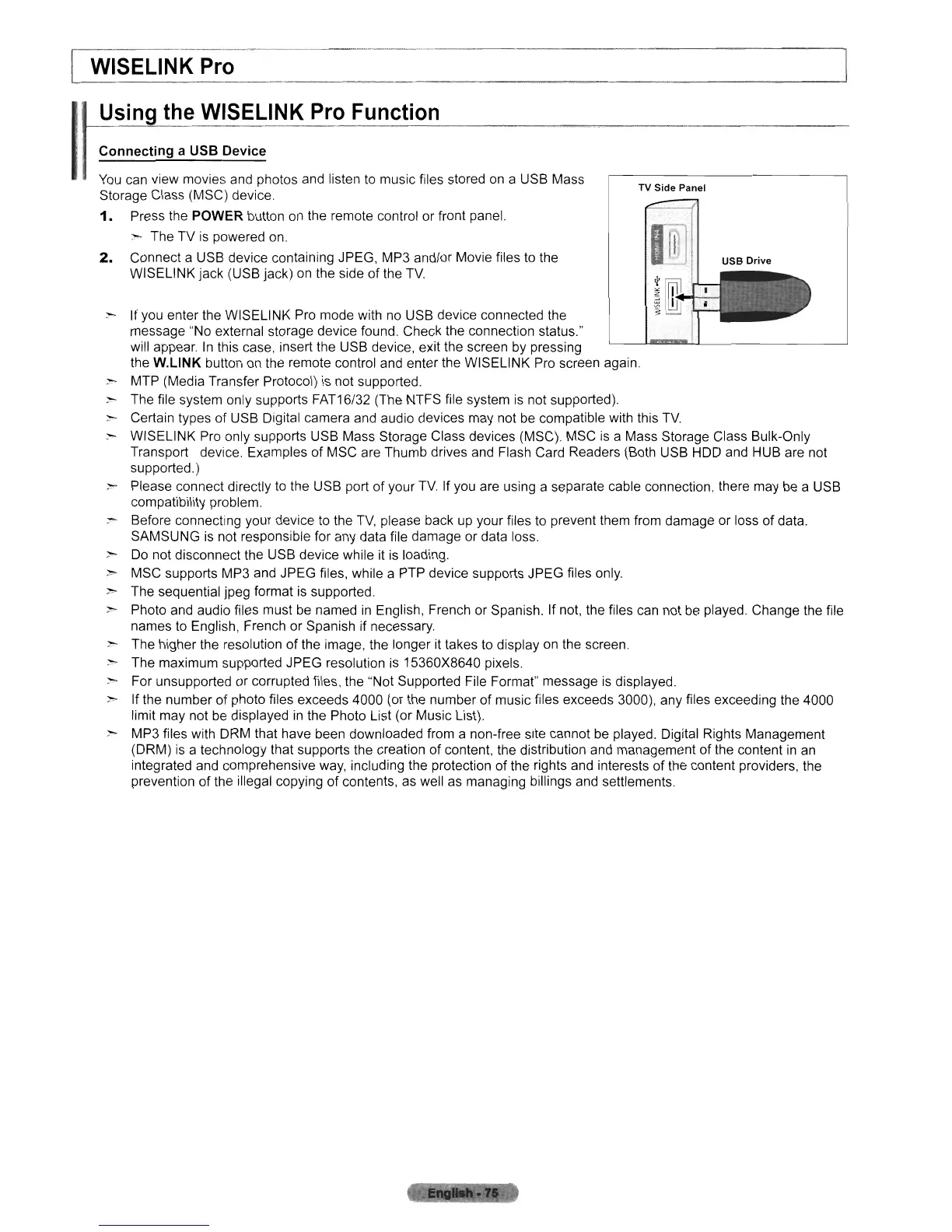
USB
Drive
TV
Side
Panel
:r- If you enter the WISELINK Pro mode with no USB device connected the
message "No external storage device found. Check the connection status."
will appear.
In
this case, insert the USB device, exit the screen
by
pressing
the
W.L1NK
button
on
the remote control and enter the WISELINK Pro screen again
- MTP (Media Transfer Protocol) is not supported.
~
The file system only supports FAT16/32 (The NTFS file system
is
not supported).
;,-..
Certain types of USB Digital camera and audio devices may not
be
compatible with this
TV
:r- WISELINK Pro only supports USB Mass Storage Class devices (MSC). MSC
is
a Mass Storage Class Bulk-Only
Transport device. Examples of MSC are Thumb drives and Flash Card Readers (Both USB
HOD
and HUB are not
supported.)
- Please connect directly to the USB port of your
TV
If you are using a separate cable connection, there may
be
a USB
compatibility problem.
~
Before connecting your device
to
the
TV,
please back
up
your files to prevent them from damage or loss of data.
SAMSUNG
is
not responsible for any data file damage or data loss.
~
Do
not disconnect the USB device while
it
is
loading.
>-
MSC supports MP3 and JPEG files, while a PTP device supports JPEG files only.
>-
The sequential jpeg format is supported.
>- Photo and audio files must
be
named
in
English, French or Spanish. If not, the files can not
be
played. Change the file
names to English, French or Spanish if necessary.
>-
The higher the resolution of the image, the longer it takes to display
on
the screen.
>-
The maximum supported JPEG resolution
is
15360X8640 pixels.
:-0-
For unsupported or corrupted files, the "Not Supported File Format" message
is
displayed.
)0>
If the number of photo files exceeds 4000 (or the number of music files exceeds 3000), any files exceeding the 4000
limit may not
be
displayed
in
the Photo List (or Music List).
~ MP3 files with DRM that have been downloaded from a non-free site cannot
be
played. Digital Rights Management
(DRM)
is
a technology that supports the creation
of
content, the distribution and management of the content
in
an
integrated and comprehensive
way,
including the protection of the rights and interests of the content providers, the
prevention of the illegal copying of contents,
as
well as managing billings and settlements.
You
can
view movies and photos and listen to music files stored
on
a USB Mass
Storage Class (MSC) device.
1.
Press the POWER button
on
the remote control or front panel.
:>--
The TV is powered on.
2.
Connect a USB device containing JPEG, MP3 and/or Movie files to the
WISELINK jack (USB jack) on the side
of
the
TV












 To Next Page