Adjusting
the
TV
On/Off
Melody
Sound
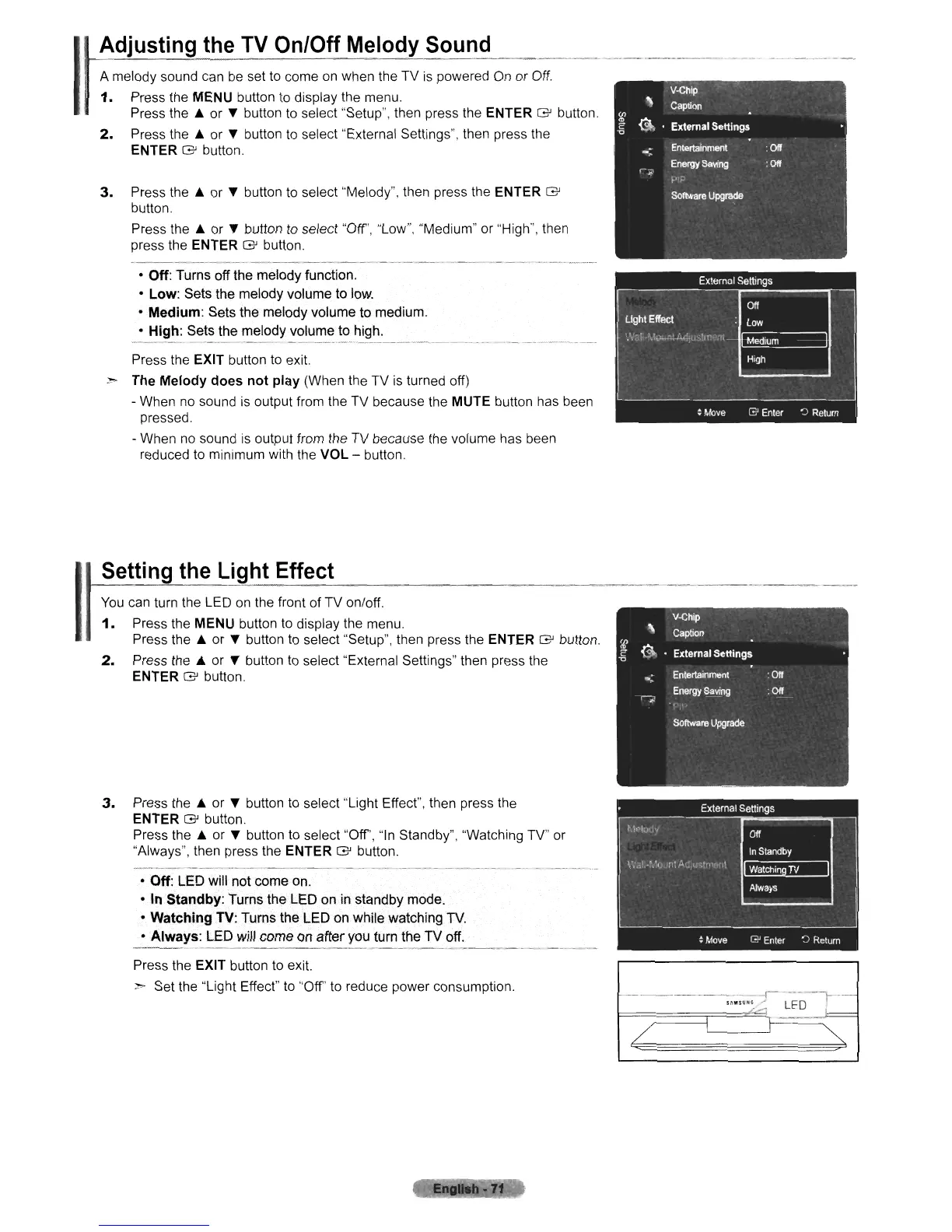
A melody sound
can
be
set
to
come
on
when the TV
is
powered
On
or
Off.
1.
Press the MENU button
to
display the menu.
Press the A or
..
button
to
select "Setup", then press the ENTER G button.
2.
Press the A or
..
button
to
select "External Settings", then press the
ENTER G button.
3.
Press the A or
..
button
to
select "Melody", then press the ENTER G
button.
Press the A or
..
button
to
select "Off', "Low", "Medium" or "High", then
press the ENTER G button,
• Off: Turns off the melody function.
• Low: Sets the melody volume to low.
• Medium: Sets the melody volume to medium.
• High: Sets the melody volume to high.
Press the EXIT button
to
exit.
~ The Melody does
not
play (When the TV
is
turned off)
- When
no
sound
is
output from the
TV
because the MUTE button has been
pressed.
- When
no
sound
is
output from the TV because the volume has been
reduced
to
minimum with the VOL - button.
Setting
the
Light
Effect
You
can
turn the LED
on
the front of TV on/off.
1.
Press the MENU button
to
display the menu.
Press the A or
..
button to select "Setup", then press the ENTER G button.
2.
Press the A or
..
button
to
select "External Settings" then press the
ENTER G button.
3.
Press the A or
..
button
to
select "Light Effect", then press the
ENTER G button.
Press the A or
..
button to select "Off',
"In
Standby", "Watching TV" or
"Always", then press the ENTER G button,
• Off: LED will not come
on.
• In Standby: Turns the LED
on
in standby mode.
• Watching TV: Turns the LED on while watching
TV.
• Always: LED will come
on
after you turn the TV off.
Press the EXIT button
to
exit.
> Set the "Light Effect"
to
"Off'
to
reduce power consumption.
---------------r-
---. -'1----
-"."";:'
LED
I---
/











 To Next Page