I
Clearing
Scrambled
Channels
-
Digital
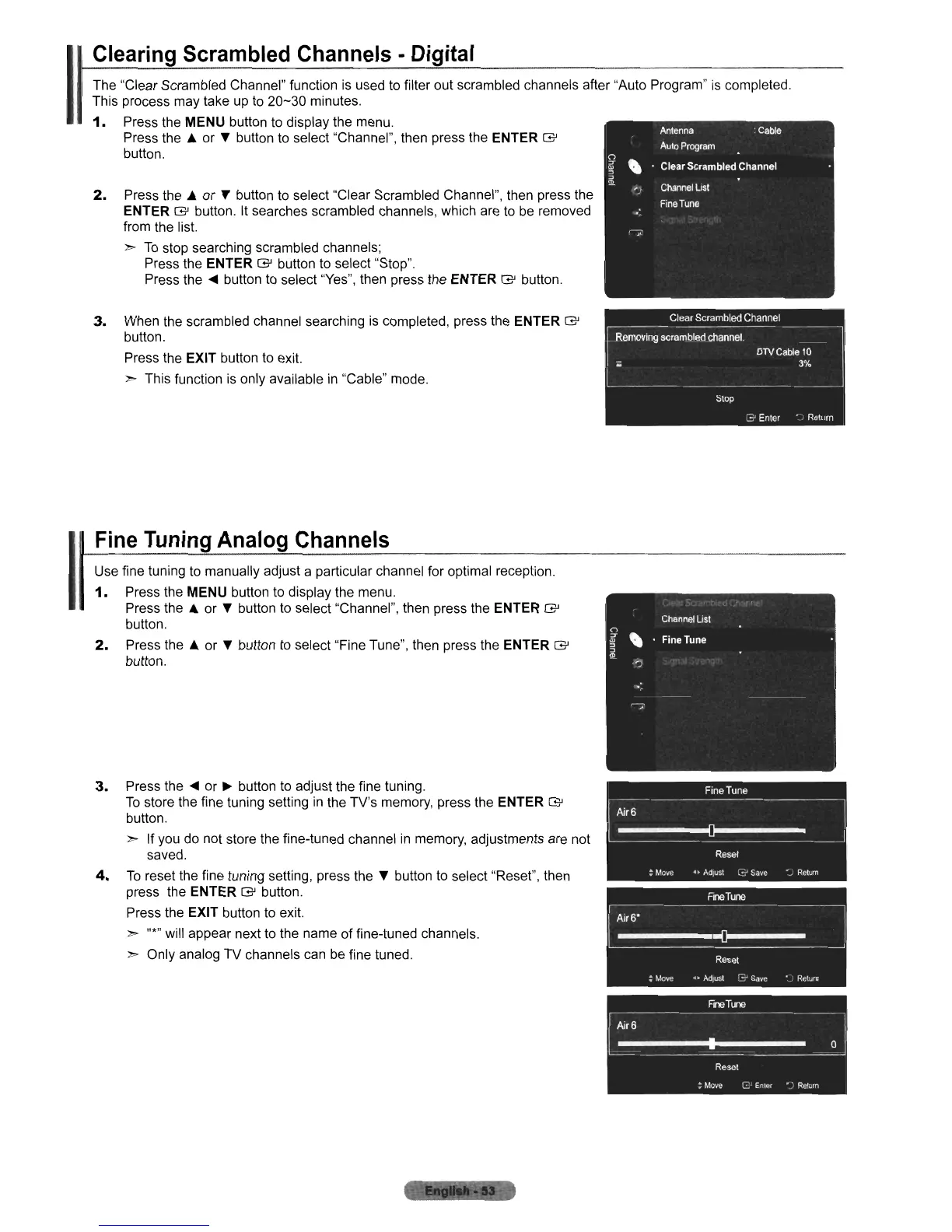
The "Clear Scrambled Channel" function
is
used to filter out scrambled channels after "Auto Program"
is
completed.
This process may take up to
20-30
minutes.
1.
Press the MENU button to display the menu.
Press the A or • button to select "Channel", then press the
ENTER
G'
button.
2.
Press the A or T button to select "Clear Scrambled Channel", then press the
ENTER
G'
button.
It
searches scrambled channels, which are to
be
removed
from the list.
»
To
stop searching scrambled channels;
Press the
ENTER
G'
button to select "Stop".
Press the
~
button to select "Yes", then press the ENTER
G'
button.
3.
When the scrambled channel searching is completed, press the ENTER
G'
button.
Press the
EXIT button to exit.
» This function
is
only available
in
"Cable" mode.
I
Fine
Tuning
Analog
Channels
Use fine tuning to manually adjust a particular channel for optimal reception.
1.
Press the MENU button to display the menu.
Press the A or • button to select "Channel", then press the
ENTER
G'
button.
2.
Press the
~
or • button to select "Fine Tune", then press the ENTER
G'
button.
3.
Press the
~
or
~
button to adjust the fine tuning.
To
store the fine tuning setting
in
the TV's memory, press the ENTER
G'
button.
» If you do not store the fine-tuned channel
in
memory, adjustments are not
saved.
4.
To
reset the fine tuning setting, press
the.
button to select "Reset", then
press the
ENTER
G'
button.
Press the
EXIT button to exit.
» "*" will appear next to the name
of
fine-tuned channels.
» Only analog TV channels can
be
fine tuned.











 To Next Page