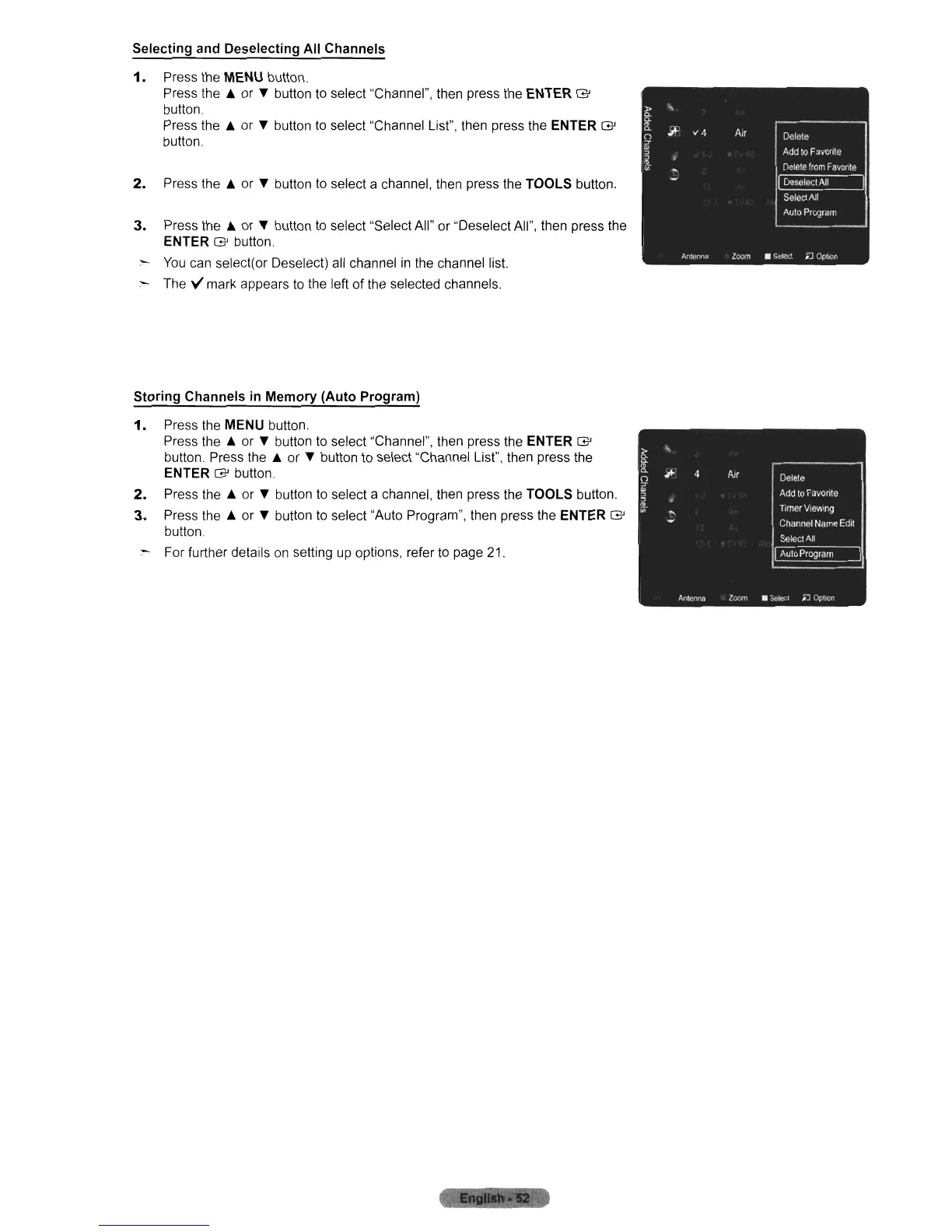
Selecting and Deselecting All Channels
1.
Press the MENU button.
Press
the.
or T button
to
select "Channel", then press the ENTER
G'
button.
Press
the.
or T button
to
select "Channel List", then press the ENTER
G'
button.
2.
Press
the.
or T button
to
select a channel, then press the TOOLS button.
3.
Press
the.
or T button
to
select "Select All" or "Deselect All", then press the
ENTER
G'
button
:-
You
can select(or Deselect) all channel
in
the channel list.
:-
The V mark appears
to
the left of the selected channels.
Storing Channels
in
Memory (Auto Program)
1.
Press the MENU button.
Press
the.
or T button
to
select "Channel", then press the ENTER
G'
button. Press
the.
or T button
to
select "Channel List", then press the
ENTER
G'
button.
2.
Press
the.
or T button
to
select a channel, then press the TOOLS button.
3.
Press
the.
or T button
to
select "Auto Program", then press the ENTER
G'
button.
:-
For further details
on
setting
up
options, refer
to
page
21.
,.
...
§:
II>
Q.
;;.
4 Air
9
Delete
~
Add
10
Favorite
:J
II>
Timer
Vrewlng
"'
"
Channel
Name
Edit
SeleetAIl
~
Antenna
Zoom
_Selecl
.£I
Oploo












 To Next Page