InfoLink
Setup
1.
Press the INFO.L button on the remote control.
2.
Press the
....
or
~
button to select "Setup", then press the ENTER
G'
button.
3.
Press the
..
or
'Y
button to select the desired option. ("Auto Launch",
"Display Time", "Font Size", "Background Color", "lnfoLink's Position")
4.
Press the
..
or
'Y
button to select
an
option, then press the ENTER
G'
button
•
Auto
Launch:
Determines whether to launch InfoLink automatically
when the
TV
is turned on. You can select either "Off'
or
"On".
•
Display
Time: Determines the time to display the news service on
the
TV
screen. You
can
select "4 Hours",
"8
Hours", "10 Hours",
or
"Always".
•
Font
Size: You can select letter size "Standard"
or
"Large" through
InfoLink service.
•
Background
Color:
You can select the Background Color
of
InfoLink
service. The color is applied to each service, option and setup window.
•
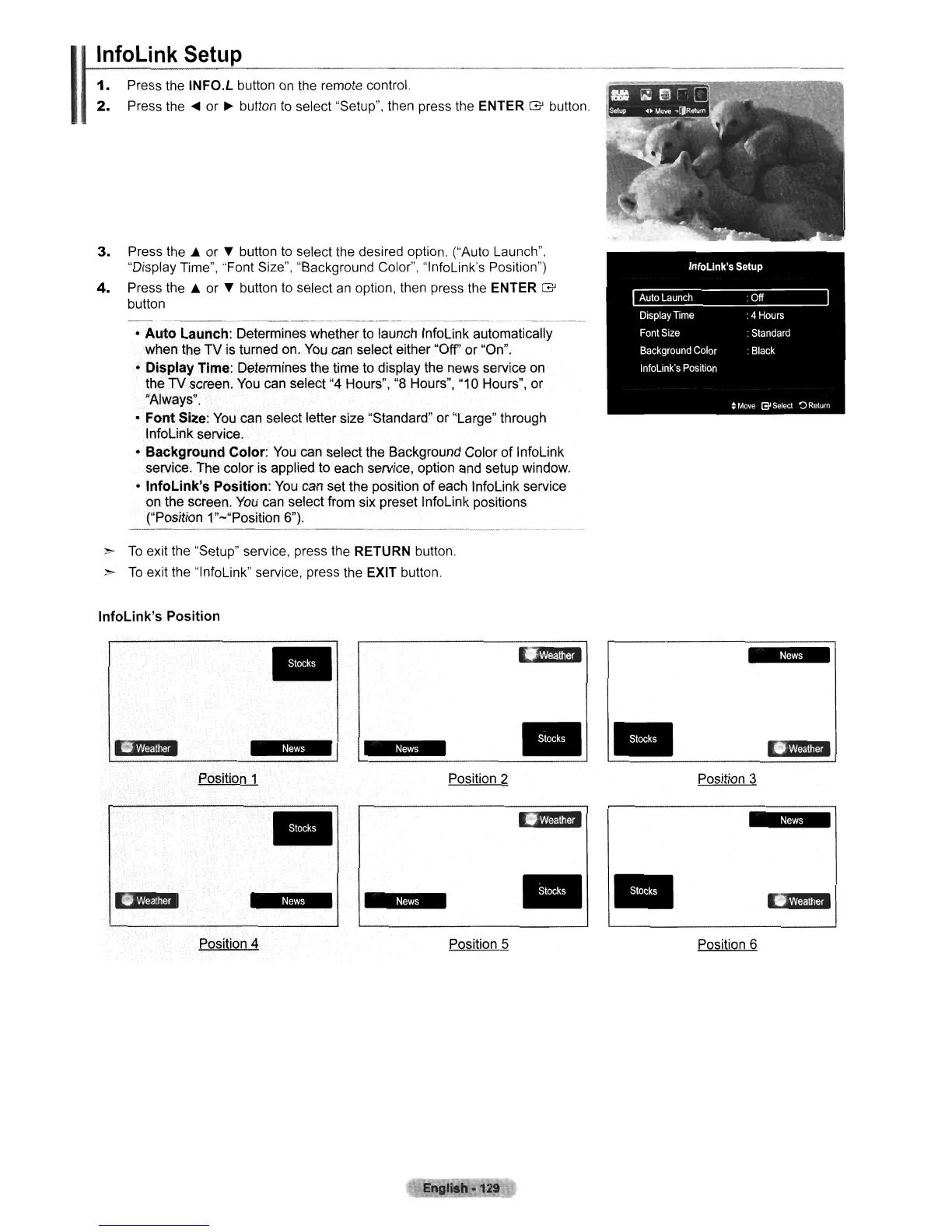
InfoLink's
Position:
You can set the position
of
each InfoLink service
on the screen. You can select from six preset InfoLink positions
("Position 1"-"Position 6").
>
To
exit the "Setup" service, press the RETURN button.
>
To
exit the "lnfoLink" service, press the EXIT button.
InfoLink's
Position
•
lA'?m
i
•
tI$
li'l"d
~i$
*$
•
•
If@'d
Position 1 Position 2
Position 3
..
•
(I,m'd
t
l
$
I
fAliid
tiM%
~I$
• •
11M'.
Position 4 Position 5
Position 6
Engllah-129












 To Next Page