I
Viewing
the
Control
Panel
Buttons on the Lower-Right Part
of
the Panel
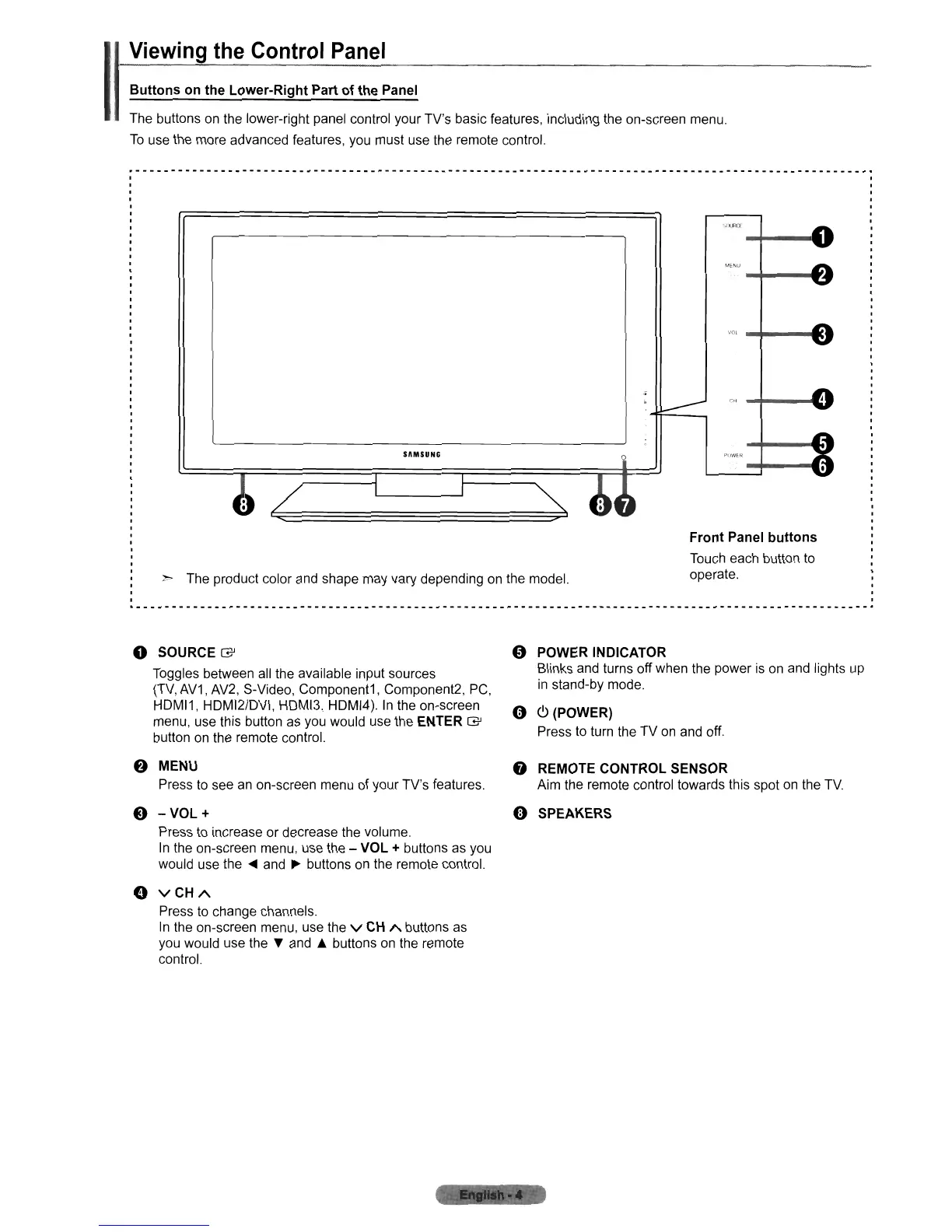
The buttons on the lower-right panel control your TV's basic features, including the on-screen menu.
To
use the more advanced features, you must use the remote control.
.------------------------------------------------------------------._-------------------_._-------------.
,
..
"",
SAMSUNG
~
The product color and shape may vary depending on the model.
Front Panel buttons
Touch each button to
operate.
o SOURCE
G'
Toggles between all the available input sources
(TV,
AV1, AV2, S-Video, Component1, Component2, PC,
HDMI1, HDMI2/DVI, HDMI3, HDMI4).
In
the on-screen
menu, use this button as you would use the
ENTER
G'
button on the remote control.
f)
MENU
Press to see an on-screen menu
of
your TV's features.
8
-VOL+
Press to increase or decrease the volume.
In
the on-screen menu, use the - VOL + buttons as you
would use the
~
and
~
buttons on the remote control.
o
VCHA
Press to change channels.
In the on-screen menu, use the
v
CH
A buttons as
you would use the T and • buttons
on
the remote
control.
" POWER INDICATOR
Blinks and turns off when the power
is
on and lights up
in
stand-by mode.
o C>(POWER)
Press to turn the TV on and off.
o
REMOTECONTROLSENSOR
Aim the remote control towards this spot on the
TV.
«1)
SPEAKERS












 To Next Page