I
Resetting
the
Sound
Settings
to
the
Factory
Defaults
You
can restore the Sound settings to the factory defaults.
1.
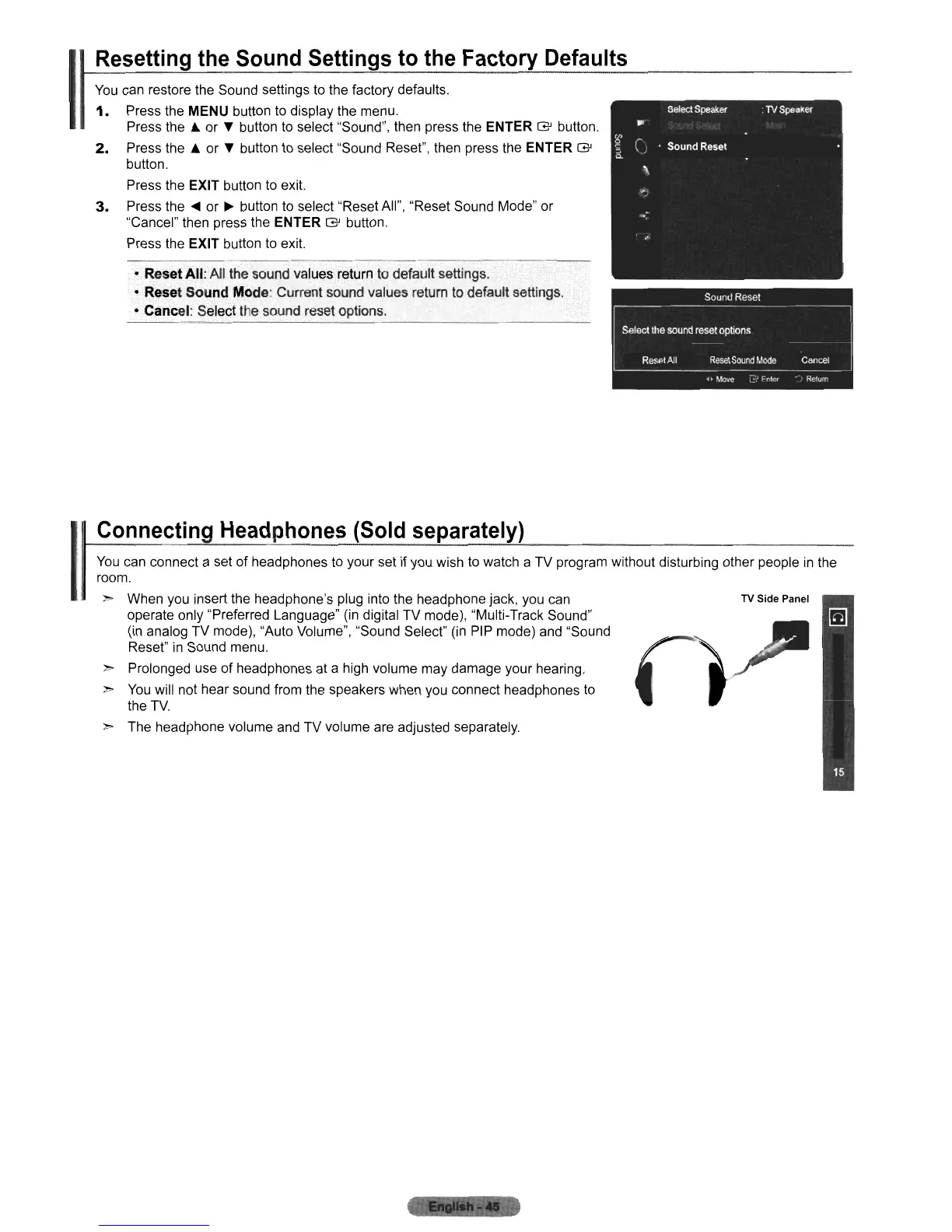
Press the MENU button to display the menu.
Press
the'"
or T button
to
select "Sound", then press the ENTER
G'
button.
2.
Press
the'"
or T button to select "Sound Reset", then press the ENTER
G'
button.
Press the
EXIT button to exit.
3.
Press the
....
or
~
button
to
select "Reset All", "Reset Sound Mode" or
"Cancel" then press the ENTER
G'
button.
Press the
EXIT button
to
exit.
• Reset
All:
All the sound values return to default settings.
• Reset Sound Mode: Current sound values return to default settings.
• Cancel: Select the sound reset options.
You
can connect a set of headphones
to
your set if you wish
to
watch a TV program without disturbing other people
in
the
room.
",. When you insert the headphone's plug into the headphone jack, you can
TV Side Panel
operate only "Preferred Language"
(in
digital TV mode), "Multi-Track Sound"
(in analog TV mode), "Auto Volume", "Sound Select"
(in
PIP mode) and "Sound
,),
Reset"
in
Sound menu.
",.
Prolonged use
of
headphones at a high volume may damage your hearing.
~
You
will not hear sound from the speakers when you connect headphones
to
the
TV.
~
The headphone volume and TV volume are adjusted separately.
Connecting Headphones
(Sold
separately)
I











 To Next Page