1IIInstailin
g
the Stand
"
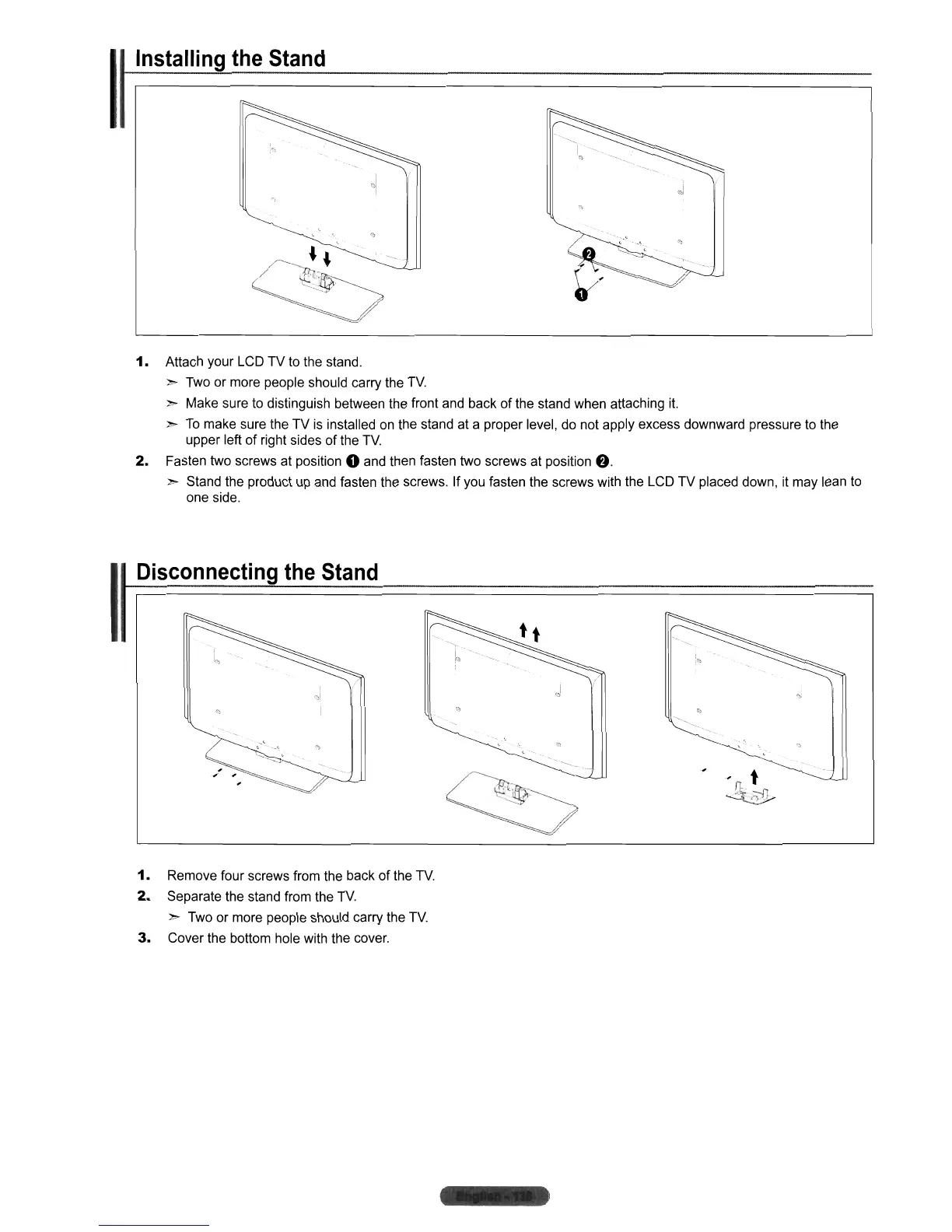
1.
Attach your LCD TV to the stand.
">
Two or more people should carry the
TV
">
Make sure to distinguish between the front and back
of
the stand when attaching
it.
">
To
make sure the
TV
is
installed
on
the stand at a proper level, do not apply excess downward pressure to the
upper left
of
right sides of the
TV
2.
Fasten two screws at position 0 and then fasten two screws at position f).
">
Stand the product up and fasten the screws.
If
you fasten the screws with the LCD TV placed down, it may lean
to
one side.
II
Disconnecting the Stand
i
(~!
1.
Remove fou r screws from the back
of
the
TV
2.
Separate the stand from the
TV.
">
Two or more people should carry the
TV
3.
Cover the bottom hole with the cover.












 To Next Page