Problem
Possible
Solution
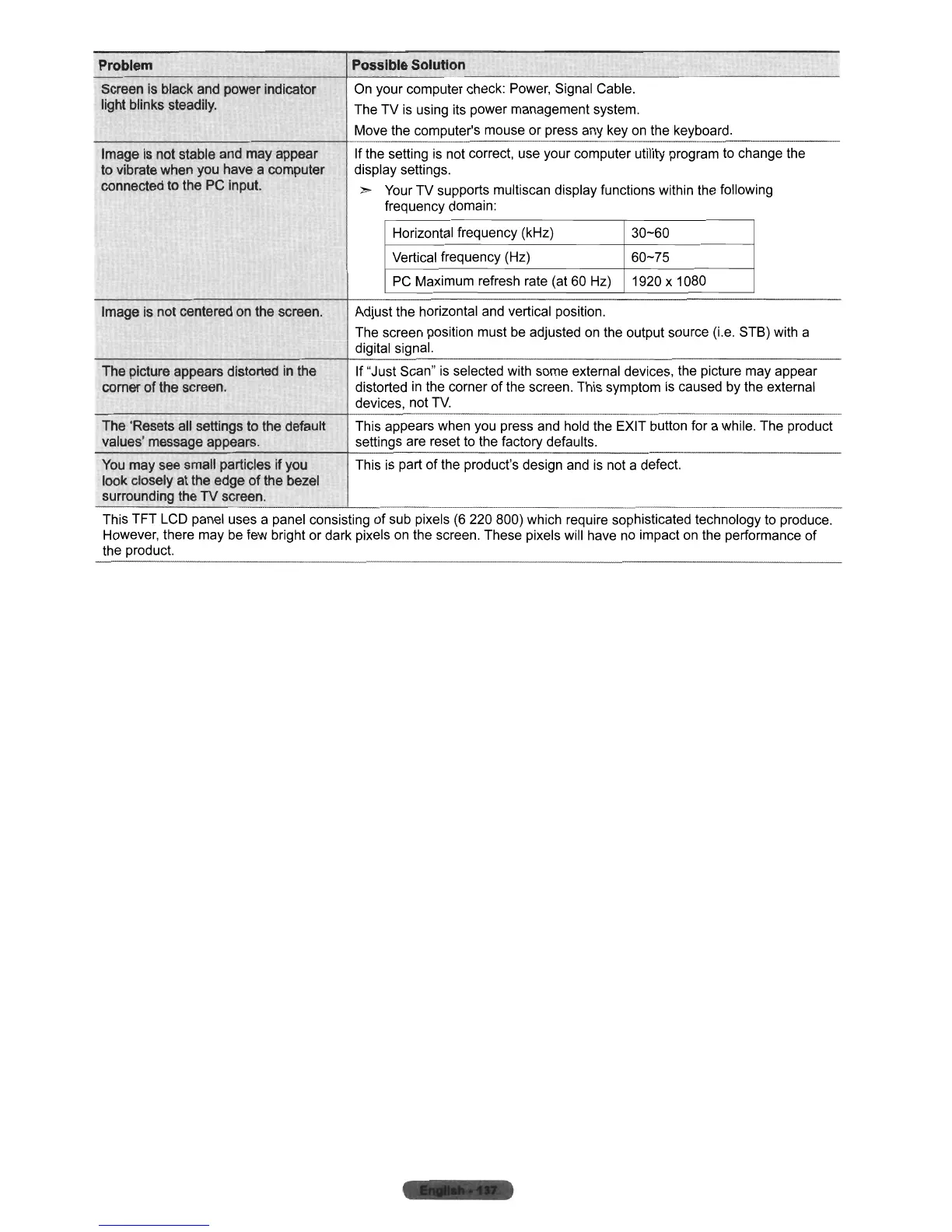
Screen is black and power indicator
On your computer check: Power, Signal Cable.
light blinks steadily.
The
TV
is using its power management system.
Move the computer's mouse or press any key on the keyboard.
Image is not stable and may appear
If the setting
is
not correct, use your computer utility program to change the
to vibrate when you have a computer
display settings.
connected to the PC input.
»
Your
TV
supports multiscan display functions within the following
frequency domain:
Horizontal frequency (kHz)
30-60
Vertical frequency (Hz)
60-75
PC
Maximum refresh rate (at 60 Hz) 1920 x 1080
Image is not centered on the screen.
Adjust the horizontal and vertical position.
The screen position must be adjusted on the output source (i.e. STS) with a
digital signal.
The picture appears distorted in the If "Just Scan" is selected with some external devices, the picture may appear
comer
of
the screen.
distorted
in
the corner
of
the screen. This symptom
is
caused by the external
devices, not
TV.
-_
..
_.
__
._--_._---
The 'Resets all settings to the default This appears when you press and hold the EXIT button for a while. The product
values' message appears. settings are reset to the factory defaults.
You may see small particles if you This
is
part
of
the product's design and is not a defect.
look closely at the edge
of
the bezel
surrounding the
TV
screen.
This TFT LCD panel uses a panel consisting
of
sub pixels (6 220 800) which require sophisticated technology to produce.
However, there may be few bright or dark pixels on the screen. These pixels will have no impact on the performance
of
the product.












 To Next Page