I
You
can use the PIP feature
to
simultaneously watch the TV tuner and one external video source ,See
iJage
44
to
select
the PIP picture sOlind.
i This product has one built-in tuner which does not allow PIP
to
function
in
i'l8
saille mode P:PJse
see 'PIP Settings below
for
details.
:-
While V-Chip ,Sef' page 62)
is
in
operation. the PIP function cannot
be
used
Activating Picture-in-Piclur,:
1.
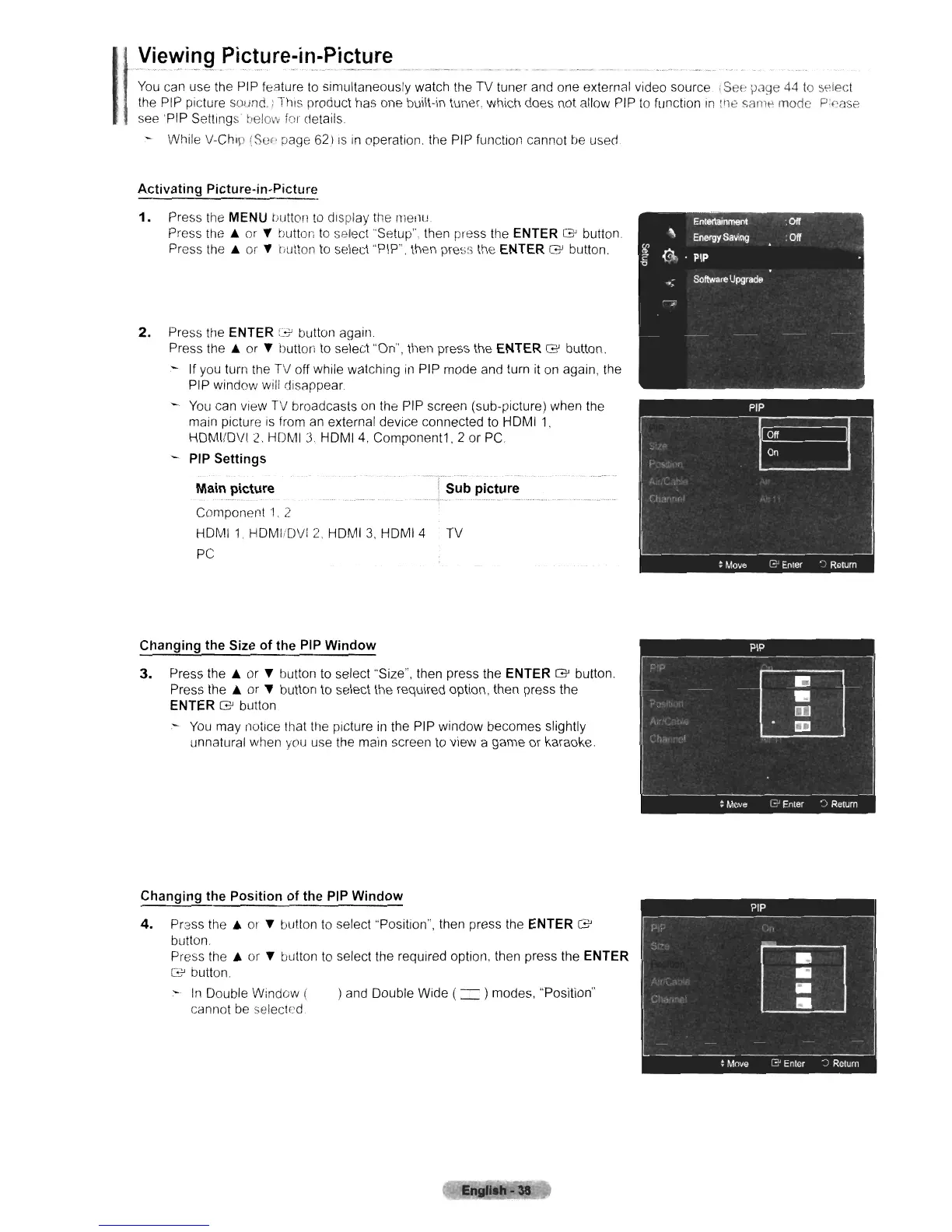
Press the MENU tJlItton
to
display the rllenu
Press the
..
or
,.
tJutton
to
select "Setup". then press the ENTER
G'
button
Press the
..
or
,.
tiutton
to
select "P!P". then press the ENTER
G'
button.
2.
Press the ENTER G button again.
Press
the"
or
,.
button
to
select "On", then press the ENTER
G'
button.
- If you turn the TV off while watching
in
PIP mode and turn it on again, the
PIP window will disappear
YOLI
can view
TV
broadcasts
on
the PIP screen (sub-picture) when the
main picture
is
from
an
external device connected
to
HOMI
1,
HOMI/OV!
2.
HOMI
3,
HOMI 4, Component1, 2 or
PC
PIP Settings
Main picture Sub picture
.......................................
Component
'J.
2
HOMI
1.
HOMI/OVI
2.
HOM
I
3,
HOMI 4 TV
PC
Changing the Size of the PIP Window
3.
Press
the"
or
,.
button to select "Size", then press the ENTER
G'
button.
Press
the"
or
,.
button
to
select
the
required option, then press the
ENTER
G'
button
:-
You
may notice that the picture
in
the PIP window becomes slightly
unnatural when
you
use the main screen
to
view a game or karaoke.
Changing the Position of the PIP Window
4.
Pr2SS
the"
or
,.
button
to
select "Position", then press the ENTER
G'
button.
Press
the"
or
,.
button
to
select the required option, then press the ENTER
G'
button.
~
In
Double Window ( ) and Double Wide ( =)modes, "Position"
cannot
be
selected












 To Next Page