0SFi
0
....
·.1'
snM~'
I
Setting
Up
Your
Remote
Control
After
the
television
has been set
up
properly,
your
remote
control
can operate
in
different
modes:
TV,
VCR, DVD, Set-Top Box. Pressing the
corresponding
button
on the remote
control
allows
you
to
switch
between these
modes
and
control
whichever
piece
of
equipment
you
choose.
~
The remote control might not
be
compatible with all DVD Players, VCRs, and Set-
Top
Boxes.
Setting Up the Remote
to
Operate Your VCR
1.
Turn off your VCR.
2.
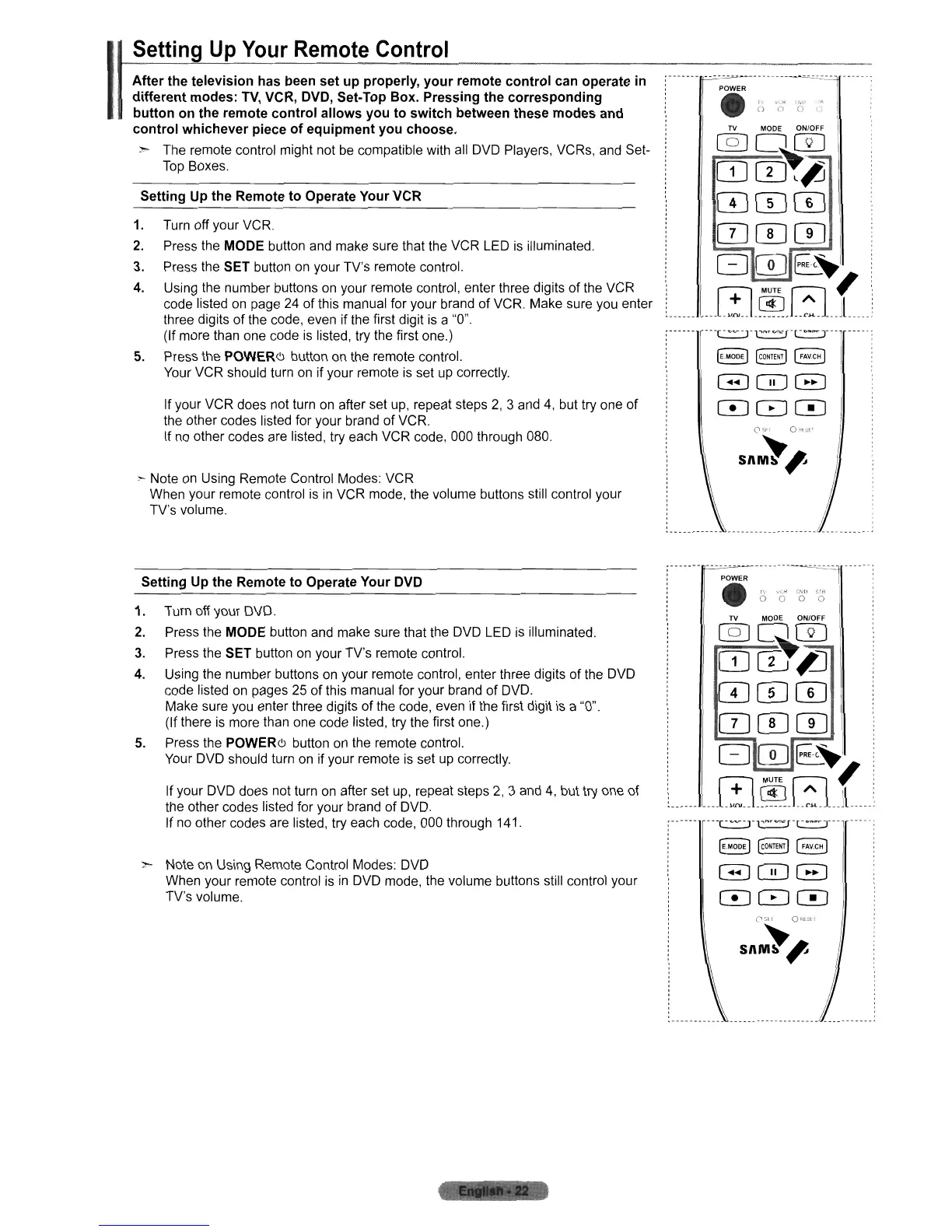
Press the MODE button and make sure that the VCR
LED
is
illuminated.
3.
Press the SET button
on
your TV's remote control.
4.
Using the number buttons
on
your remote control, enter three digits of the VCR
code listed
on
page
24
of this manual for your brand of VCR. Make sure you enter
three digits of the code, even if the first digit
is
a "0".
(If more than one code is listed, try the first one.)
5.
Press the
POWERCJ
button
on
the remote control.
Your VCR should turn
on
if your remote is set
up
correctly.
If your VCR does not turn
on
after set
up,
repeat steps
2,
3 and
4,
but try one of
the other codes listed for your brand of VCR.
If
no
other codes are listed, try each VCR code, 000 through 080.
:- Note
on
Using Remote Control Modes: VCR
When your remote control is
in
VCR mode, the volume buttons still control your
TV's volume.
Setting Up
the
Remote
to
Operate Your DVD
1.
Turn off your DVD.
2.
Press the MODE button
and
make sure that the DVD
LED
is
illuminated.
3.
Press the SET button
on
your TV's remote control.
4.
Using the number buttons
on
your remote control, enter three digits of the DVD
code listed
on
pages
25
of this manual for your brand of DVD.
Make sure you enter three digits of the code, even if the first digit
is
a
"0".
(If there
is
more than one code listed, try the first one.)
5.
Press the
POWERCJ
button on the remote control.
Your DVD should turn on if your remote
is
set
up
correctly.
If your DVD does not turn
on
after set
up,
repeat steps
2,
3 and
4,
but try one of
the other codes listed for your brand of DVD.
If
no
other codes are listed, try each code, 000 through 141.
~ Note
on
Using Remote Control Modes: DVD
When your remote control
is
in
DVD mode, the volume buttons still control your
TV's volume.
POWER
e
()
'n"
('J'
,"
TV
MODE ONIOFF
@]00
OJcD~~
CDCDw
CD CD CD
I
Gm~~
....
rn.~.[:L(
...
'--['-~'],1'"'=r['·O-T'"
.....
[E.MODE)
~OHTEND
(FAVe")
I
G0G
000
)
: .
"'
d .
POWER
e
0'0"
'(;'
"0'
TV MODE ONIOFF
@]00
mcff~
CDCDw
CD CD CD
Gm~~l
____
rn.®.G
__
.{
..
..
'c.:.:::.:J'
1'O'=J'['.O-
T"
('151:1
01,1\...,1,1
snM~'
b
,..
__
" i .












 To Next Page