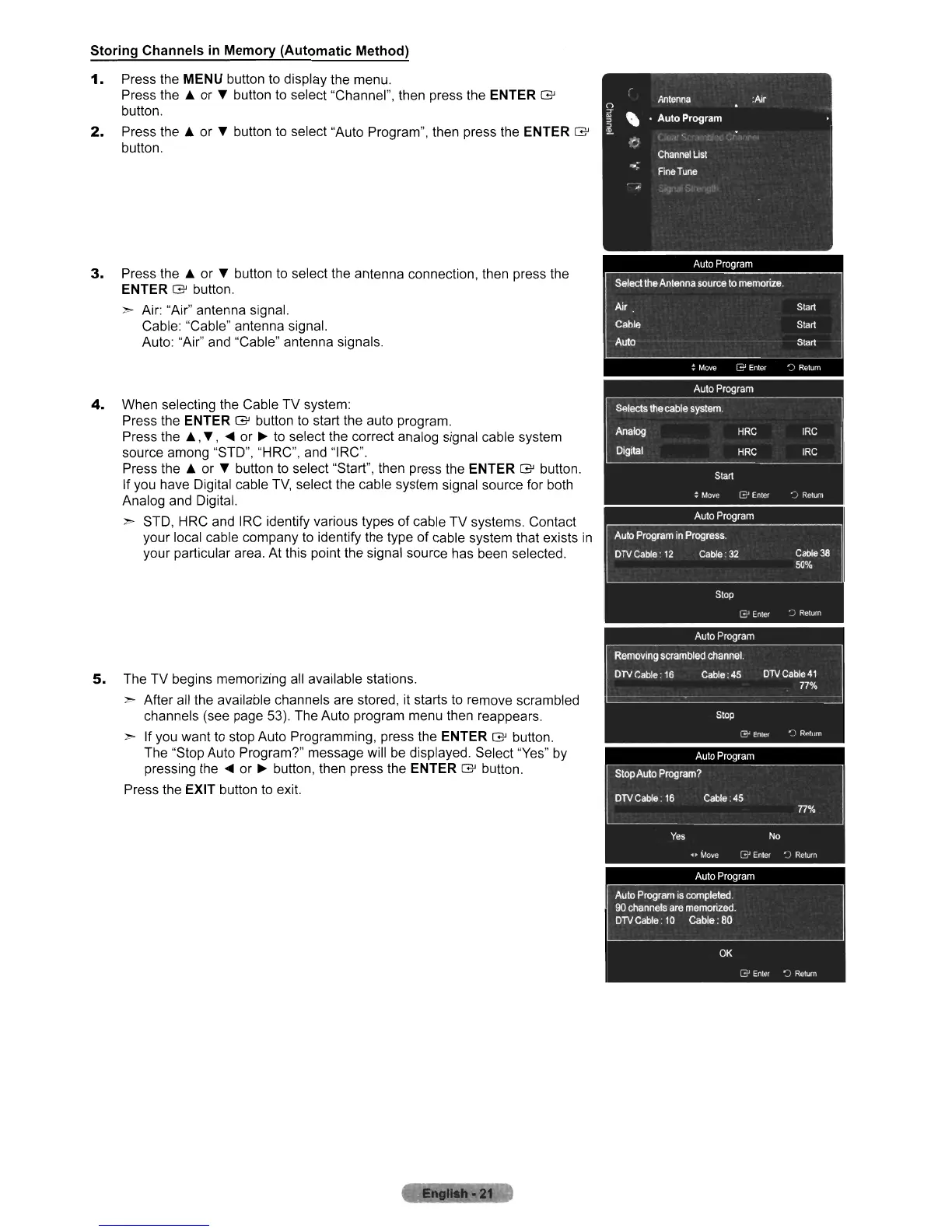
Storing Channels in Memory (Automatic Method)
1.
Press the MENU button
to
display the menu.
Press the A or T button
to
select "Channel", then press the ENTER G
button.
2.
Press the A or T button
to
select "Auto Program", then press the ENTER G
button.
3.
Press the A or T button
to
select the antenna connection, then press the
ENTER G button.
> Air: "Air" antenna signal.
Cable: "Cable" antenna signal.
Auto: "Air" and "Cable" antenna signals.
4.
When selecting the Cable TV system:
Press the ENTER G button to start the auto program.
Press the
A,
T,
...
or
~
to
select the correct analog signal cable system
source among "STO", "HRC", and "IRC".
Press the A or T button
to
select "Start", then press the ENTER G button.
If you have Digital cable
TV,
select the cable system signal source for both
Analog and Digital.
> STO, HRC and IRC identify various types
of
cable TV systems. Contact
your local cable company
to
identify the type of cable system that exists
in
your particular area. At this point the signal source has been selected.
5.
The TV begins memorizing all available stations.
> After all the available channels are stored, it starts
to
remove scrambled
channels (see page 53). The Auto program menu then reappears.
> If you want to stop Auto Programming, press the ENTER G button.
The "Stop Auto Program?" message will
be
displayed. Select "Yes"
by
pressing
the'"
or
~
button, then press the ENTER G button.
Press the
EXIT button to exit.












 To Next Page