4.
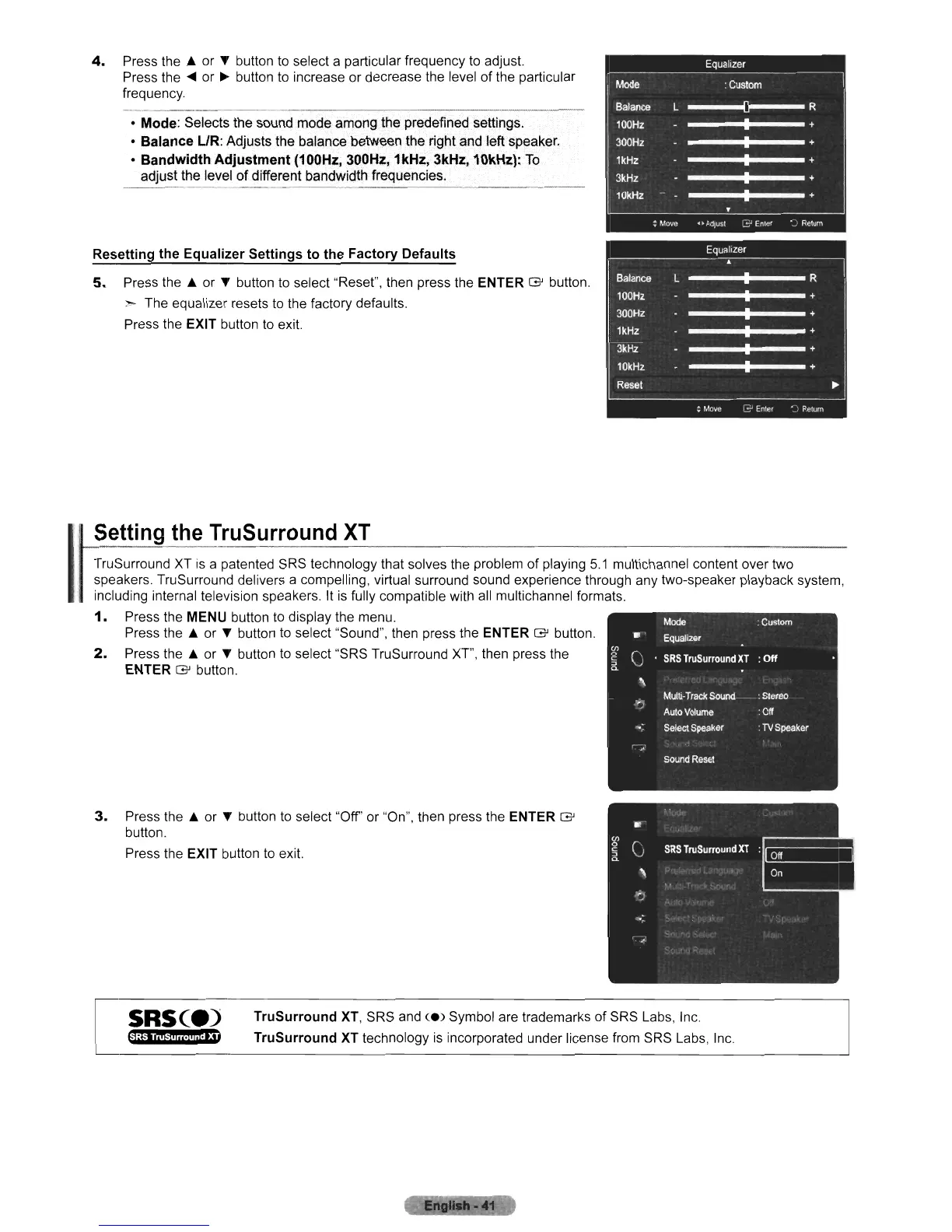
Press the A or T button to select a particular frequency to adjust.
Press the
~
or
~
button to increase or decrease the level of the particular
frequency.
• Mode: Selects the sound mode among the predefined settings.
•
BalanceUR:
Adjusts the balance between the right and left speaker.
•
Bandwidth
Adjustment
(100Hz, 300Hz, 1kHz, 3kHz, 10kHz):
To
adjust the level
of
different bandwidth frequencies.
Resetting
the
Equalizer
Settings
to
the
Factory
Defaults
5.
Press the A or T button to select "Reset", then press the ENTER G button.
:-
The equalizer resets to the factory defaults.
Press the EXIT button to exit.
I
Setting
the
TruSurround
XT
TruSurround XT is a patented SRS technology that solves the problem of playing
5.1
multichannel content over two
speakers. TruSurround delivers a compelling, virtual surround sound experience through any two-speaker playback system,
including internal television speakers. It is fully compatible with
all
multichannel formats.
1.
Press the MENU button to display the menu.
Press the A or T button to select "Sound", then press the ENTER G button.
2.
Press the A or T button
to
select "SRS TruSurround XT', then press the
ENTER G button.
3.
Press the A or T button to select
"Off"
or "On", then press the ENTER G
button.
Press the EXIT button to exit.
SRse.)
tr1;fjiM+i,i.!ii,i.'
,.
TruSurround
XT,
SRS and <e) Symbol are trademarks
of
SRS Labs, Inc.
TruSurround
XT technology is incorporated under license from SRS Labs, Inc.












 To Next Page