-----------------
---
--_.
Picture
Test
•
Yes:
There may
be
a problem with the
TV.
Contact the Samsung Call
center at 1-800 SAMSUNG.
• No: There may be a problem with your external equipment. Please
check your connections.
If
the problem still persists, refer to the external
device's user manual.
3.
Press the
....
or.
button
to
select "Yes" or "No".
- If the test pattern does not appear or there
is
noise
in
the test pattern,
select "Yes".
- If the test pattern
IS
properly displayed, select "No".
If
you
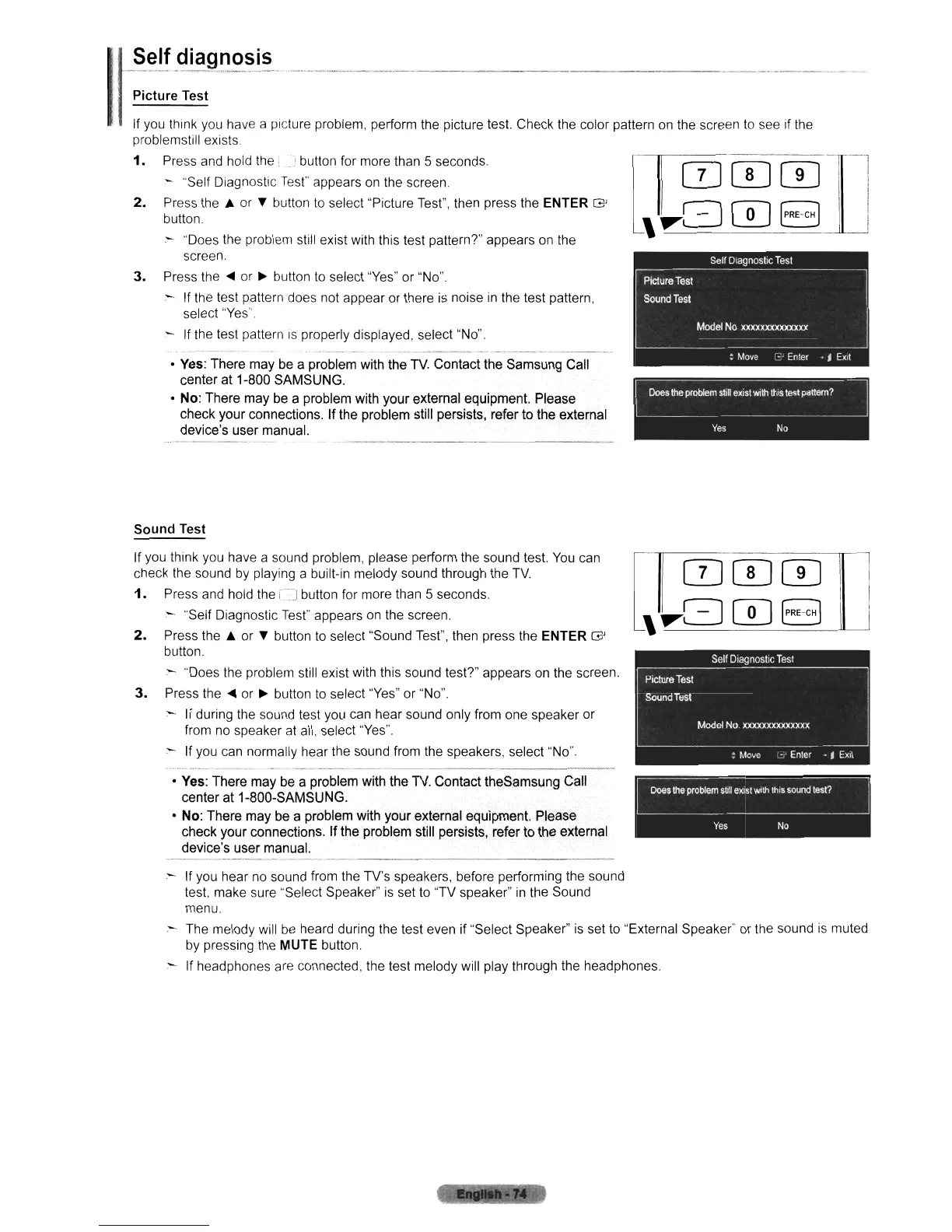
think you have a picture problem, perform the picture test. Check the color pattern
on
the screen
to
see if the
problemstill exists
1.
Press and hold the J button for more than 5 seconds.
- "Self Diagnostic
Test"
appears
on
the screen.
2.
Press
the'"
or
..
button
to
select "Picture Test", then press the ENTER G
button.
- "Does the problem still exist with this test pattern?" appears on the
screen.
Sound
Test
If you think you have a sound problem, please perform the sound test.
You
can
check the sound
by
playing a built-in melody sound through the
TV.
1.
Press and hold the
iJ
button for more than 5 seconds
:"'-
"Self Diagnostic
Test"
appears
on
the screen.
2.
Press
the'"
or
..
button
to
select "Sound Test", then press the ENTER G
button.
:--
"Does the problem still exist with this sound tesP" appears on the screen.
3.
Press the
....
or • button
to
select "Yes" or "No".
:--
If during the sound test you can hear sound only from one speaker or
from
no
speaker at all, select "Yes".
- If you can normally hear the sound from the speakers, select "No".
--
---_.
-----------------
•
Yes:
There may be a problem with the
TV.
Contact theSamsung Call
center at 1-800-SAMSUNG.
• No: There may be a problem with your external equipment. Please
check your connections.
If
the problem still persists, refer to the external
device's user manual.
~
Yes
No
--------------------
- If
you
hear no sound from the TV's speakers, before performing the sound
test, make sure "Select Speaker"
is
set
to
"TV speaker"
in
the Sound
menu.
- The melody will
be
heard during the test even if "Select Speaker"
is
set
to
"External Speaker" or the sound
is
muted
by
pressing the MUTE button.
If headphones are connected, the test melody will play through the headphones.












 To Next Page