File
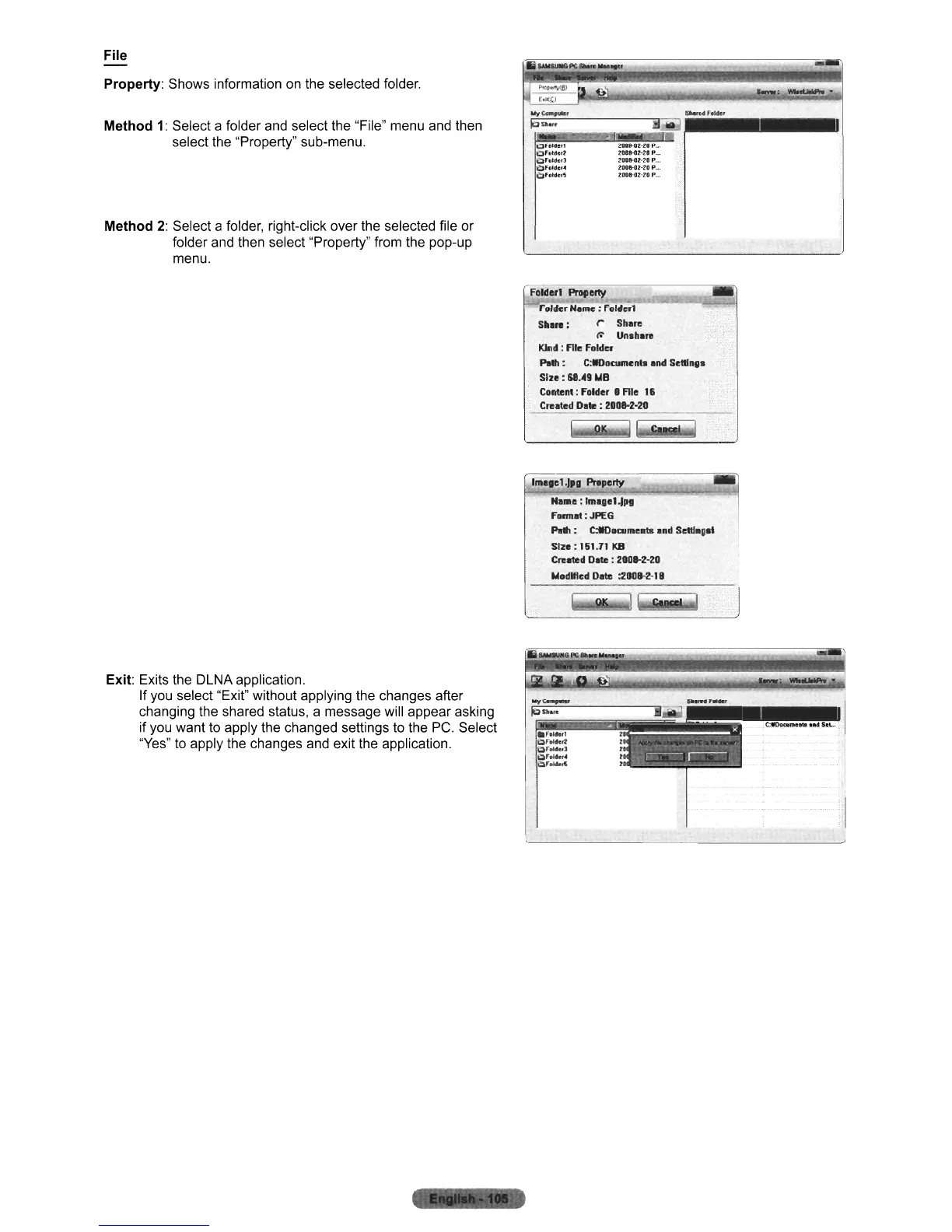
Property:
Shows information on the selected folder.
--:
2
....
:-:c-.~
...
=''--- --;;.-:-:"
.-
••••
'.....'
••
III
••••
UI
10
..
·..
!I~
Method
1:
Select a folder and select the "File" menu and then
select the "Property" sub-menu.
Method
2:
Select a folder, right-click over the selected file or
folder and then select "Property" from the pop-up
menu.
OFolderl
'bFold1.:r2
~Folder]
~foldcf.
i::lfoldeFS
It"08-D2·ZIP,,,
ZOU-ONIP
..
,
2DOB-Ol-28P...
lBU·02·20P".
to:Q8·02·10P...
Exit: Exits the DLNA application.
If you select "Exit" without applying the changes after
changing the shared status, a message will appear asking
if you want to apply the changed settings to the
PC.
Select
"Yes" to apply the changes and exit the application.
folderl
ProIIet1lI
Folder Neme : Follle.l
S'""
: r Shore
~
Un.ho
..
KIrld
:
Rle
folder
Po'" : C:tlOocurnen" ond Selllngo
Size:
68.49 IIl8
Content; folder • Rle 16
Crnted
Dote: 2DOIH-20
1~lel~,g
Pre~p~e;rty~~~~~~;;;~""~~~
No",e:
rmogel-1PI
fonnot
: JPEG
Po" : C:t!Oowme
...
Ind
SelIlogst
Size:
161.11
KB
Cr.-led
Do1e
:
200W-20
IIlodllled
Do1e
:200W-l'
I
;,1
~--------------
~I












 To Next Page