Deleting the Photo
fil(:
1.
Press the
~
or
~
button to select the desired photo
in
the Photo
list
2.
Press the TOOLS bulton.
3.
Press the
.&
or " :Julton
to
select '·Oelete". then press the ENTER
8'
Ilutlon
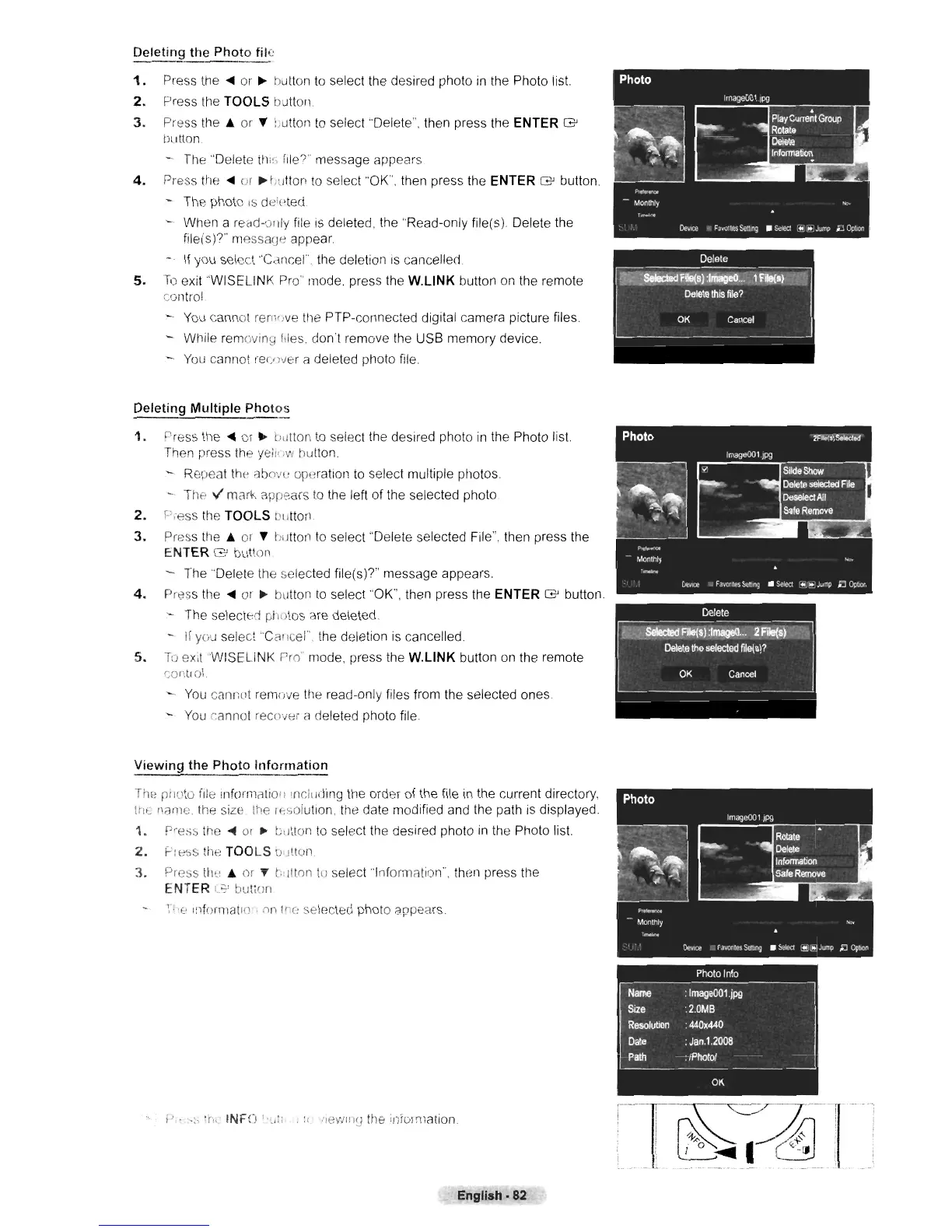
- The "Delete
ihi~;.
file?" message appears
4.
Press the
~
or
~
t;tltton
to
select ··OK". then press the ENTER
8'
button
- The photo
,s deieted
- When a reCid-ollly file is deleted, the .Read-only file(s). Delete the
file(s)?"
messaCJe
appear
~.
If you select "Cc1ncel', the deletion
IS
cancelled.
5.
To
exit ''WISELINK Pro" mode. press the
W.L1NK
button on the remote
control
You
cannot rem'Jve the PTP-connected digital camera picture files.
- While removing
(,Ies
don't remove the USB memory device.
You
cannot
rel/WH
a deleted photo file
Deleting Multiple Photos
1.
r>ress
the
~
or
~
t;utlon
to
select the desired photo in the Photo lis\.
Then press the yeil'
;'1'1
hutton
- Repeat
th(~
abo'Jl' operation to select multiple photos.
- The
v'
mClrk
aprears
to
the left of the selected photo.
2.
Press the TOOLS
OIJlton.
3.
Press the
.&
or " hutton to select "Oelete selected File", then press the
ENTER
(3'
button
- The "Delete the selected file(s)?" message appears
4.
Press the
~
or
~
button
to
select "OK", then press the ENTER
8'
button.
- The selected
ph'llos
are deleted.
-
If
you
select'Cailcel",
the deletion is cancelled.
5.
To
exit
WISELINK
r'ro mode, press the
W.L1NK
button on the remote
c01)[rol
You
cannot remove the read-only files from the selected ones
-.
You
Ci'lnnot recover a deleted photo file.
Viewing the Photo Information
The
pili.'to file Inforrni'ltioll InCluding the order of the file
in
the current directory,
tn,:
!li'lme
ttle
size the lhsolutlon, the date modified and the path
is
displayed.
1.
Pre:>s
the
~
01
~
tlitlon
to
select the desired photo
in
the Photo list.
2.
F-':ess
the TOOLS
l!
JlIon.
J.
Press
til>,'
.&
or " t·;iltnn to select'lnformation", then press the
ENTER
r.~'
but;of!
T ,(> Informatlo .
;10
I'e
selected photo appears.
i'
.
":'
th,
INF')
l.,,:: .
I,
:levilllU the information.
English·82












 To Next Page