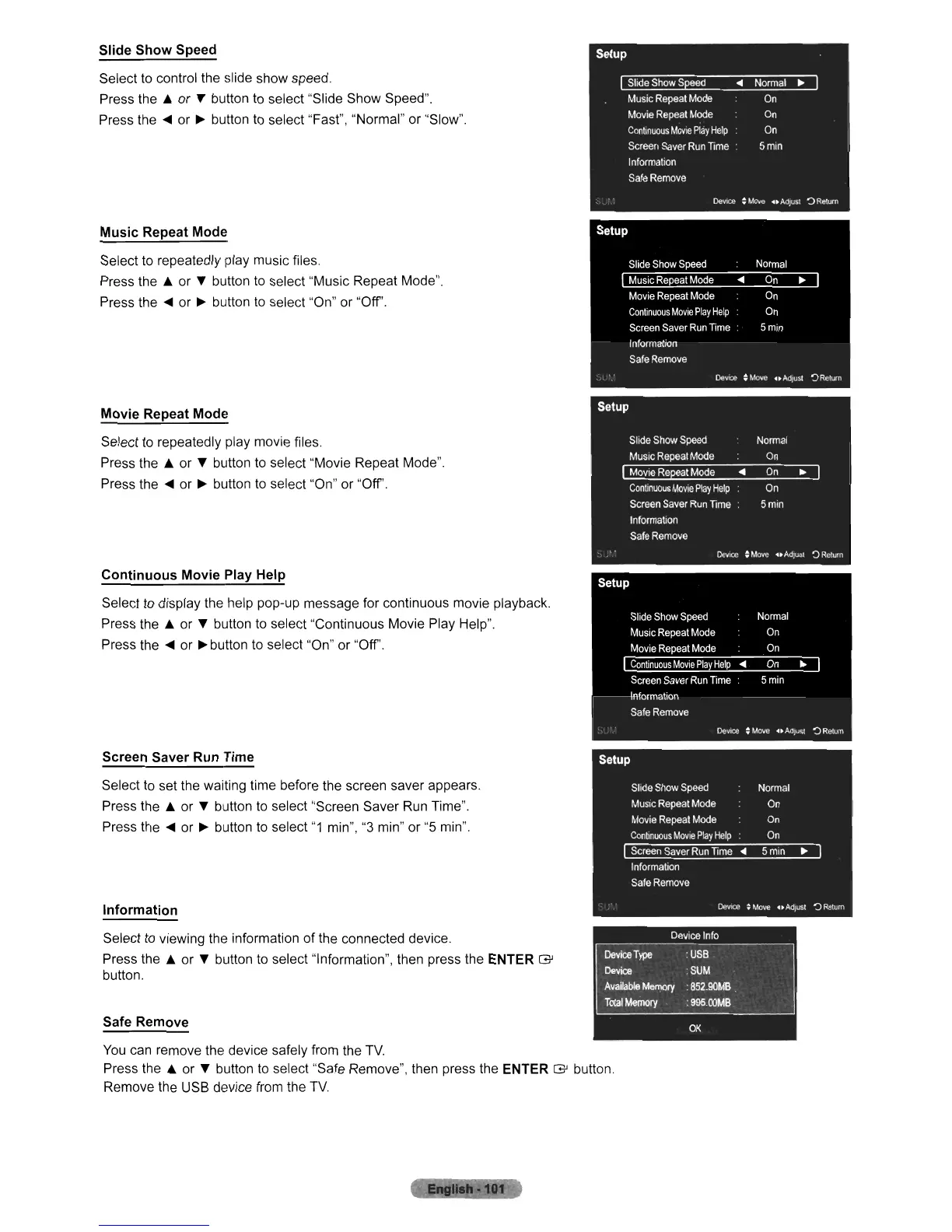
Slide Show Speed
Select to control the slide show speed.
Press the A or
T button to select "Slide Show Speed".
Press the
....
or
~
button to select "Fast", "Normal" or "Slow".
Music Repeat Mode
Select to repeatedly play music files.
Press the A or
T button to select "Music Repeat Mode".
Press the
....
or
~
button
to
select "On" or "Off".
Movie Repeat
Mod~
Select to repeatedly play movie files.
Press the A or
T button to select "Movie Repeat Mode".
Press the
....
or
~
button to select "On" or "Off'.
Continuous Movie Play Help
Select to display the help pop-up message for continuous movie playback.
Press the A or
T button to select "Continuous Movie
Play
Help".
Press the
....
or
~
button to select "On" or "Off'.
Screen Saver Run Time
Select to set the waiting time before the screen saver appears.
Press the A or T button to select "Screen Saver
Run
Time".
Press the
....
or
~
button
to
select
"1
min",
"3
min" or
"5
min".
Information
Select
to
viewing the information of the connected device.
Press the A or T button to select "Information", then press the ENTER
G'
button.
Safe Remove
You
can remove the device safely from the
TV.
Press the A or T button to select "Safe Remove", then press the ENTER
G'
button.
Remove the USB device from the
TV.












 To Next Page