Network
Test
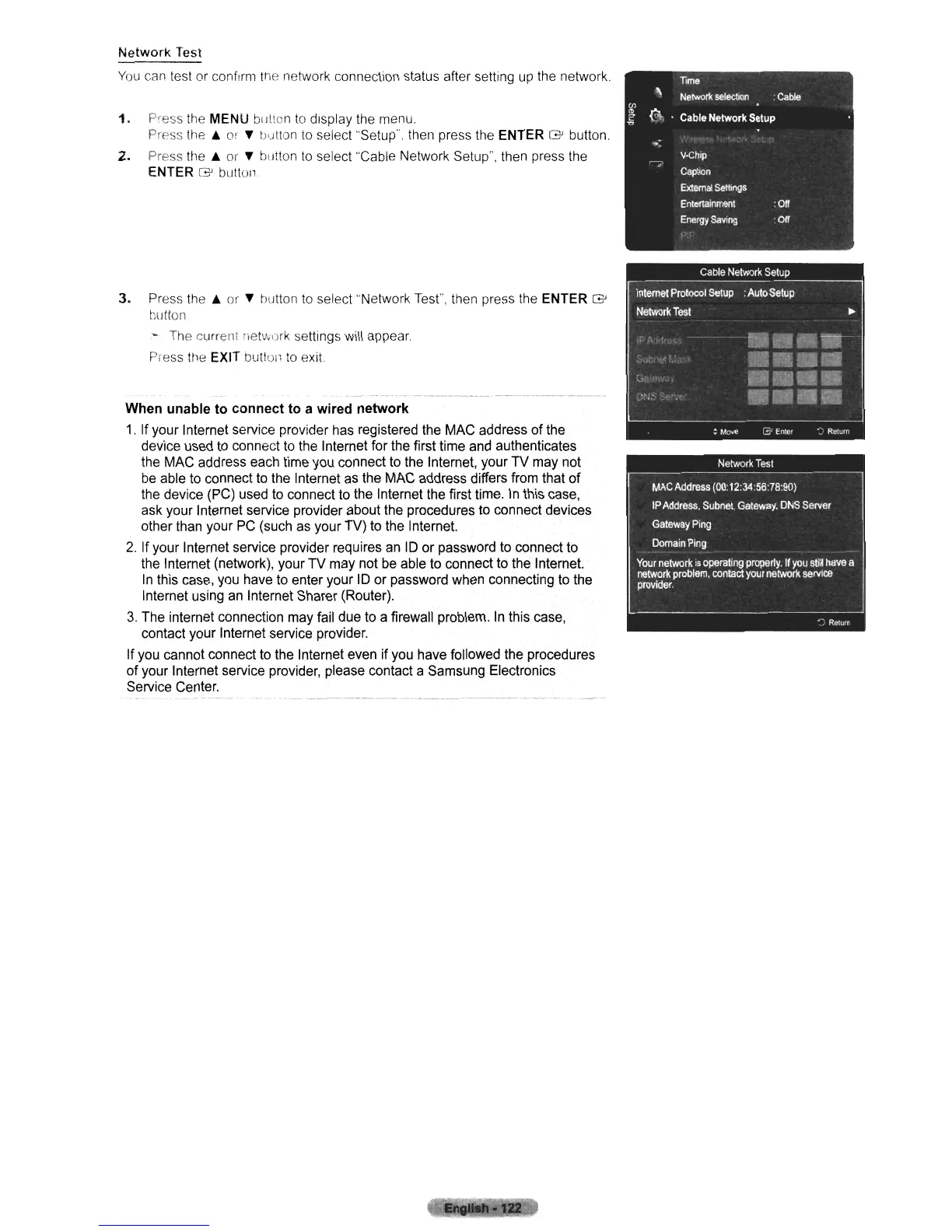
You
can test or confirm the network connection status after setting up the network.
1.
Press the MENU buttun
to
display the menu.
Press
the.
or
~
tJu!tan
to
select "Setup", then press the ENTER G button.
2.
Press the A or
~
button
to
select "Cable Network Setup", then press the
ENTER
G'
button
3. Press
the.
or
~
button
to
select "Network Test", then press the ENTER G
hutton
- The current lietwurk settings will appear.
Press the EXIT button
to
exit
When unable to connect to a wired network
1.
If your Internet service proVider has registered the MAC address
of
the
device used
to
connect to the Internet for the first time and authenticates
the MAC address each time you connect to the Internet, your
TV
may not
be able to connect to the Internet as the MAC address differs from that
of
the device (PC) used to connect to the Internet the first time.
In
this case,
ask your Internet service provider about the procedures to connect devices
other than your
PC
(such as your TV) to the Internet.
2.
If your Internet service provider requires an ID
or
password to connect to
the Internet (network), your
TV
may not be able to connect to the Internet.
In
this case, you have to enter your ID or password when connecting to the
Internet using an Internet Sharer (Router).
3.
The internet connection may fail due to a firewall problem.
In
this case,
contact your Internet service provider.
If you cannot connect to the Internet even
if
you have followed the procedures
of your Internet service provider, please contact a Samsung Electronics
Service Center.












 To Next Page