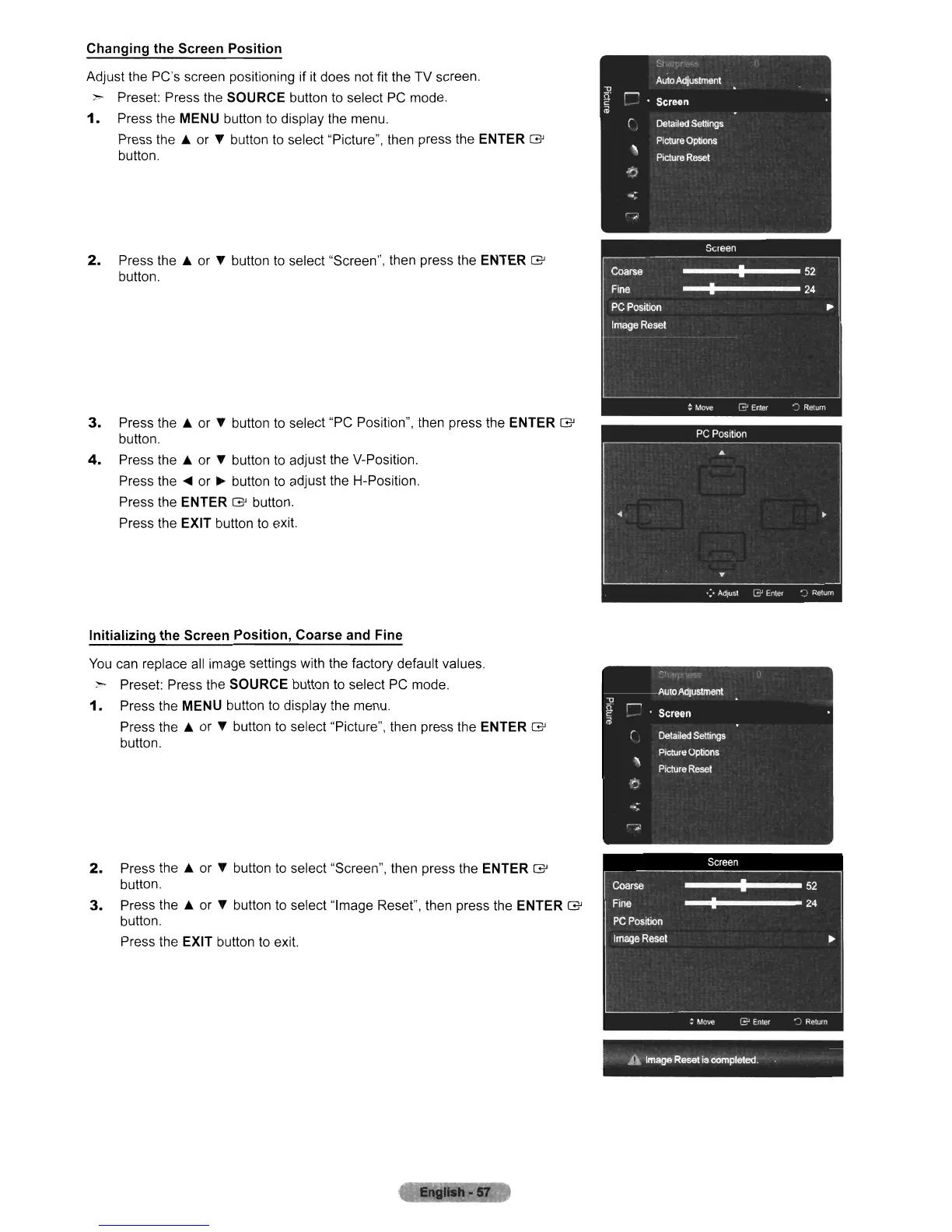
Changing the Screen Position
Adjust the PC's screen positioning if
it
does not fit the TV screen.
,."..
Preset: Press the SOURCE button
to
select
PC
mode.
1.
Press the MENU button
to
display the menu.
Press
the.
or
l'
button
to
select "Picture", then press the ENTER G
button.
2.
Press
the.
or
l'
button
to
select "Screen", then press the ENTER G
button.
3.
Press
the.
or
l'
button
to
select "PC Position", then press the ENTER G
button.
4.
Press
the.
or
l'
button
to
adjust the V-Position.
Press the
....
or
~
button
to
adjust the H-Position.
Press the
ENTER G button.
Press the
EXIT button
to
exit.
Initializing the Screen Position, Coarse and Fine
You
can replace
all
image settings with the factory default values.
:"'-
Preset: Press the SOURCE button to select
PC
mode.
1.
Press the MENU button
to
display the menu.
Press
the.
or
l'
button to select "Picture", then press the ENTER G
button.
2.
Press
the.
or
l'
button to select "Screen", then press the ENTER G
button.
3.
Press
the.
or
l'
button to select "Image Reset", then press the ENTER G
button.
Press the
EXIT button
to
exit.
A
Image
Reset
is
completed.












 To Next Page