EasyManua.ls Logo

SatLab SLT2 - Page 146

SatLab SLT2
201 pages
Print Icon
To Next Page IconTo Next Page
To Previous Page IconTo Previous Page
Loading...
Total Station Manual
-
145
-
the known points in job
through [
]\[ ] and
press [F4](OK) to select.
[F4]
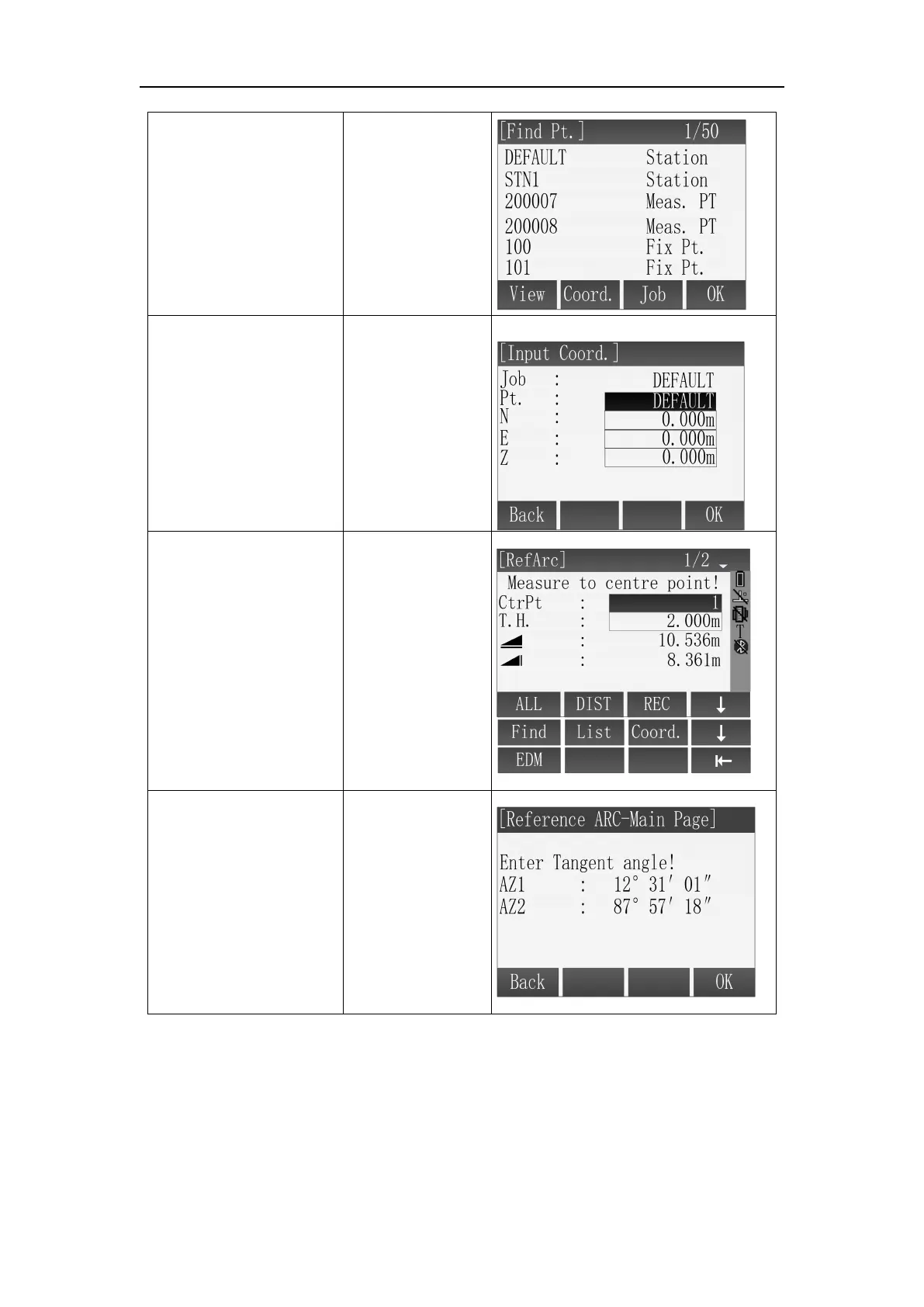
E: Press [F3](Coord.),
input point name,
coordinate and press
[F4](OK), it will be
covered if the point
name is repeated.
[F3]
+
Input point name
coordinate+
[F4]
E: Input the point through keyboard.
After definition of
the start point, enter the
interface of measure to
end point, the definition
of end point is same as
start point.
[F1]
or
[F2]+[F3]
or
[F4]+[F1]
or
[F4]+[F2]
or
[F4]+[F3]
After completing the
definition of the
start&end point, input
the AZ1(start point),
AZ2(end point) tangent
angle respectively, then
press [F4](OK) to next
step.
1
Enter angle
+
[F4]

Table of Contents