Total Station Manual
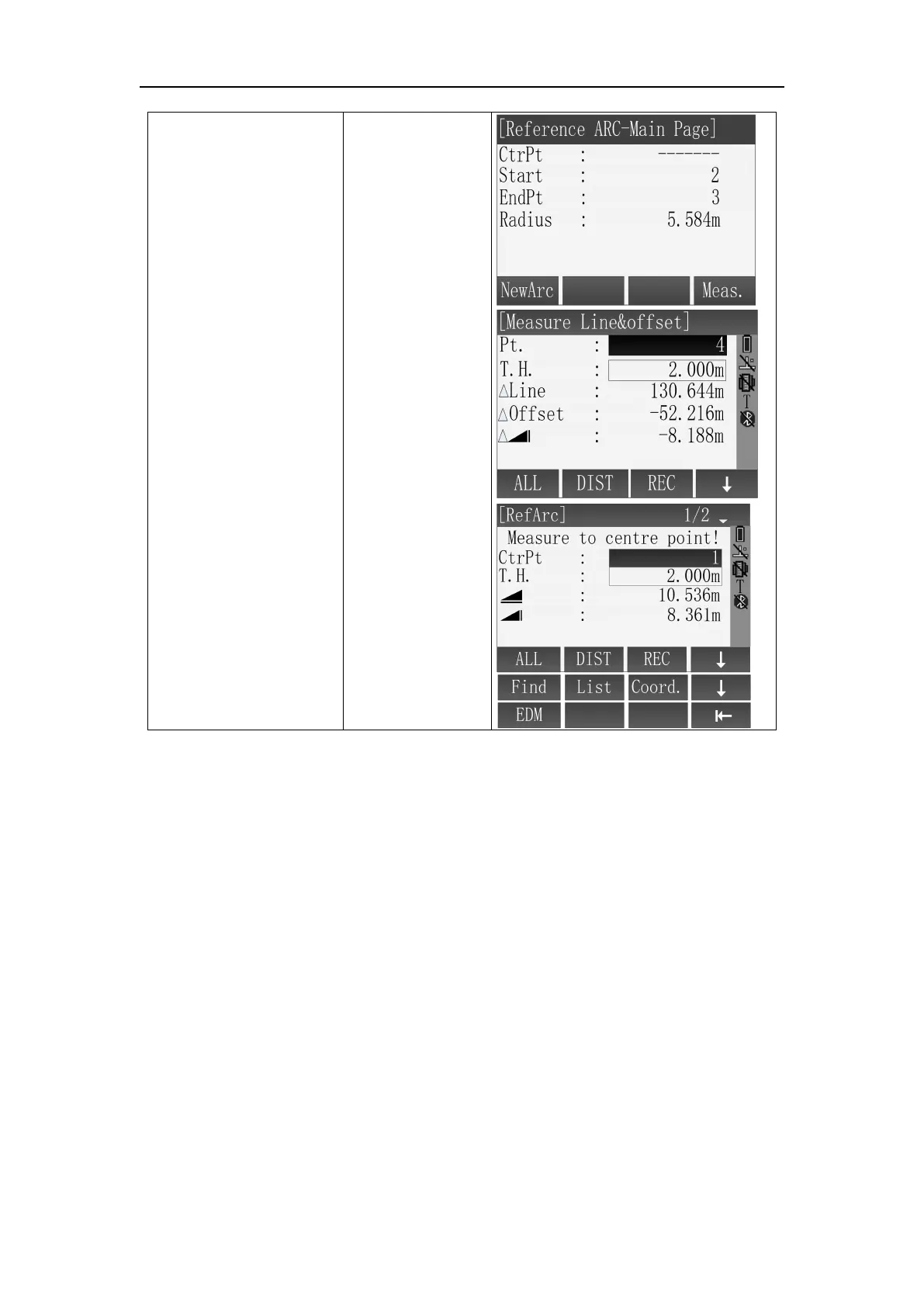
⑥ Reference arc was
defined, enter the
[Reference ARC-Main
Page] interface;
Press [F4] (DIST) into the
[Measure Line&Offset]
function;
If it needs to define a
new RefArc , press
[F1](NewArc) to define.
※
1
AZ1 and AZ2 are start point, end point tangent azimuth respectively . If the input
data is not in conformity with the requirements, the instrument will report "invalid
target data, please input again", you can select "yes" or press the [ESC] to return to
the interface of starting point measurement, start to define arc.
※ In above operation, press [ESC] to return to previous menu.



 To Next Page