Saia-Burgess Controls AG
Manual Manual PCD 1 / PCD 2 Series │ Document 26 / 737 EN22 │ 2013-11-26
CPUs and expansion housings
3-70
ResettingtheoutputsonSTOPorHALT(PCD2only)
3
InordertousetheEEPROMregister,thefollowingminimumrmwareversionsare
required:
CPU type Minimum rmware
version
PCD1.M1x0 001
PCD1.M1x5 001
PCD2.M110/120 004
PCD2.M150 0A0
PCD2.M170 010
PCD2.M480 010
3.25 Resetting the outputs on STOP or HALT (PCD2 only)
Ajumpercanbeusedtocongurewhethertheoutputsshouldallremainintheircur-
rentstateinaSTOPorHALTstate,orbereset.
The jumper in question is written to by RO or ROE (Reset Output Enable), and has
two positions:
Position Behaviour
RO/ROE AlloutputsareresetintheSTOPandHALTstates
not RO/
ROE
TheoutputsremainunchangedintheSTOPandHALTstates
(factory setting)
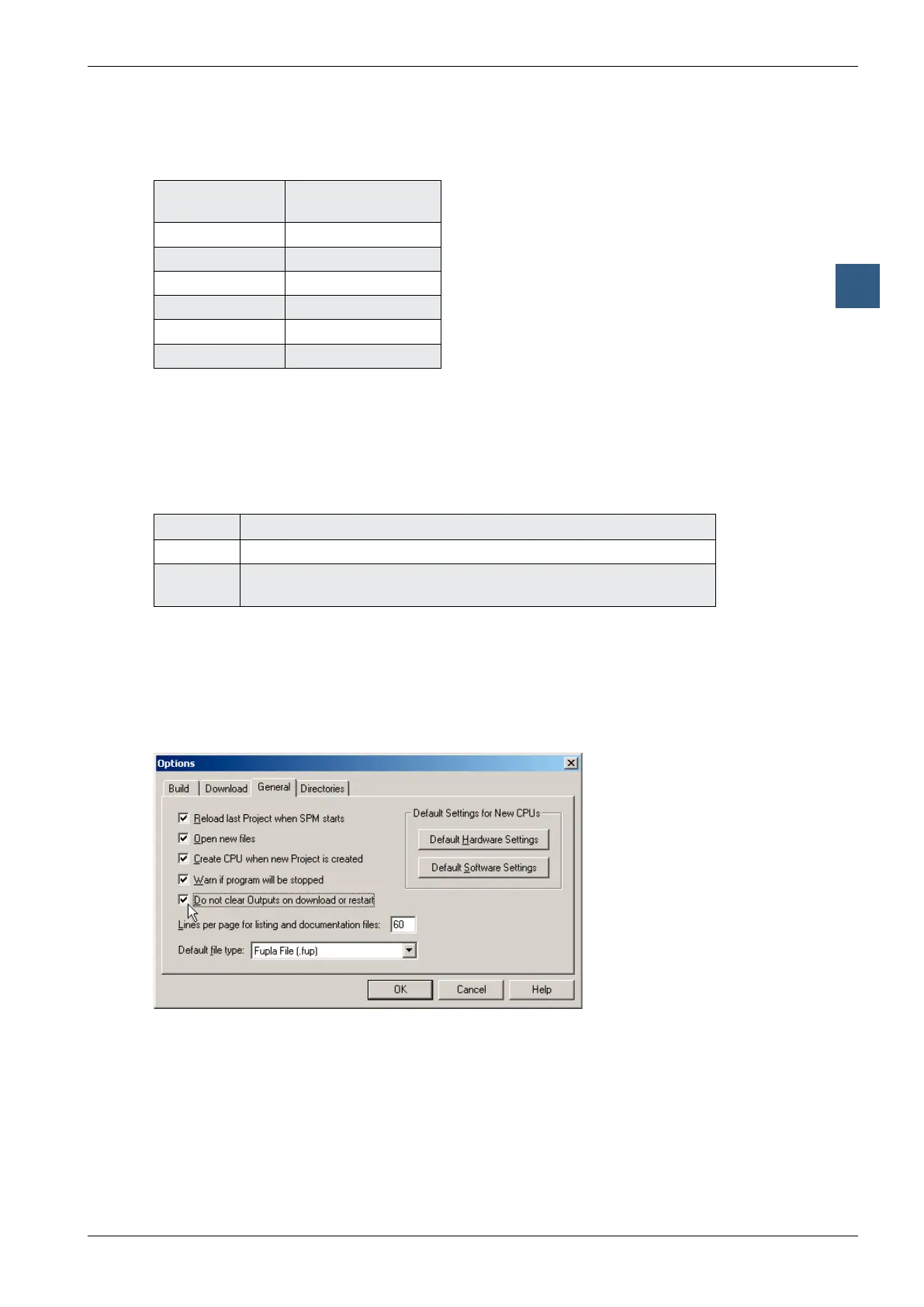
WhentheuserprogramisdownloadedwithPG5,thereisinteractionbetweenthe
PG5optionsandthoseoftheROjumper:
Theoutputsareonlyretainedifthejumperisinthe“notRO”positionand the
“DonotclearOutputsondownloadorrestart”optionshownbelowisactivated.Inall
other cases, the outputs are reset.



 To Next Page