Chapter 6: Using the Background Menu
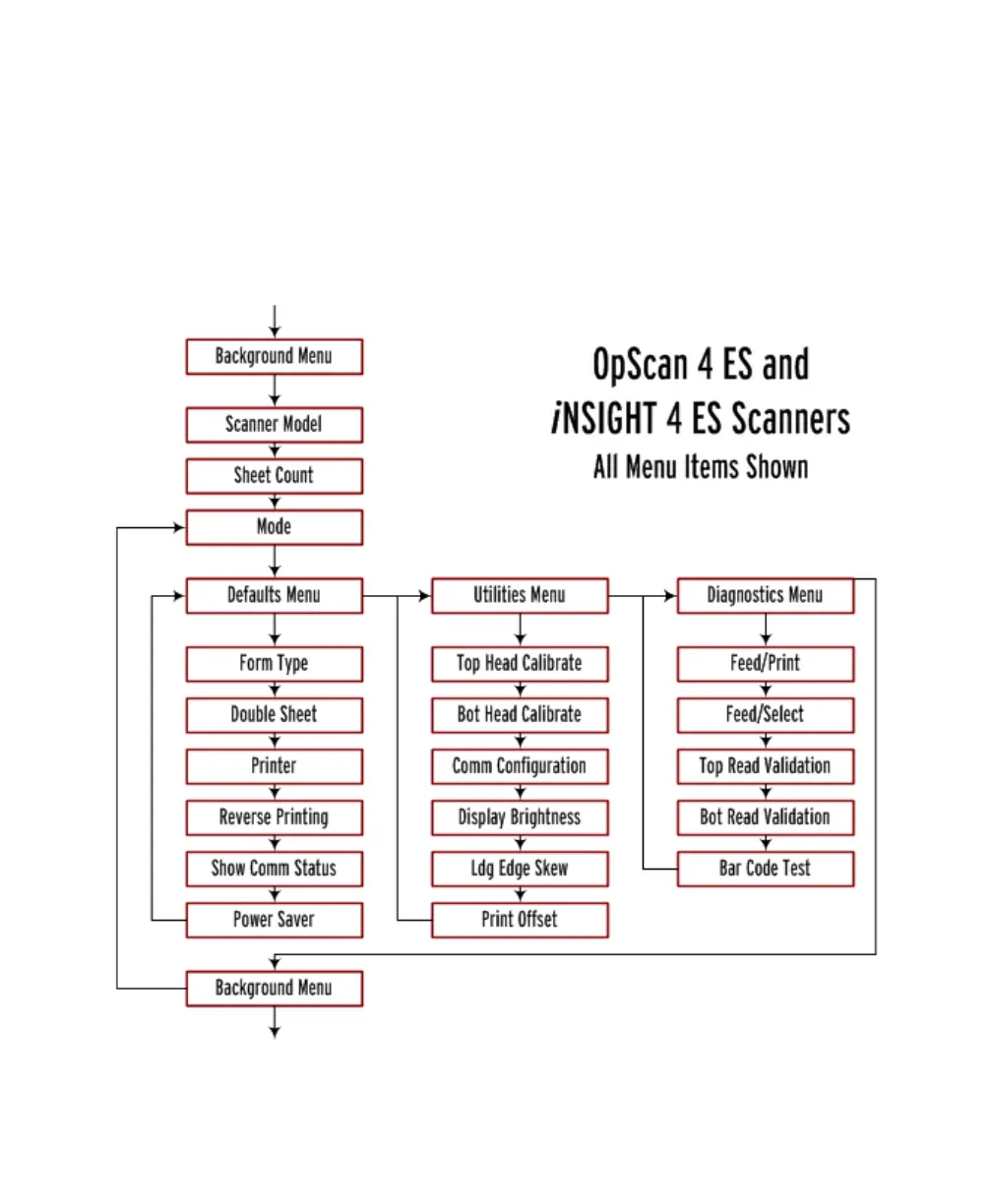
Background Menu Flowchart
104 Scantron OpScan 4ES and iNSIGHT 4ES Scanners
Background Menu Flowchart
The background menu is organized as shown below.
The flowchart shows ALL menu items (for all model
scanners and for all modes). See the individual menu
item descriptions to see if the menu items apply to
your model scanner and the mode that you are in.



 To Next Page